22
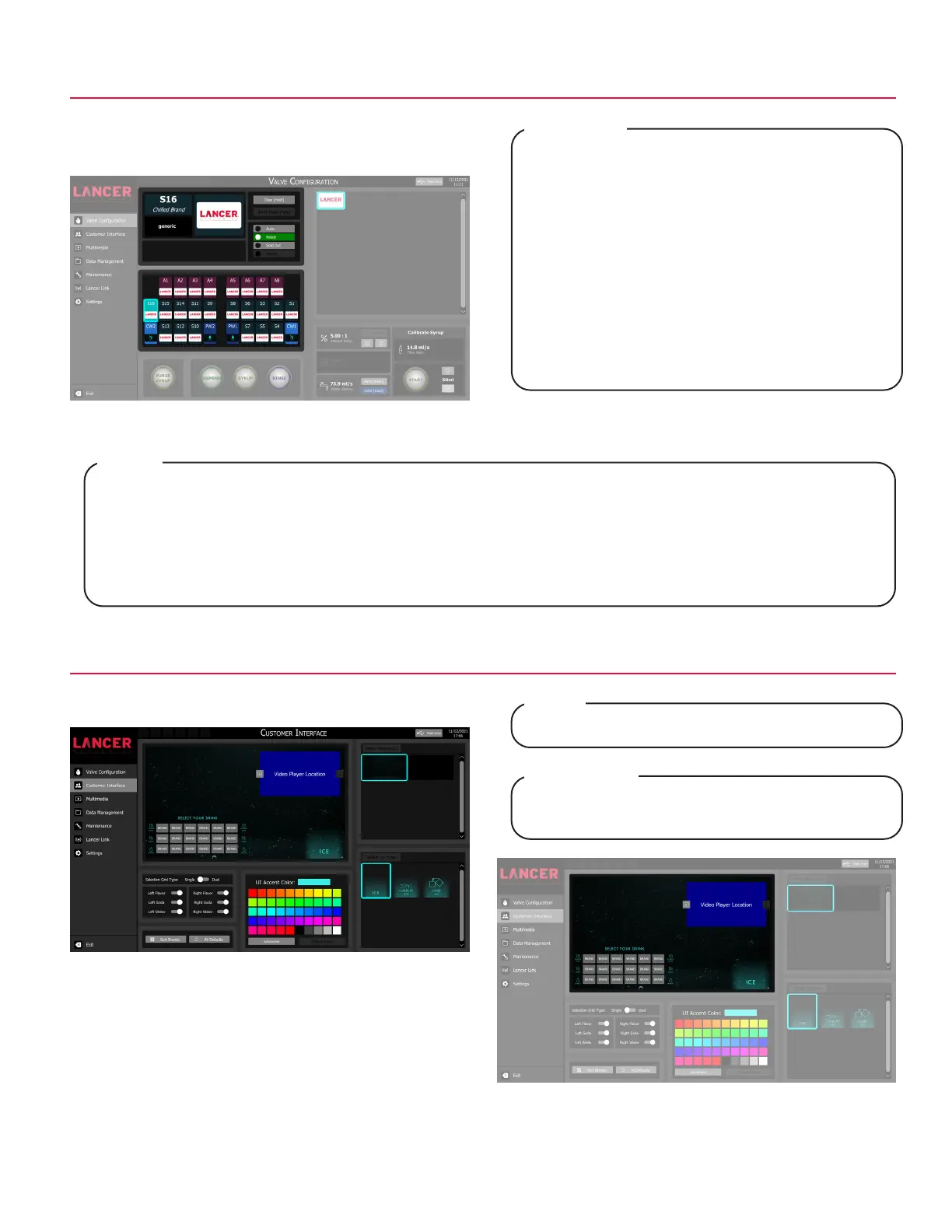
Ready - signifies there is available product and the valve will dispense when activated.
Sold Out - signifies there is no available product or there is a problem with the specified brand and will not dispense
when activated.
Auto - signifies that the configured Sold Out Sensor controls whether the brand can be dispensed. This feature
requires an optional sold out sensor kit, does not come standard, and is available for up to twenty (20) brands at one
time. If no sold out sensor is assigned then the Auto feature acts the same as the Ready feature.
NOTE
Prêt - signifie qu’il y a un produit disponible et que la
vanne distribuera lorsqu’elle est activée.
Out - signifie qu’il n’y a pas de produit disponible ou
qu’il y a un problème avec la marque spécifiée et sera
distribué lorsqu’il est activé.
Auto - signifie que le capteur épuisé configuré
contrôle si la marque peut être distribuée. Ce la
fonction nécessite un kit de capteur en option épuisé,
n’est pas livré en standard et est disponible pour un
maximum de vingt (20) marques à la fois. Si aucun
capteur épuisé n’est attribué, la fonction Auto agit de
la même manière que la fonction Prêt.
REMARQUE
Valve Configuration - Sold Outs
1. Tap Valve Configuration on the navigation menu.
2. Tap the desired valve to adjust operational state.
3. Tap one of the three (3) sold out states to enable.
Customer Interface - Customize
1. Tap Customer Interface on the navigation menu.
Interface changes are reflected in the preview window.
NOTE
Les modifications de l’interface sont reflétées dans la
fenêtre d’aperçu.
REMARQUE



 To Next Page