28
Maintenance
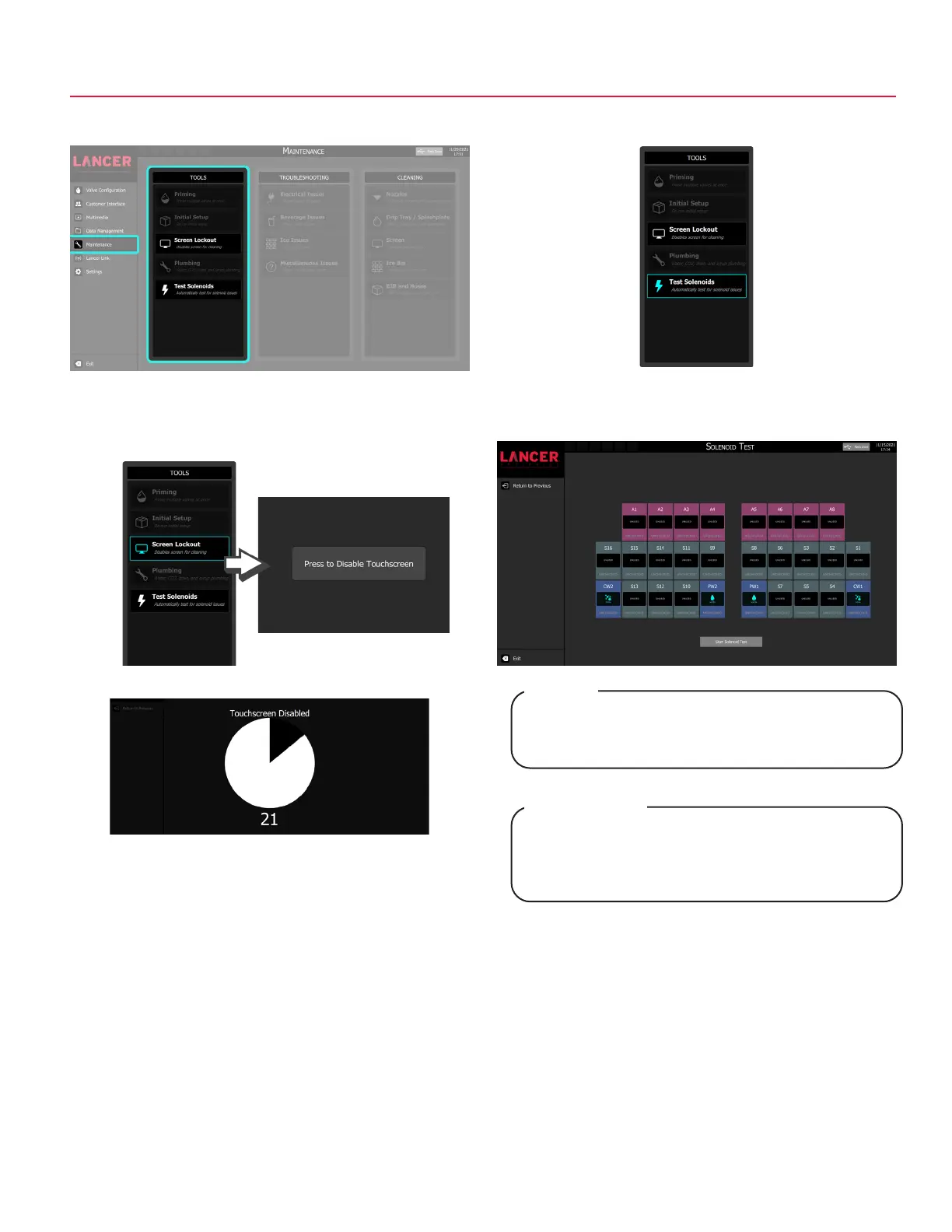
1. Tap Maintenance on the navigation menu.
2. Tap the Screen Lockout button under the Tools pane to
enter the touchscreen disable screen.
3. Tap Press to Disable Touchscreen to disable the screen for
general cleaning.
5. Tap the Test Solenoids button to enter the Solenoid Test
Screen.
4. Touchscreen will be disabled for 30 seconds for cleaning.
6. Tap Start Solenoid Test to begin testing of all valves.
Depending on the state of the solenoids, it may be
necessary to tap the Start Solenoid Test twice to get
accurate readouts of all solenoids.
NOTE
Selon l’état des solénoïdes, il peut être nécessaire
d’appuyer deux fois sur le Start Solenoid Test (le
test des solénoïdes de démarrage) pour obtenir des
lectures précises de tous les solénoïdes.
REMARQUE



 To Next Page