2/19/98 Log - Logging Sound Level Meter (Option 01) 6-43
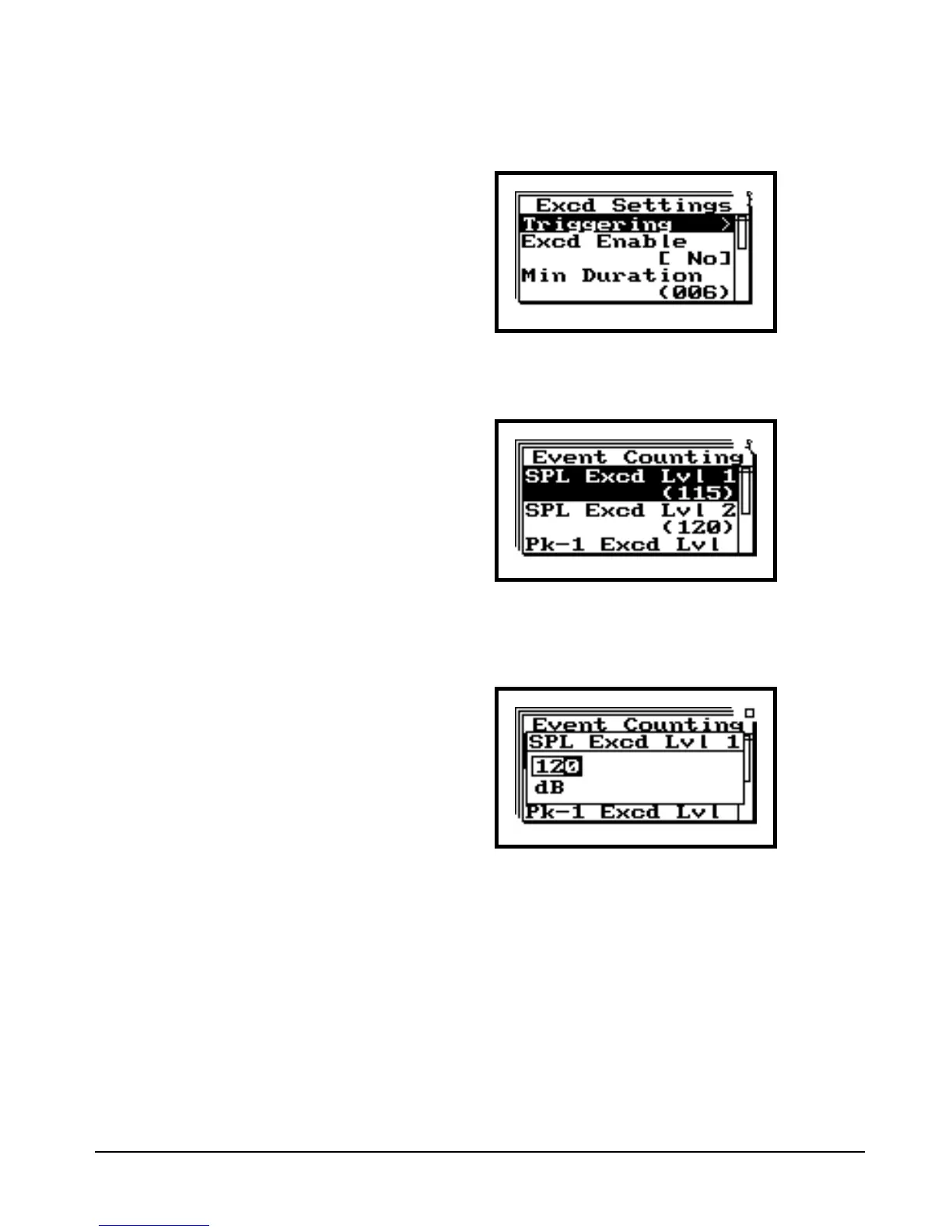
Step 3 Press the rto enter the “Excd Settings”
menu.
This menu lets you to set an exceed-
ance threshold level. When the 824
measures a level that surpasses the
established threshold level, it will log
the exceedance history. Included
with the exceedance history is Leq,
SEL, Lmax, Peak, a graph of the Leq
during the event, and the time, date,
and duration of the exceedance. The
824 can trigger off of an SPL (rms)
level or a Peak level. A common set-
ting is to establish the “SPL Excd
Lvl 1” parameter to act as the trigger
level. We will do that in this exercise,
setting the value to 85 dB.
Step 4 Press the u or d to highlight the “Trigger-
ing”, then press the c.
Step 5 Press u or dto highlight “SPL Excd Lvl 1”
and the press c to enter the “SPL Excd Lvl 1”
field.
The u and d arrow keys increment through the
SPL exceedance level values, while l and r tog-
gles between the different numeric fields.


 To Next Page
 Loading...






