PLMNL0199 REV. J Effective Date: 08/05/21 31 FiberCUT
®
ST Operation Manual
FiberCUT
®
controller settings at the
factory include a static IP address of
169.254.99.12.
Typically, it is necessary to set the IP
address of your PC to the same range
as the IP address of your FiberCUT
®
controller.
o For example; to connect to the
FiberCUT
®
controller at the default
address, set your PC to an address
of 169.254.99.1 with a subnet
mask of 255.255.255.0. Refer to
your Windows documentation to
set your IP address.
Prior to using FiberCUT
®
Monitor for
the first time, run the set up process in
Appendix F.
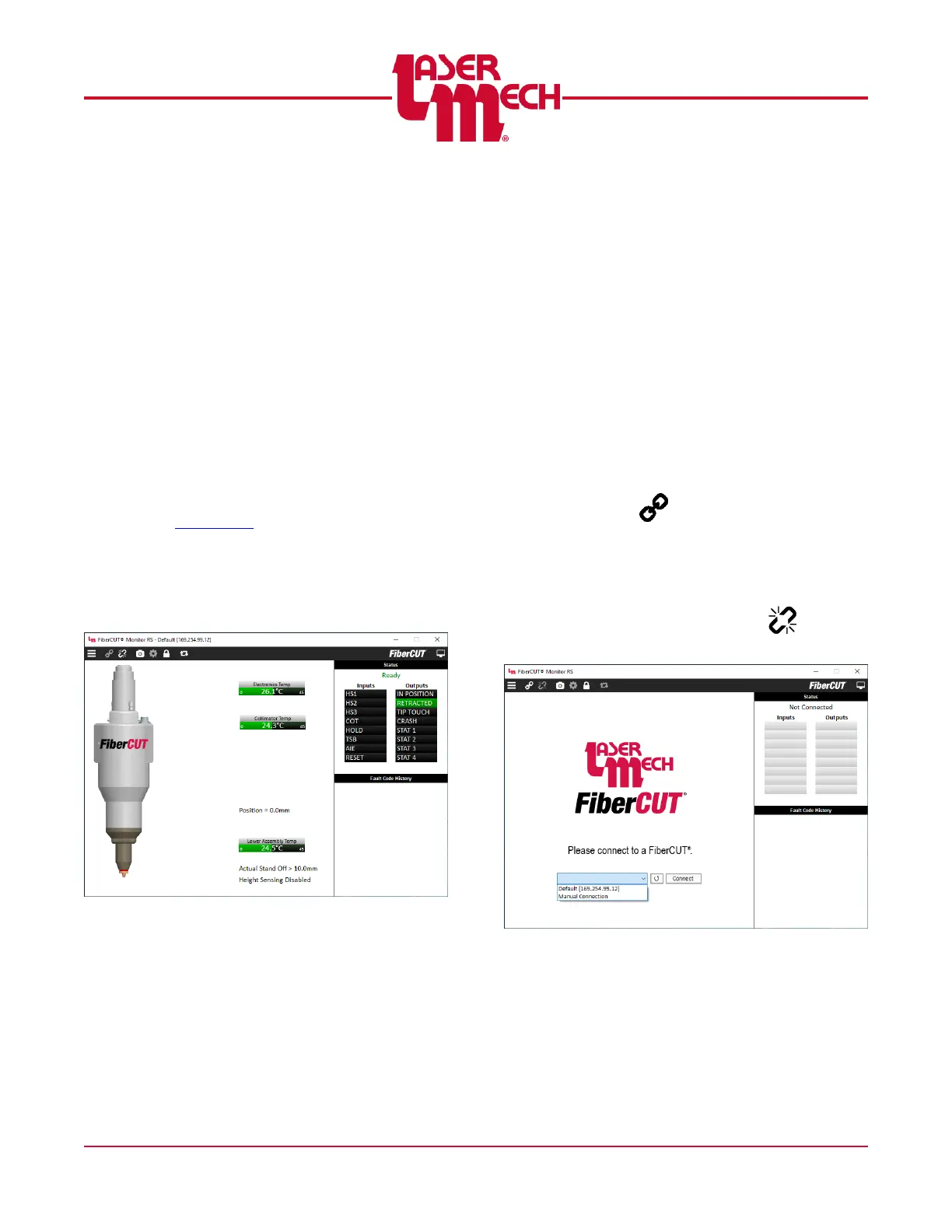
5.4 Standard View
Standard View is the default display mode,
showing one FiberCUT
®
head in a large
window. See Figure 34.
Figure 34
Standard View Panel
5.4.1 Connecting
To connect to a FiberCUT
®
using
Standard View (see Figure 35):
1. Click on the IP address drop down
menu near the bottom of the
monitor panel and choose the
appropriate address.
If the desired address does
not appear, select Manual
Connection and enter the
desired IP address.
2. Click Connect.
Alternately, you can connect by
clicking the Connect button
( ) in the toolbar then
selecting the appropriate address
from the menu. The main screen
will appear. See Figure 34.
3. To disconnect, click the
Disconnect button ( ) in the
toolbar.
Figure 35



 To Next Page