PLMNL0199 REV. J Effective Date: 08/05/21 33 FiberCUT
®
ST Operation Manual
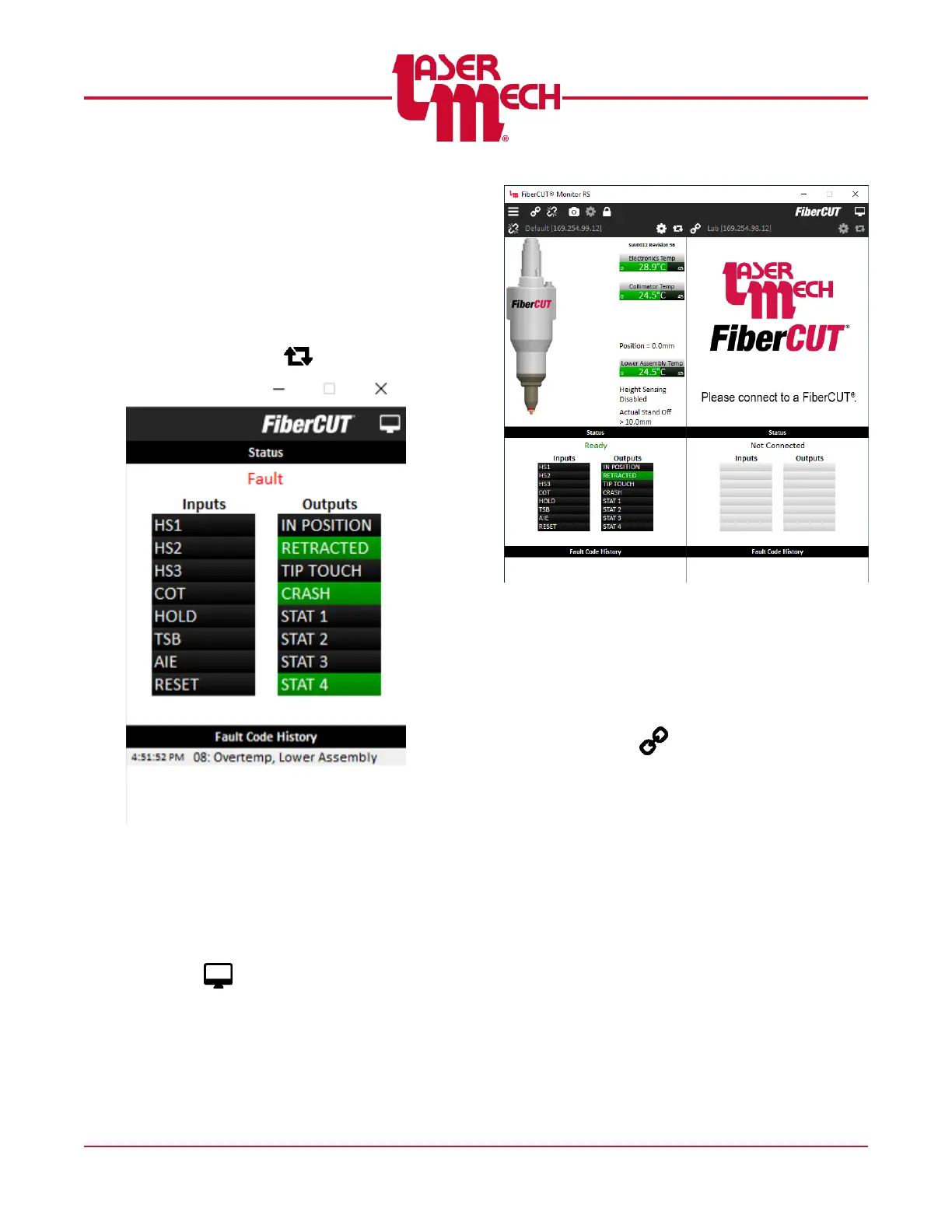
The Fault Code History is displayed
below the Status panel. Any alarms
that may occur while FiberCUT
®
Monitor is connected will be recorded
here. The history can be cleared by
right-clicking on the list and selecting
Clear Fault Log.
To recover from a fault, click the
Reset button ( ) in the toolbar
Figure 37
5.5 Multiple View
Multiple View allows up to 4 FiberCUT
®
heads to be monitored simultaneously,
each in its own panel. To change the
number of panels displayed, click the View
button ( ) in the toolbar then select 2
Panels, 3 Panels, or 4 Panels. See Figure
38.
Figure 38
Multiple View Panel
5.5.1 Connecting
To connect to a FiberCUT
®
using
Multiple View:
1. Click the Connect button
( ) in the top left corner of the
desired panel. If no IP address
has been assigned to that panel, a
list of all available addresses will
appear.
Otherwise, select the most
recently used IP address or hover
over Other Connections to see all
available addresses.
If the desired address does
not appear, select Manual
Connection or OFFLINE and
enter the desired IP address.
Each IP address can only be
assigned to one panel at a
given time. If you connect
using a different panel than
currently assigned, the panels
will swap addresses.



 To Next Page