PLMNL0199 REV. J Effective Date: 08/05/21 61 FiberCUT
®
ST Operation Manual
14 Appendix F – Updating Controller Firmware
Download the latest copy of FiberCUT
®
controller firmware:
http://www.lasermech.com/fibercutupdates
Prior to using FiberCUT
®
Monitor for the first
time, run FiberCUT
®
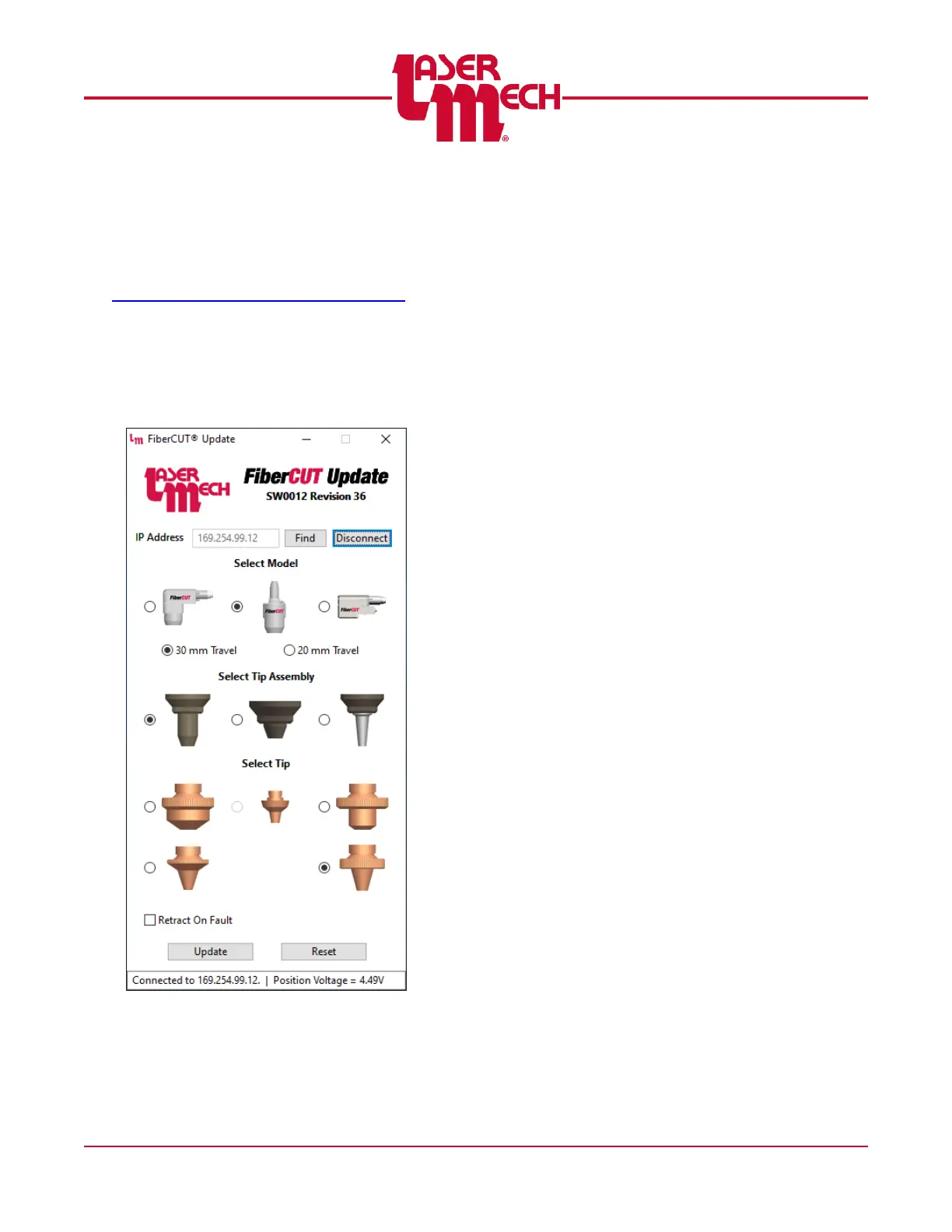
Update (SW0012) to load
the latest firmware version on the FiberCUT
®
controller and to configure the controls and
graphical displays to match your FiberCUT
®
head. See Figure 69.
Figure 69
To run the FiberCUT
®
Update (SW0012)
software (see Figure 69):
1. Launch the SW0012Rxx.exe application.
xx is the current revision number.
2. Enter the controller's IP address and click
Connect.
If the IP address is unknown, click Find
to display all the controllers on the
network.
You may need to install software to use
the Find feature. If that is the case,
follow the on screen instructions.
3. The updater will display the current Model,
Tip Assembly, Tip and Retract On Fault
configuration assigned to the controller.
Make any necessary changes then click
Update.
4. If the software already exists on the
controller, a message may appear.
If changes occurred to the head
configuration, click Yes to continue.
Otherwise, click No.
5. A prompt will appear asking whether to save
existing Preferences or use default values.
Click on the appropriate selection to
begin updating.
OR
Click Cancel to stop the update process.
6. Once the update is complete, the head will
reset.
You are ready to exit this program and
launch FiberCUT
®
Monitor.



 To Next Page