PLMNL0199 REV. J Effective Date: 08/05/21 43 FiberCUT
®
ST Operation Manual
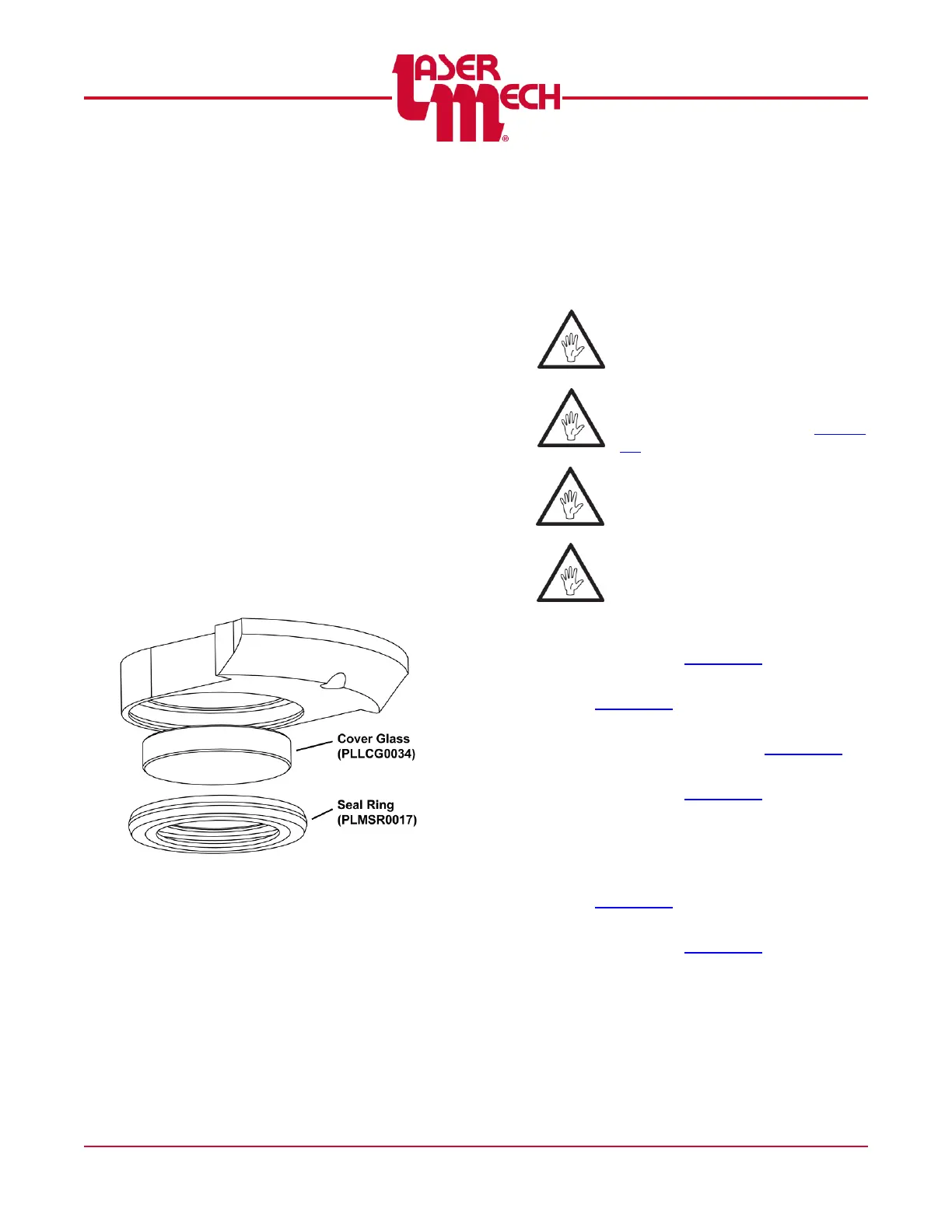
For steps 4 to 7, see Figure 53.
4. Remove the cover glass from the
holder by applying pressure with your
fingers to the surface of the cover
glass, opposite the seal.
The seal and cover glass will pop
out.
Save the seal.
5. Install the new cover glass by placing it
into the holder.
6. Press the Teflon seal into the holder to
retain the cover glass.
Replace the existing seal with a
new one if it appears damaged.
7. Reinsert the cover slide holder into the
tip assembly.
Verify that the orientation of the
cover slide holder is correct. See
Figure 52.
Figure 53
6.5 Servicing the Focusing Lens
Cartridge
The service procedure is to change the
entire focusing lens cartridge; it is
necessary to remove the tip assembly.
You MUST replace the focus lens
cartridge as an assembly.
Before opening any part of the
head, clean off the dust and/or
process debris according to Section
6.2.
DO NOT BLOW OFF THE HEAD
WITH COMPRESSED AIR!
Always wear powder free gloves or
finger cots when handling optics
and optic holders.
1. Clean the outside of the head
according to Section 6.2.
2. Remove the tip assembly according to
Section 6.3.
3. Measure and record the position of the
lens holder according to Section 4.5.
4. Install a new focus lens cartridge
according to Section 4.5.
5. Measure the position of the lens holder
to confirm it is the same as the position
you measured in step 3.
6. Reinstall the tip assembly according to
Section 6.3.
7. Perform the tip alignment procedure
according to Section 4.4.



 To Next Page