PLMNL0199 REV. J Effective Date: 08/05/21 47 FiberCUT
®
ST Operation Manual
6.8 Servicing the Collimating Lens
Cartridge
The service procedure is to change the
entire collimating lens cartridge; it is
necessary to remove the fiber collimator
from the cutting head.
1. Remove the fiber collimator assembly
from the cutting head according to
Section 6.7.
2. Take the fiber collimator assembly to a
clean dry area.
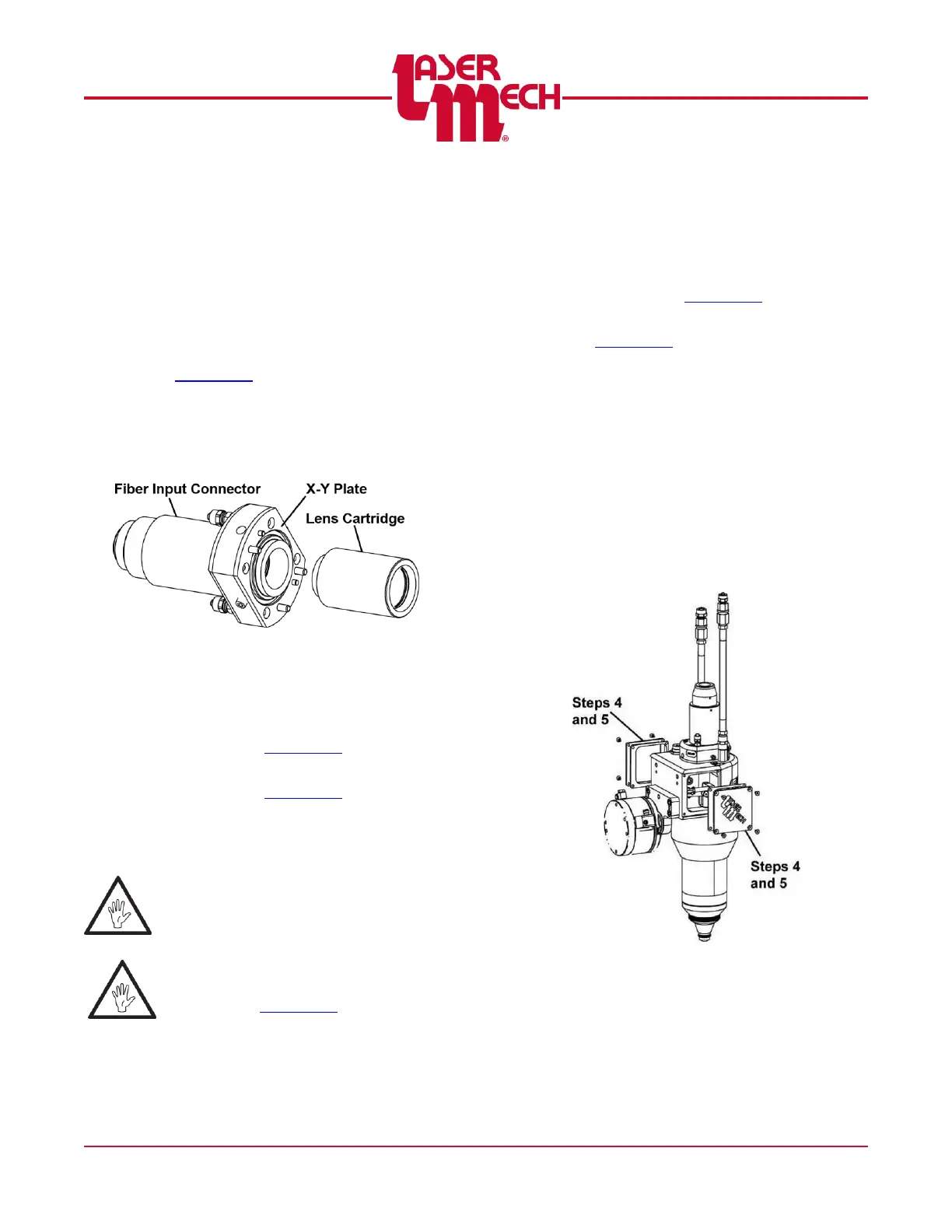
3. Unthread the lens cartridge from the X-
Y plate. See Figure 57.
Figure 57
4. Thread the new lens cartridge onto the
X-Y plate. See Figure 57.
5. Install the fiber collimator assembly
according to Section 6.7.
6. Perform the tip alignment procedure
according to Section 4.4.
6.9 Removing and Installing the
Motor
ALWAYS consult a Laser
Mechanisms service technician
before removing the motor.
Before opening any part of the head,
clean off the dust and/or process debris
according to Section 6.2.
The following procedures refer to motor
part number PLMOT0018.
To remove the motor:
1. Clean the outside of the head
according to Section 6.2.
2. Remove the cutting head according to
Section 6.6.
3. Move the cutting head to a clean
environment to prevent contamination
of the optics.
For steps 4 and 5, see Figure 58.
4. Remove the side cover plates and
gaskets from both sides, by removing
the (4) flat head screws per plate. Use
a 2mm hex wrench.
5. Set the side plates, gaskets, and flat
head screws aside in a clean, dry
location.
Figure 58



 To Next Page