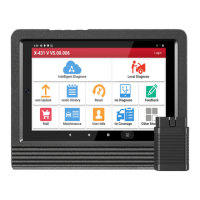
About X-431 Station
DiagnosticsToolbox & AppsFAQ
Initial Use
23
www.x431.com +86 755 8455 7891
LAUNCH
Station
User's Guide
2.3 Register & Download Diagnostic Software
For new users, please follow the operation chart shown below to get started with the X-431 Station.
App Sign-up
Activate VCI
Register Wallet*
Finish Registration
Download Software
Note: Wallet App is a point (token) management application tailored for healthy vehicle maintenance. Those
who share the Wallet App with car owner will be rewarded 1 point (token) when this car owner successfully
registered. Later, the points will bring many unexpected benefits to you and the recommender. For example, use the
points to redeem merchandise or enjoy discount.
Tap or click
in the lower left corner of the screen, select the X-431 STATION icon to launch it, and tap or
click “Login” on the upper right corner of the screen to enter the login interface.
Note: If the user has logged in the current system, the “Login” button will change into “User Info”.
B
AC
Login interface
(If you are a new user, follow A to proceed.)
(If you have registered to be a member, go to B to login the system directly.)
(In case you forgot password, refer to C to reset a new password.)
A. If you are a new user, tap or click “New Registration” to enter the sign-up screen.
Create App Account Interface




 To Next Page


