About X-431 Station
Diagnostics
Toolbox & Apps
FAQ
Initial Use
68
www.x431.com +86 755 8455 7891
LAUNCH
Station
User's Guide
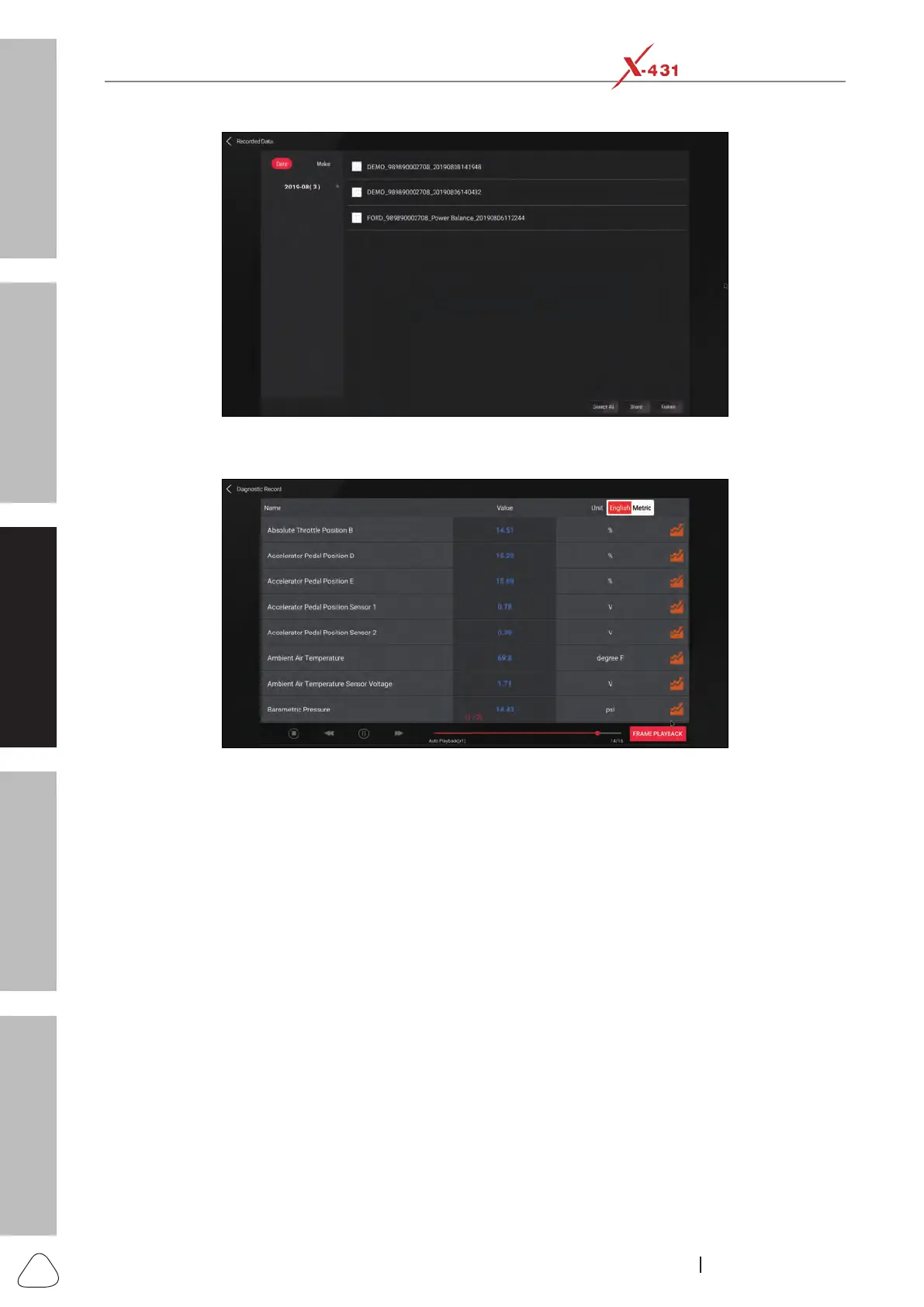
Recorded Data Page
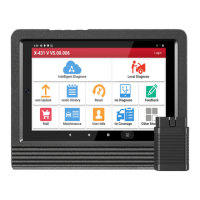
Tap or click the desired recorded data to enter the diagnostic record playback screen.
Diagnostic Record Playback Screen
• Graph: Displays parameters in waveform graphs.
• Combine: Use to merge graphs for data comparison. Different items are coded in different colors.
• Value: The default mode displays the parameters as text in a list format.
• Frame Playback: Use for frame-by-frame playback of the selected data stream items. When in Frame
Playback mode, this button changes to Auto Playback.
• Auto Playback: Use for automatic playback of the selected data stream items. When in Auto Playback
mode, this button changes to Frame Playback.
3.9 Help
It mainly includes: Vehicle Coverage, Maintenace Database, Product Manual and FAQ.
3.9.1 Vehicle Coverage
This option allows you to check the vehicle models supported on the X-431 Station.




 To Next Page