Math Setup
Access the main Math dialog by selecting Math → Math Setup... on the
menu bar.
There are two ways to select your math operator during setup. They only
differ in the order of the steps.
Using the Fx Buttons on the Math Dialog - After directly
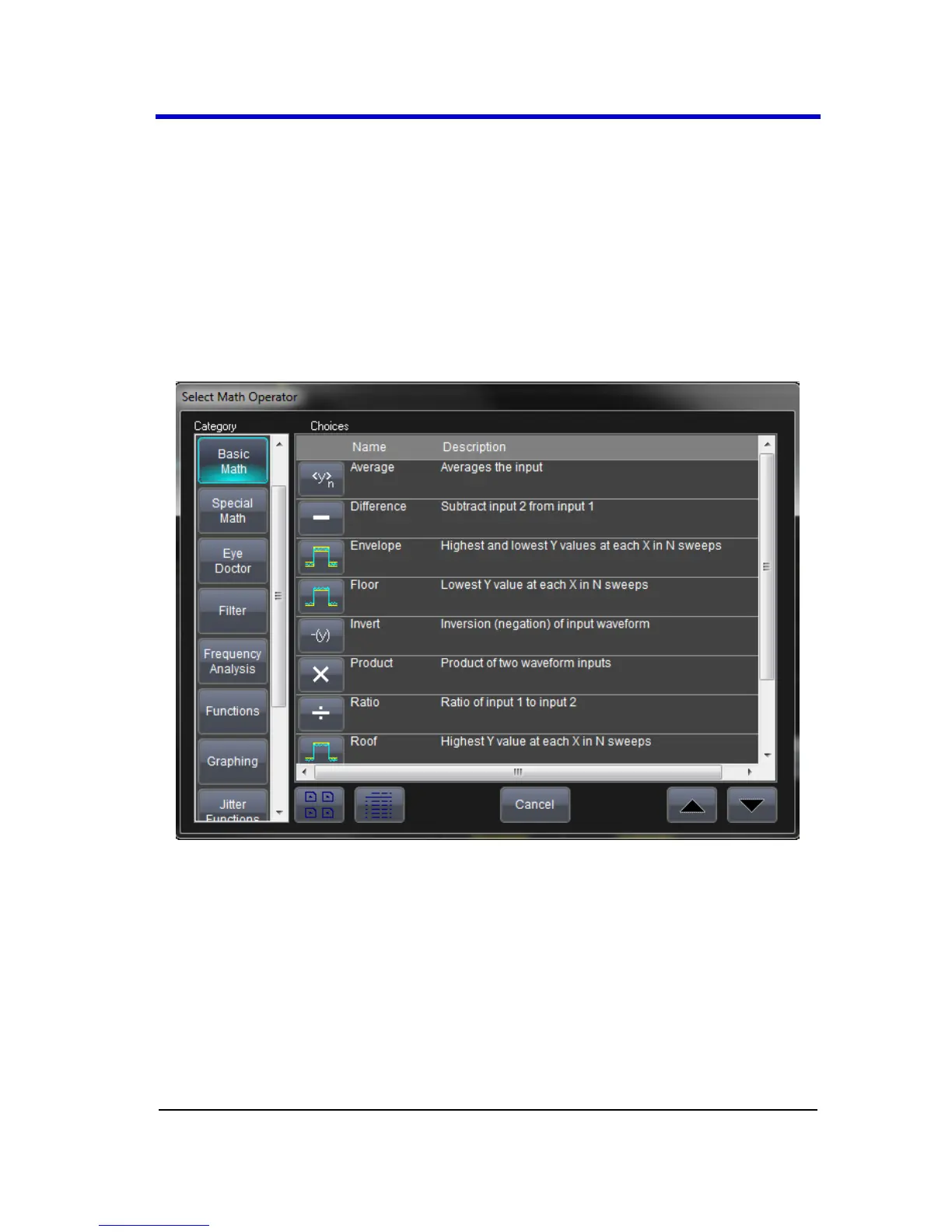
touching an Fx button on the Math dialog, the Select Math
Operator pop-up is shown.
Math functions are categorized into Basic and Special.
Using a Corresponding Fx Tab/Dialog - After directly accessing a
corresponding Fx dialog, touch the Operator control and the
Select Math Operator pop-up is shown.





 To Next Page