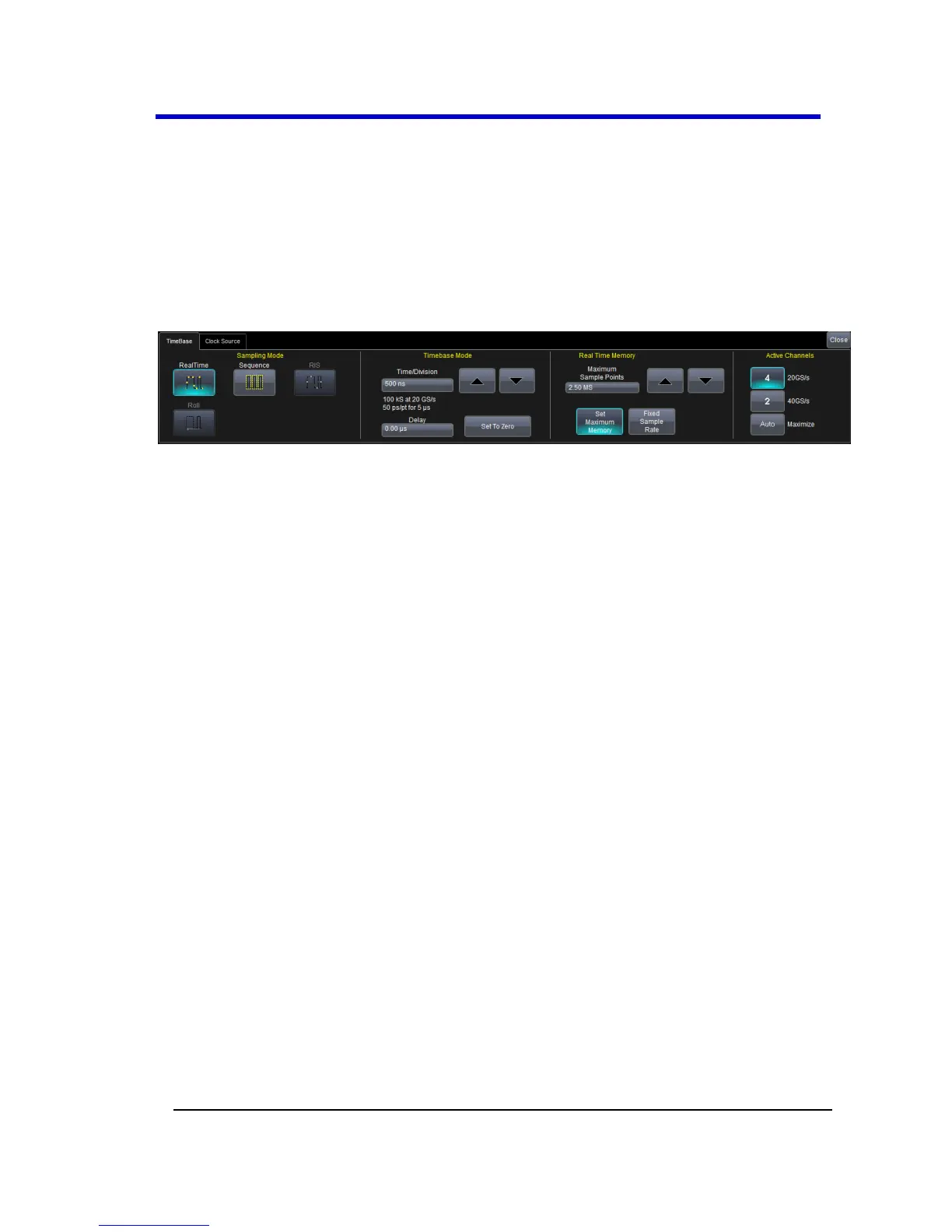
Timebase
Timebase Overview
You can access Timebase settings using the front panel Horizontal
controls, the Timebase → Horizontal Setup... on the menu bar, or by
touching the Timebase trace descriptor label. The Timebase dialog is
then shown.
Timebase Setup and Control
1. With the Timebase dialog showing, touch inside the Time/Division
data entry control and provide a value using your preferred input
control method - for more information regarding the touch screen
controls, refer to Dialog Area (on page 46).
2. Touch inside the Delay data entry control and provide a value.





 To Next Page