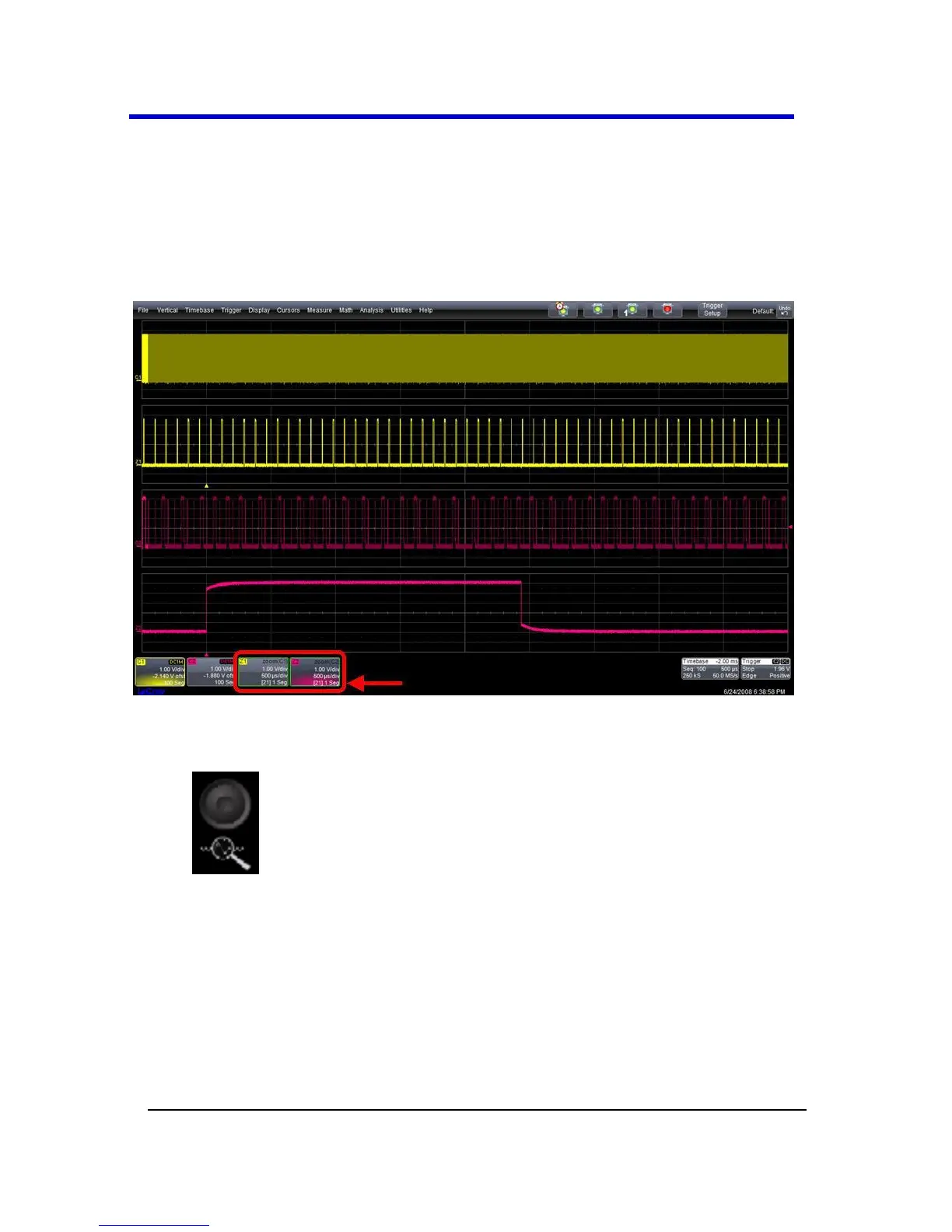
Zooming Segments in Sequence Mode
You can zoom individual segments easily using the QUICKZOOM front
panel button. When you zoom, the zoom traces default to Segment 1.
Channel descriptors indicate the total number of segments acquired.
Zoom descriptors indicate [Seg #] and #Segments in the Zoom. You can
scroll through the segments using ZOOM front panel position knob.
Sample Zoom of Segments in Sequence Mode
1. Touch the front panel Quickzoom button.
2. Turn the ZOOM front panel position knob to scroll through the
segments.
3. To vary the degree of zoom, touch the newly created Zx trace
label. The setup dialog for the zoom (Z1 to Z4) opens. It shows the
current horizontal and vertical zoom factors.





 To Next Page