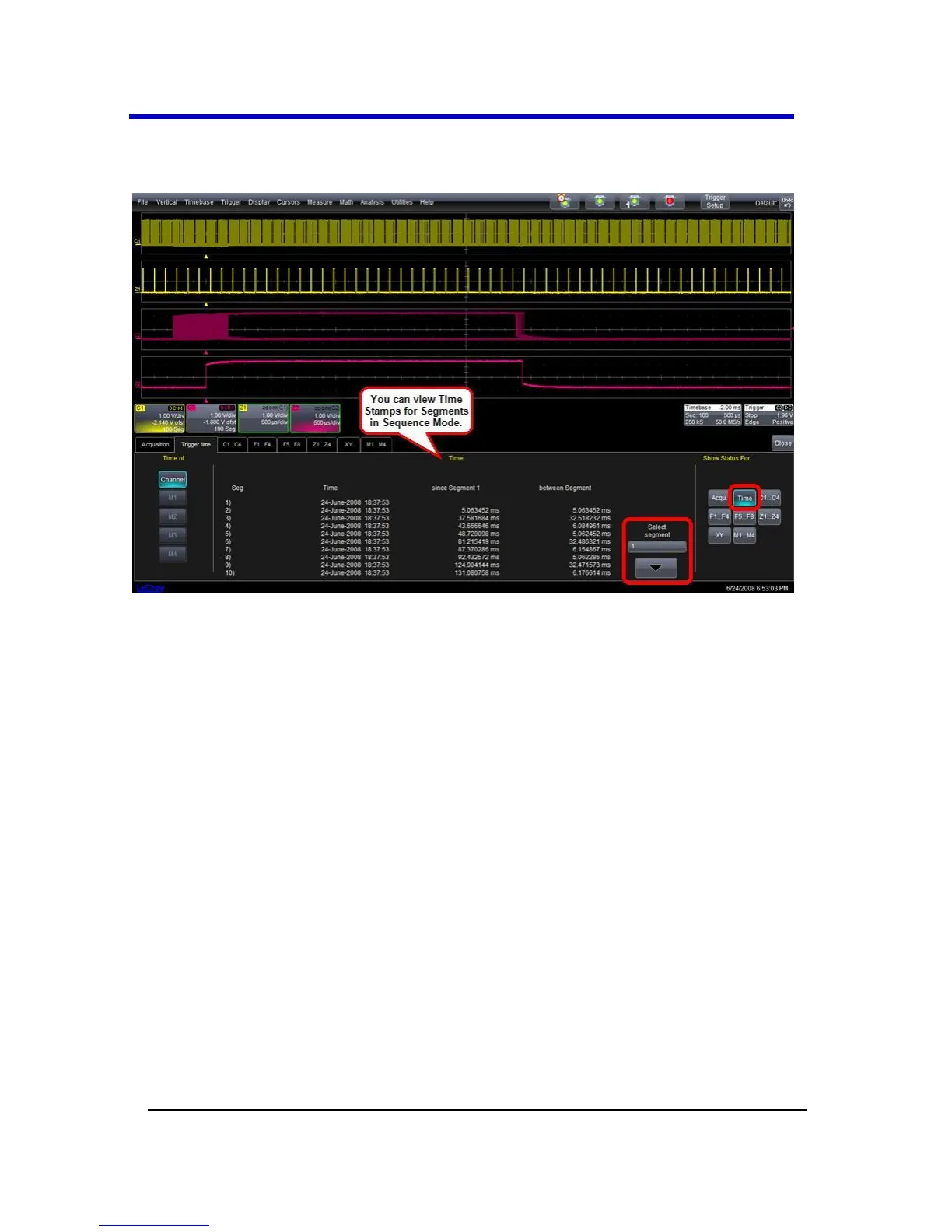
Viewing Time Stamps
You can view time stamps for each segment.
View Segment Time Stamps
1. Touch Timebase → Acquisition Status on the menu bar.
OR
Touch Vertical → Channel Status on the menu bar.
2. Touch the Trigger Time tab.
3. Under Show Status For, touch the Time button.
4. Touch inside the Select Segment control and enter a segment
number value (you can also touch the arrow buttons to scroll
through segment times).
RIS Sampling Mode - For Higher Sampling Rates
RIS (Random Interleaved Sampling) is an acquisition technique that
allows effective sampling rates higher than the maximum single-shot
sampling rate. It is used on repetitive waveforms with a stable trigger.
The maximum effective RIS sampling rate is achieved by making multiple
single-shot acquisitions at maximum real-time sample rate. The bins thus
acquired are positioned approximately 5 ps (200 GS/s) apart.





 To Next Page