Note: The lowest bandwidth oscilloscopes contain only a BNC and
perhaps a Probe Ring interface; whereas, the highest bandwidth
oscilloscopes may contain every type of probe interface LeCroy
supports.
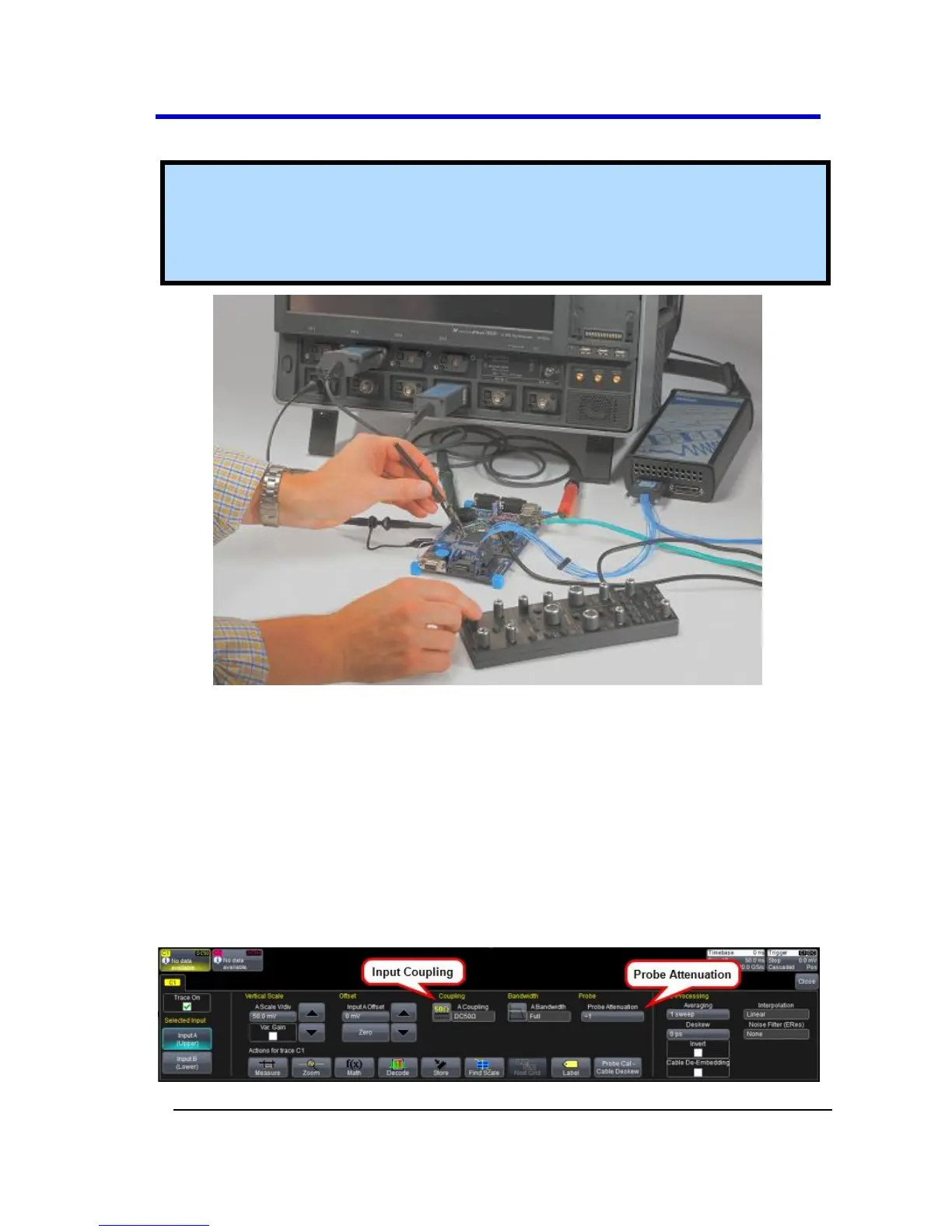
A LeCroy Zi series oscilloscope showing the four sets of ProBus/ProLink probe
interfaces. Zi oscilloscopes are compatible with all LeCroy probes.
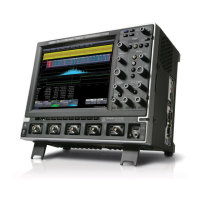
The following figure shows a typical channel setup dialog on a LeCroy
oscilloscope containing both ProLink (Input A, Upper) and ProBus (Input
B, Lower) interfaces. The input selection is on the left-hand side of the
dialog box. In this case the A input, the ProLink interface is selected.
When the probe is not connected, there is only a C1 tab selection for
vertical channel setup and the user has the ability to select input
coupling and probe attenuation.





 To Next Page