Preperation before surgery
18 M320 Ref. 10734261 / Version 03 M320 Ref. 10734261 / Version 03 19
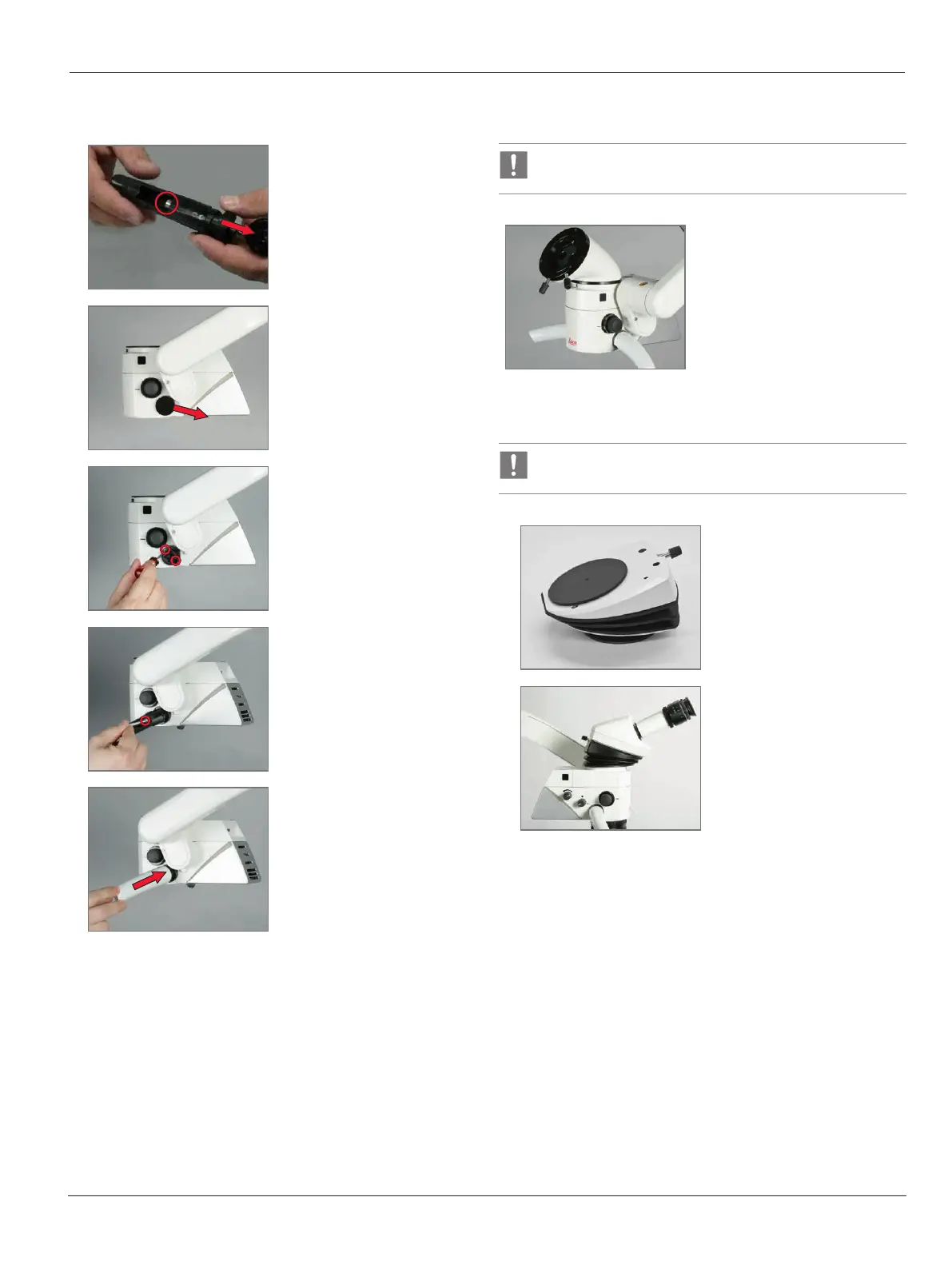
7.4.2 Installing the side handles
1
X
Screw the handle apart.
2
X
Remove cover with key.
3
X
Screw open the bottom
holder for the handle.
X
Handle tilt is individually
adjustable.
4
X
Refit the handle sleeve
holder.
5
X
Insert until the handle
sleeve clicks into place.
7.5 ErgonOptic Dent
Improves ergonomics at certain working positions: Turning
range 45° with 180° binocular tube.
ErgonOptic Dent:
Optical extension for more
comfortable work.
X
For installation, see 7.2,
"Installing the accessories".
7.6 ErgoWedge
The ErgoWedge gives a binocular with a fixed angle a
variable viewing angle of 5°to 25°.
1
ErgoWedge.
2
Ideal in combination with 45°
inclined binocular tube.
X
For installation, see 7.2,
"Installing the accessories"


 To Next Page