Operation
26 M320 Ref. 10734261 / Version 03 M320 Ref. 10734261 / Version 03 27
8 Operation
8.1 Starting up
WARNING
Risk of death from electric shock!
X
Connect the microscope to a grounded socket only.
CAUTION
Additional equipment connected to medical electrical
equipment must comply with the respective IEC or ISO
standards (e.g. IEC 60950 or IEC62368 for data processing
equipment).
The length of the HDMI cable must not exceed 10 m.
X
Use only high-quality HDMI cables.
HDMI cables are available from Leica.
Use only monitors approved for medical purposes or
equipped with an isolating transformer. Isolating
transformers are available from Leica.
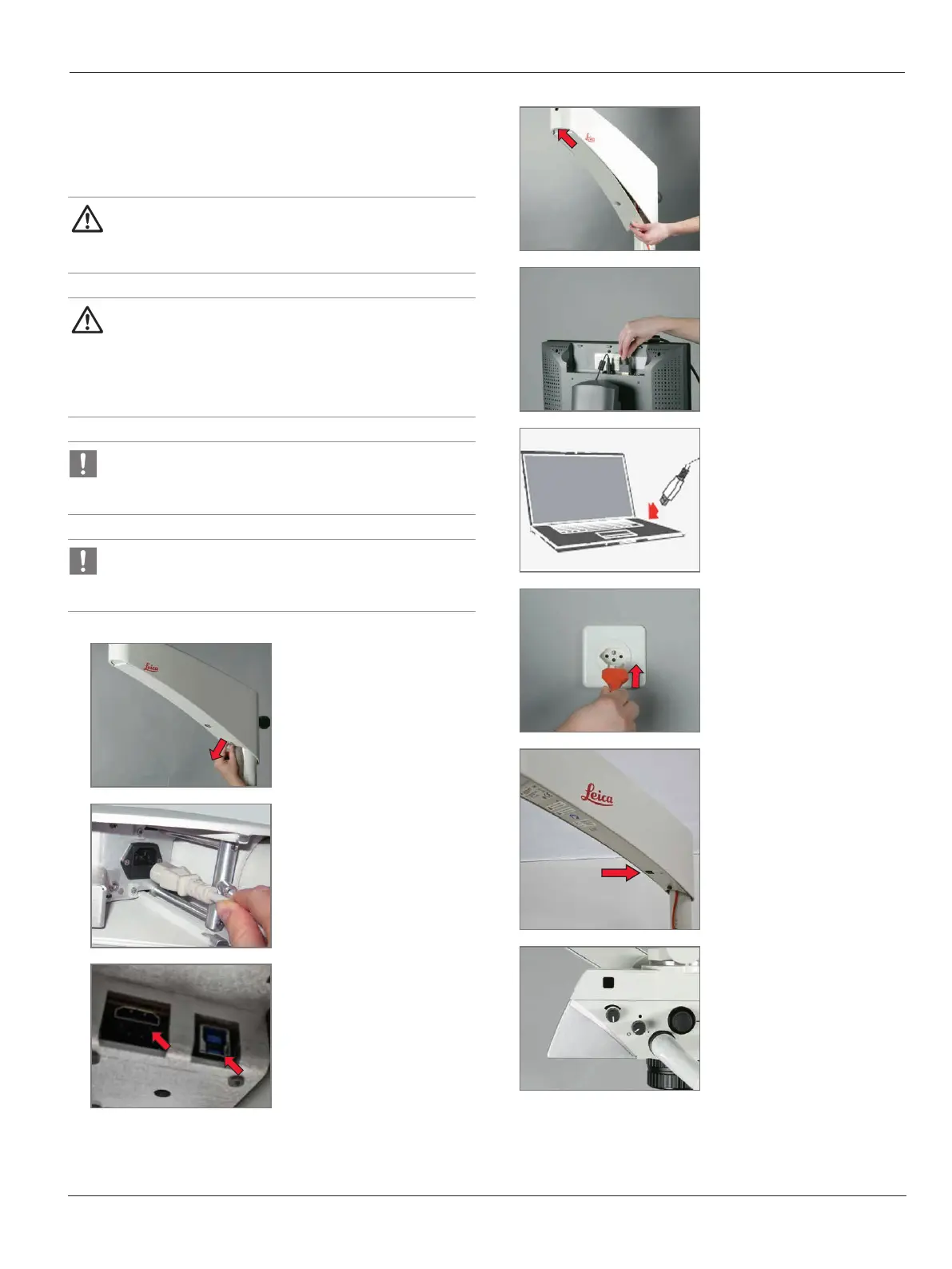
1
X
Remove cover of the
horizontal arm.
2
X
Plug the power cable into
the horizontal arm and
fasten it using cable ties.
3
X
Plug the HDMI cable and
USB cable (optional) into
the horizontal arm and
fasten it using cable ties.
4
X
Screw in the cover of the
horizontal arm and tighten
it.
5
X
Connect the HDMI cable to
a suitable monitor or
screen.
6
X
Connect the USB cable
(optional) to the computer.
7
X
Connect the power cable.
8
X
Switch on the main switch.
9
X
White LED illumination on
the optics carrier lights up.


 To Next Page