Preperation before surgery
24 M320 Ref. 10734261 / Version 03 M320 Ref. 10734261 / Version 03 25
5
X
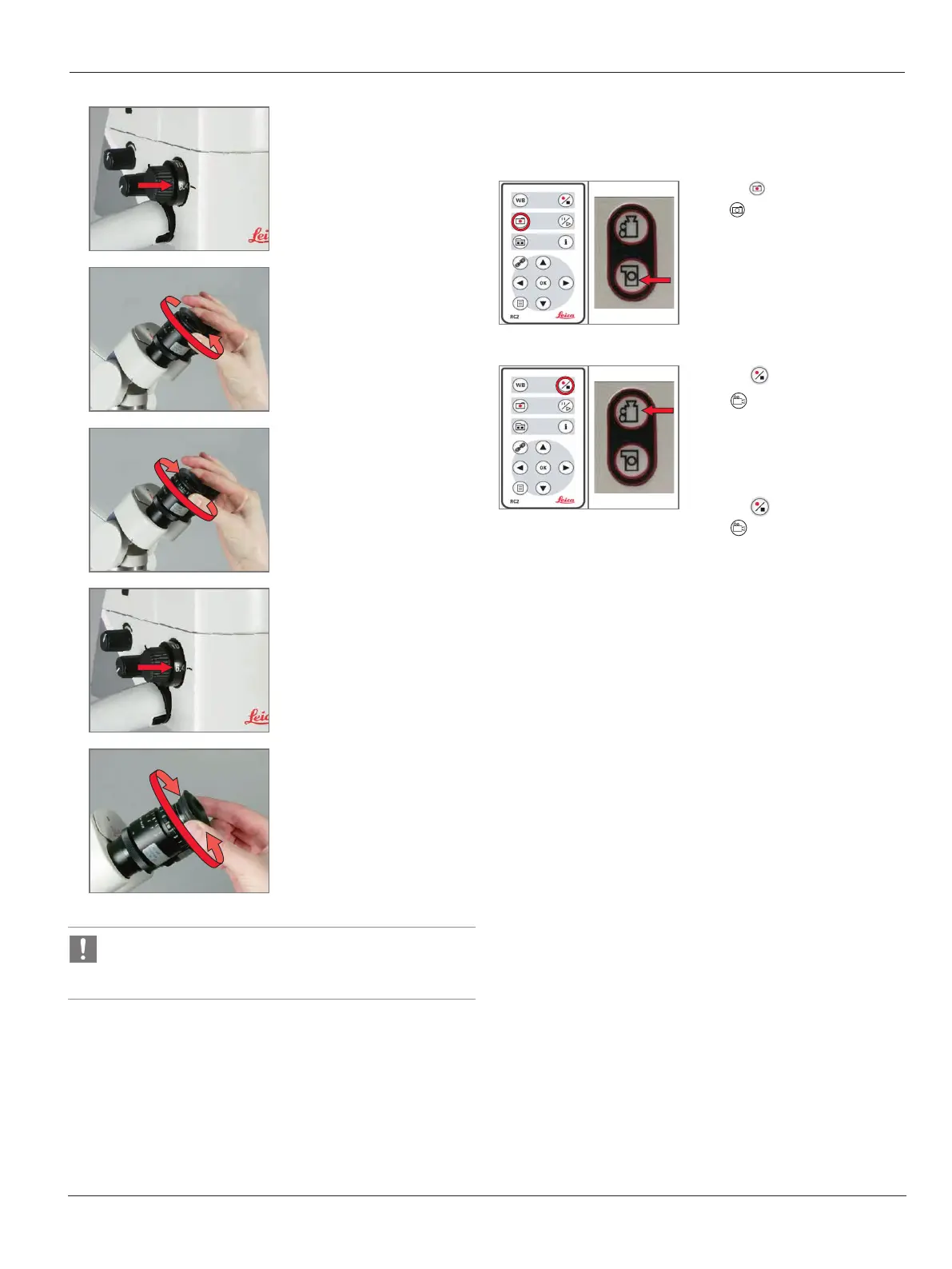
Without looking into the
eyepieces, set the minimum
magnification (6.4×).
6
X
Turn the dioptric correction
on the eyepieces to "+5".
7
X
Look into the eyepieces.
Rotate each eyepiece
individually clockwise, in
the "–5" direction, until
each eye sees the writing in
sharp focus.
8
X
Set maximum magnification
(40×).
9
X
Turn out the eyecups to the
desired distance.
The writing should now remain sharp when you change the
magnification.
X
If it does not, repeat the procedure.
7.20 Check the remote control and
camera
X
Press on the remote control
or on the video camera to
capture still images.
A signal tone sounds.
X
Press on the remote control
or on the video camera to
initiate video recordings.
A signal tone sounds.
X
To end the video recording,
press on the remote control
or on the video camera.
A signal tone sounds.


 To Next Page