Video Camera
32 M320 Ref. 10734261 / Version 03 M320 Ref. 10734261 / Version 03 33
9.2 SD Memory Card
An SD memory card cannot be formatted in the video
camera.
X
Format it at a computer or external digital camera.
•
The video camera is designed for SD memory cards up to
1 TB.
•
Leica recommends SD memory cards from SanDisk
(Speed Class UHS-3 or better).
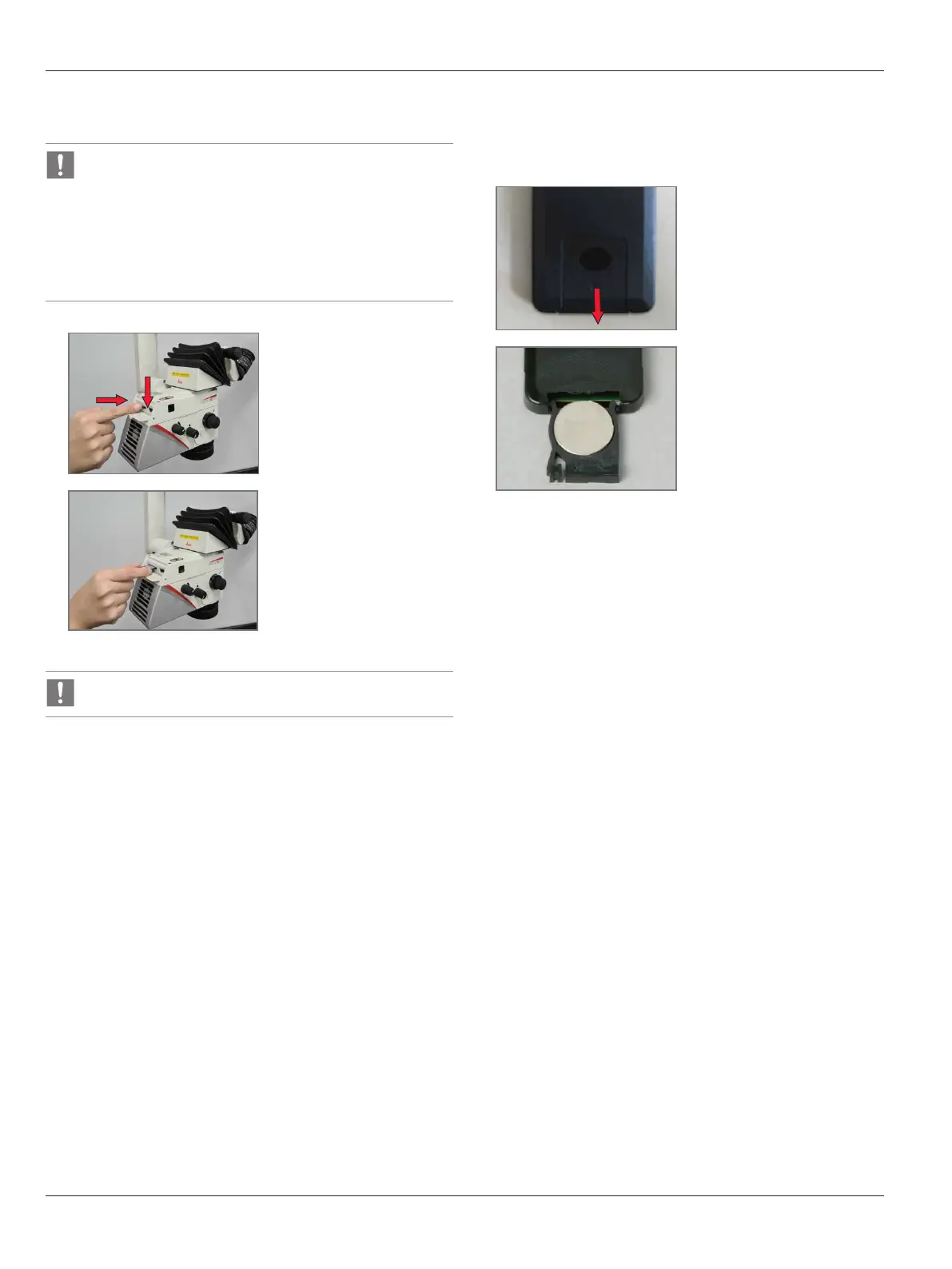
1
X
Push down the cover flap.
X
Insert the SD memory card
into the video camera.
2
X
Push in the SD memory card
and remove it.
Do not remove SD memory card while video recording is on.
9.3 Remote control
9.3.1 Changing the battery
1
X
Remove the battery insert
from the rear side.
2
X
Replace the battery.
(Button battery type CR2032)


 To Next Page