Video Camera
32 M320 Ref. 10734261 / Version 03 M320 Ref. 10734261 / Version 03 33
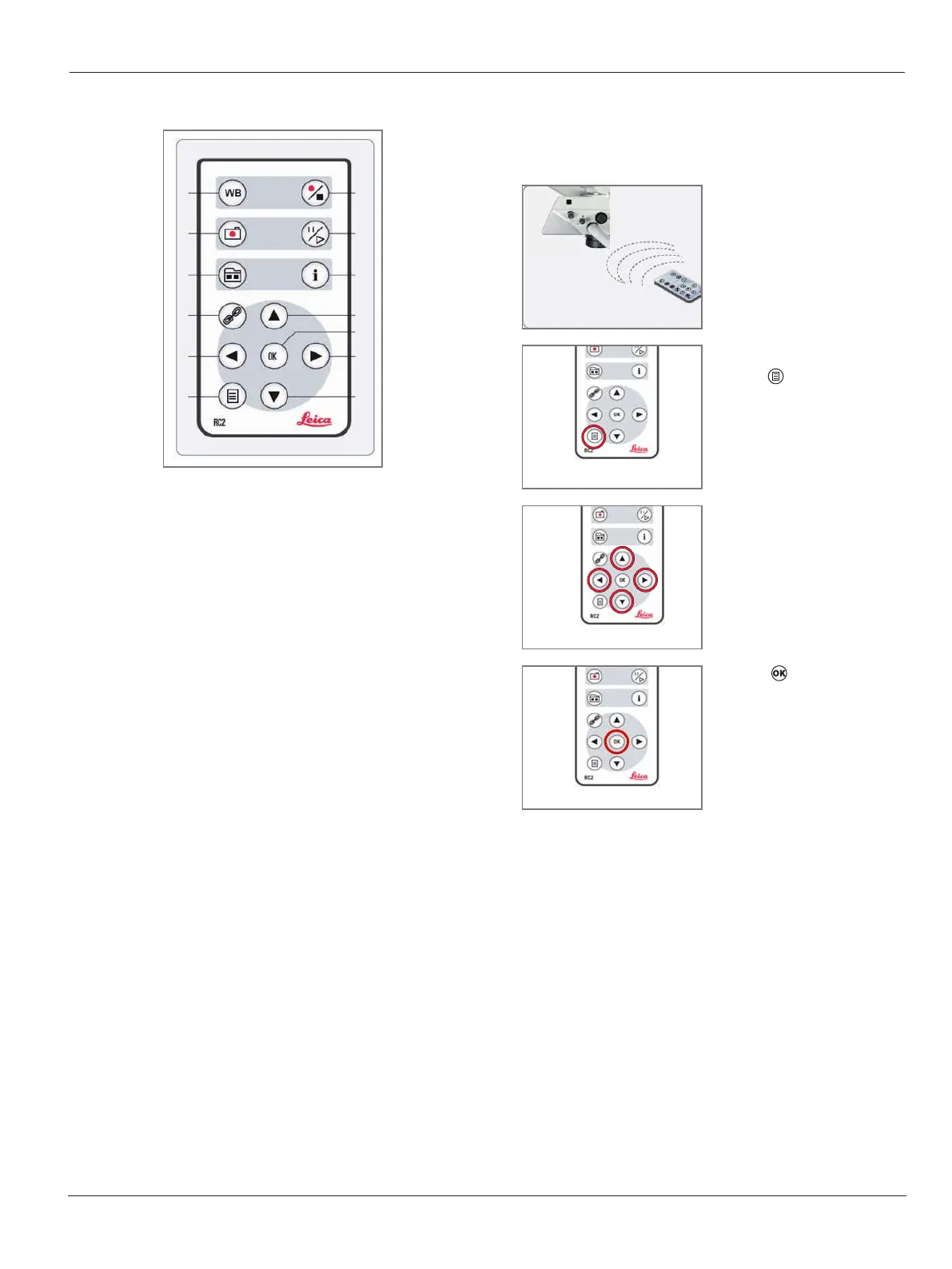
9.3.2 Overview
1
2
3
4
5
3
12
11
10
9
8
7
1 Perform white balance adjustment
2 Save still image to SD Card
3 Thumbnail mode / live view mode
4 Perform remote control pairing
5 Arrow keys for navigation / ALC mode
6 Enter / exit Camera Menu / live view mode
7 Start / stop video recoding
8 Freeze live view / play video / pause video
9 Show / hide information menu
10 Arrow keys for navigation / Quick Menu
11 OK / confirm
12 Arrow key for navigation / orange filter mode
13 Arrow key for navigation / camera capture mode
9.4 On Screen Menu
Camera menu
1
X
Point the remote control
towards the camera.
2
X
Call up the Camera Menu
with button.
3
X
Navigate with arrow keys.
4
X
Press to confirm.


 To Next Page