Video Camera
46 M320 Ref. 10734261 / Version 03 M320 Ref. 10734261 / Version 03 47
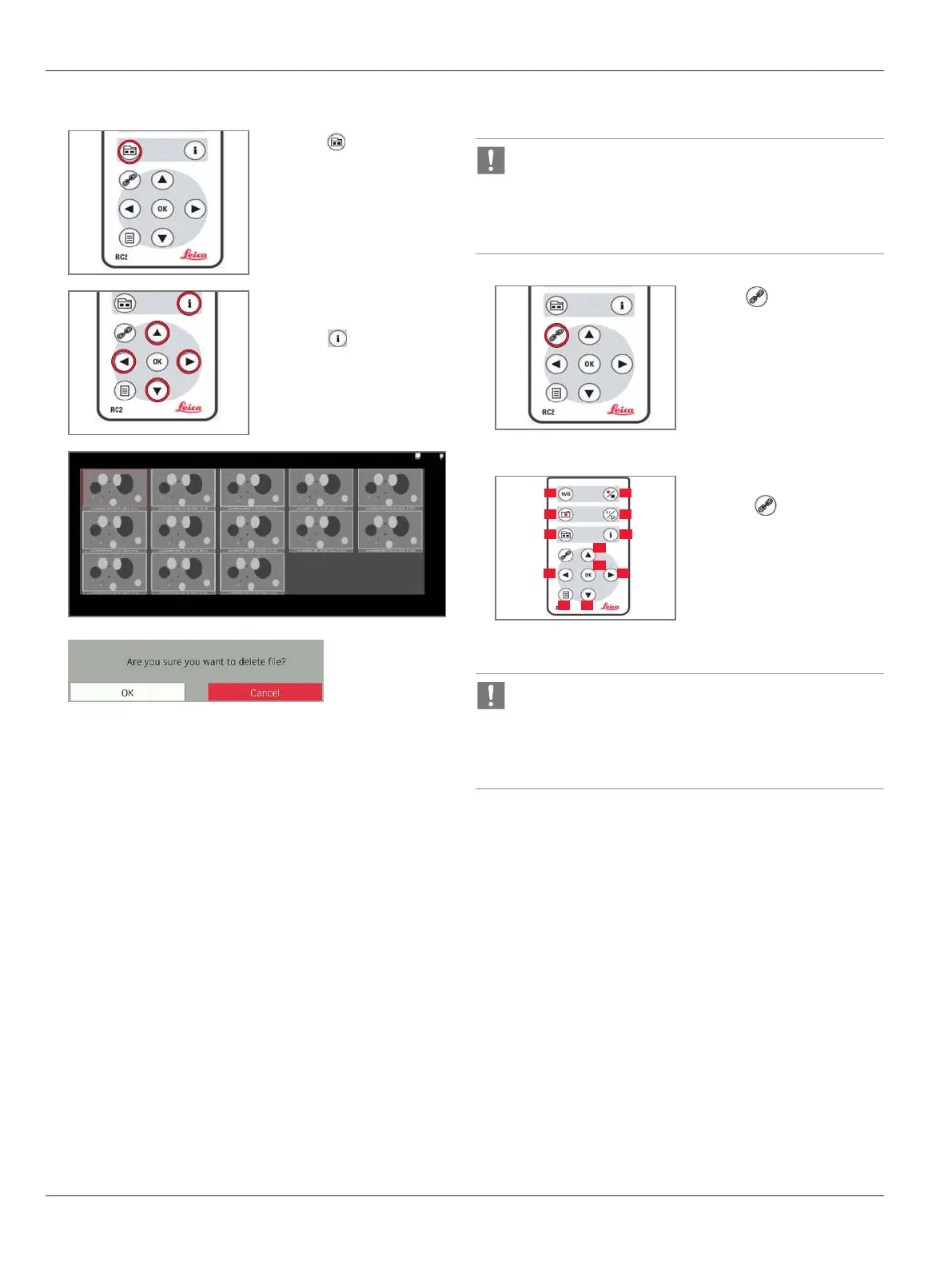
Deleting Files
1
X
Press to enter
thumbnail mode.
2
X
Navigate by using the
arrow keys.
X
Press to select the
image for deletion.
3
4
Confirm the file name to be deleted.
X
Select “OK” to permanently delete the file from SD card.
X
Select “CANCEL” to cancel the file deletion process.
9.4.8 Pairing remote control
Remote control pairing allows the camera to only respond
to the one specific remote control, which had been paired to
the camera previously.
This is helpful when there are multiple cameras and remote
controls in the same room.
1
X
Press to start or end the
pairing.
X
Press and hold the button
on the remote control, to
define the pairing button,
until the confirmation
message is displayed on the
screen.
2
01
03
05 06
02
04
09
1008
11 12
07
All of the buttons (01–12)
except the button can be
used for this.
Upon completion, a ‘beep’
sound will be generated and the
camera will only respond to this
particular remote control after
pairing.
In order to achieve successful pairing and avoid pairing by
mistake, the second step must be performed within
4seconds.
X
If a “timeout” is displayed after 4seconds, press the
“Pair” button again to start the process.


 To Next Page