6 Apps - Getting Started
6.1 Overview
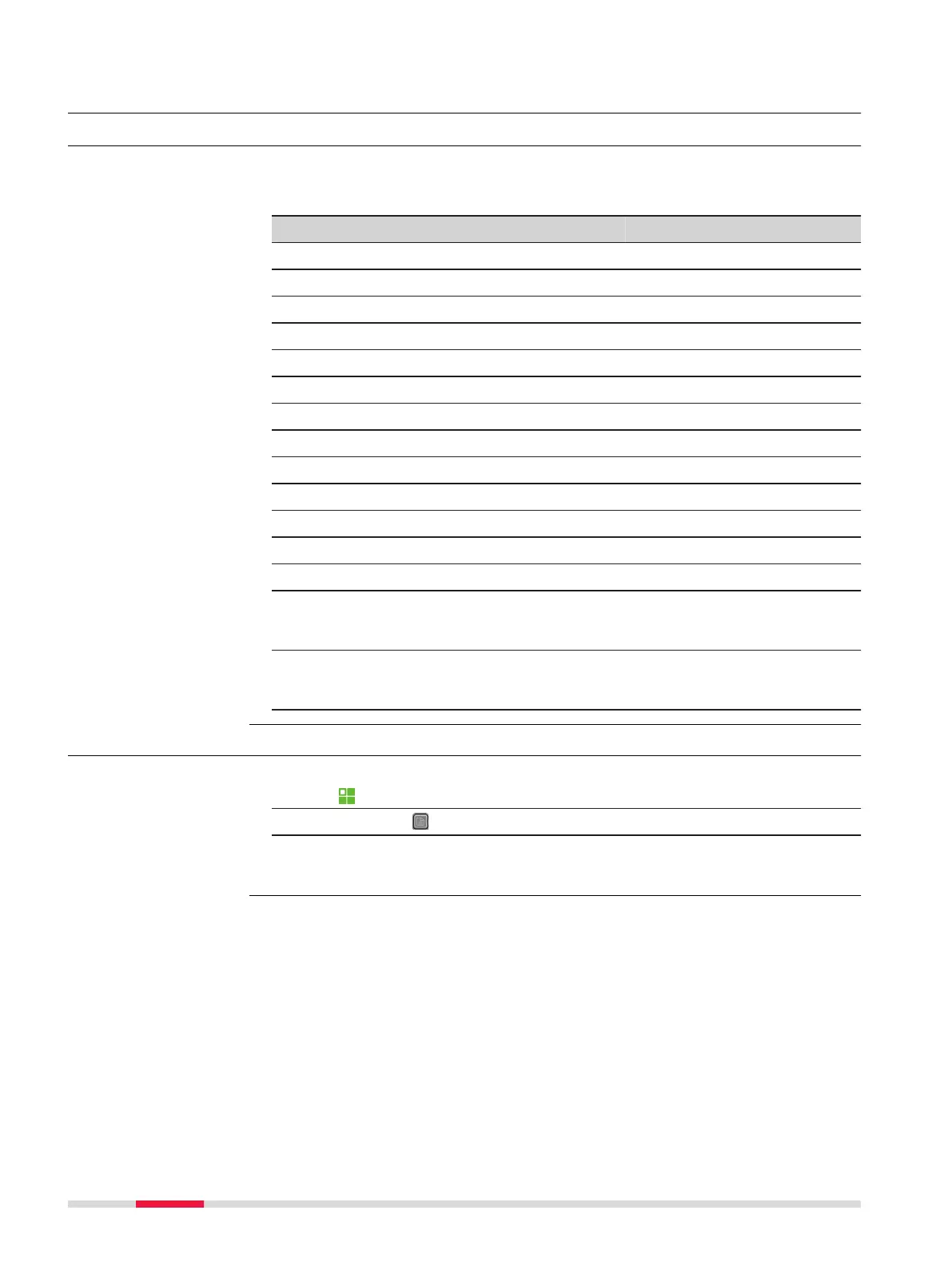
Apps are predefined programs, that cover a wide spectrum of surveying duties
and facilitate daily work in the field. The following apps are available, although
app packages for each instrument may vary from that stated below:
App TS03 TS07
Station Setup
ü ü
Survey
ü ü
Setout
ü ü
Tie Distance
ü ü
COGO
ü ü
Area & DTM Volume
ü ü
Remote Height
ü ü
Traverse Optional Optional
Reference Line
ü ü
Reference Arc
ü ü
Reference Plane
ü ü
Road 2D Optional
ü
Road 3D Optional Optional
Tunnel Optional Optional
☞
Refer to the separate manual "Leica TS03/TS07 Tunnel Application".
Mining Optional Optional
☞
Refer to the separate manual "Leica TS03/TS07 Mining Application".
6.2 Starting an App
1.
Select Apps from the Main Menu.
2. Press the button to scroll through the screens of available apps.
3. Press the number of the app (for TS03) or tab on an icon (for TS07)
to select the specified app in the Programs Menu.
Pre-settings for Survey is shown as an example. Any additional settings for par-
ticular apps are explained within the chapters for those apps.
Description
Access
Pre-settings screens
68 Apps - Getting Started



 To Next Page