Setting Correction
Tilt cor-
rection
Horizon-
tal cor-
rection
Incline
longitudi-
nal
Incline
transver-
sal
Horizon-
tal colli-
mation
Tilting
axis
Off On No No Yes Yes
On On Yes Yes Yes Yes
Off Off No No No No
On Off Yes Yes No No
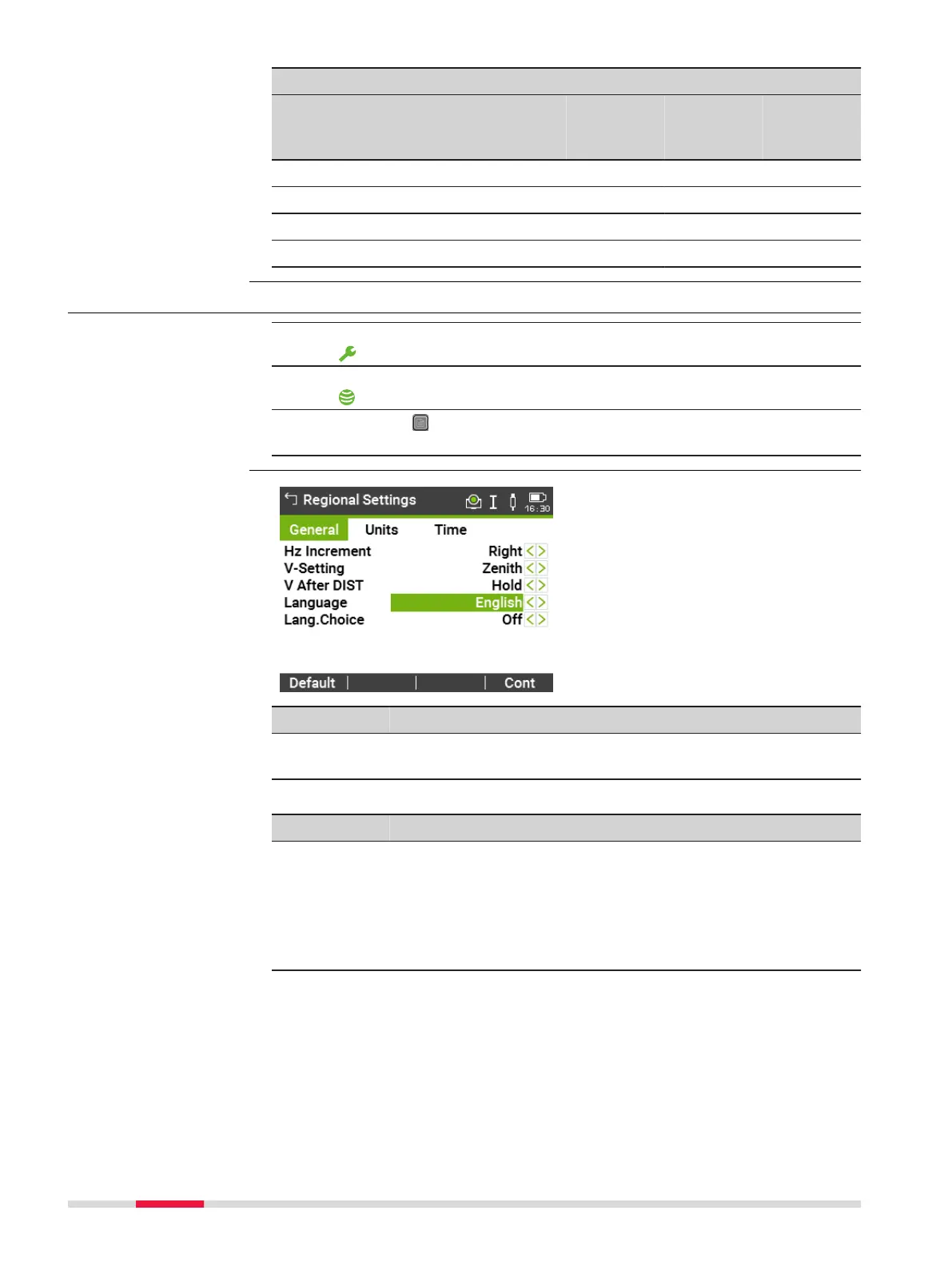
5.2 Regional Settings
1.
Select Settings from the Main Menu.
2. On the General page, select Regional.
3. Press the button to scroll through the screens of available set-
tings.
Key Description
Delete To delete an inactive language. Available when the language
is highlighted.
Description of fields
Field
Option Description
Hz Incre-
ment
Right Set horizontal angle to clockwise direction
measurement.
Left Set horizontal angle to counter-clockwise
direction measurement. Counter-clockwise
directions are displayed but are saved as
clockwise directions.
V-Setting Sets the vertical angle.
Tilt and horizontal
corrections
Access
Regional Settings
46 Settings



 To Next Page