Description of fields
Field Option Description
ΔL Display only Calculated distance longitudinal to the refer-
ence arc.
ΔO Display only Calculated distance perpendicular from the
reference arc.
ΔH Display only Calculated height difference relative to the
start point of reference arc.
•
Either, press Meas to measure and record.
•
Or, press Back to return to the Reference Arc - Info screen.
7.6.4 Stakeout
The Stakeout subapplication calculates the difference between a measured
point and the calculated point. The Reference Arc app supports four ways to
stake out:
•
Stake out point
•
Stake out arc
•
Stake out chord
•
Stake out angle
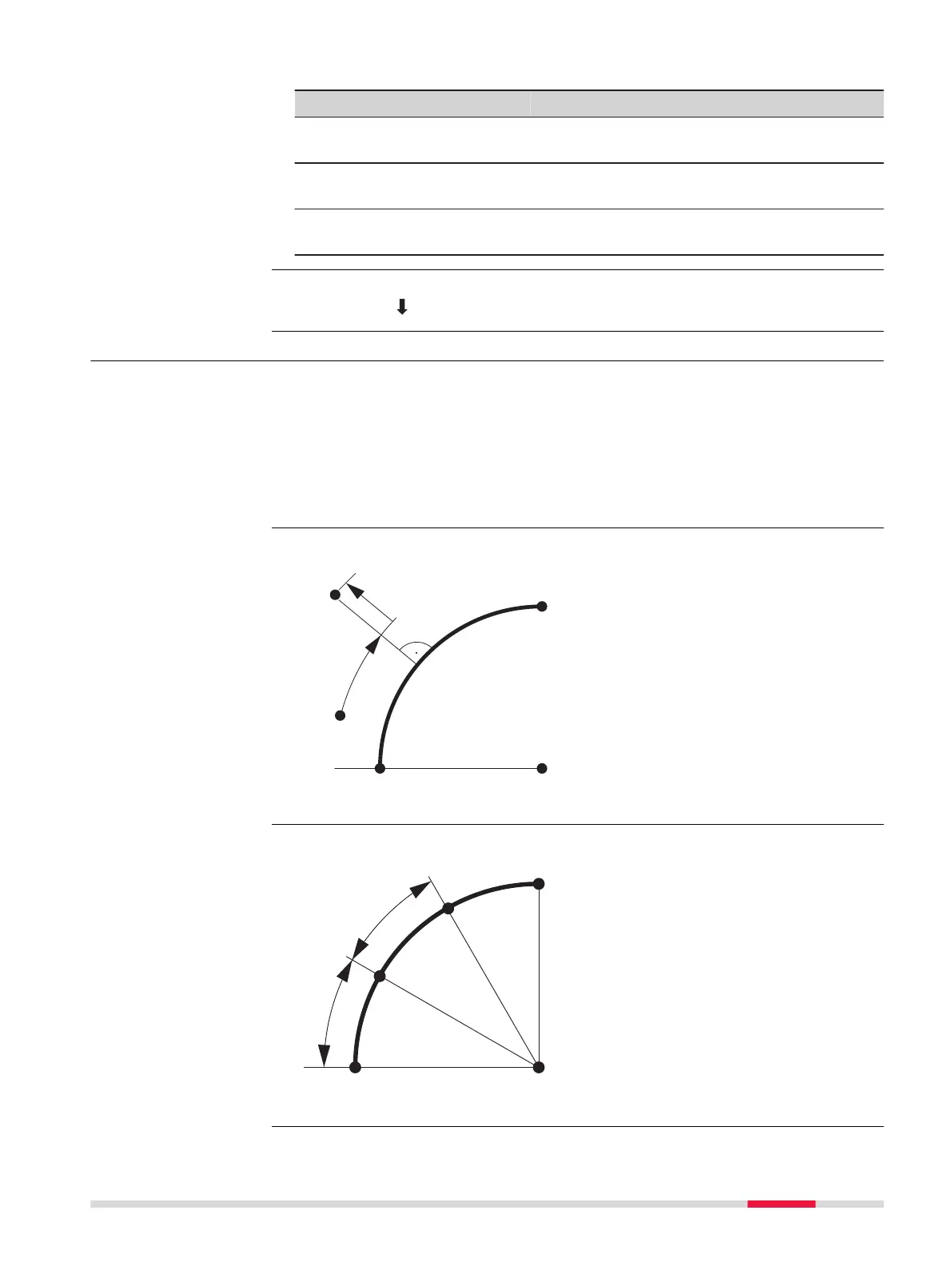
To stake out a point by entering a line and an offset value.
P0 Center point of arc
P1 Start point of arc
P2 Measured point
P3 Stake out point
P4 End point of arc
a Radius of arc
b+ Line offset
c- Perpendicular offset
To stake out a series of equidistant points along the arc.
P0 Center point of arc
P1 Start point of arc
P2 Stake out point
P3 Stake out point
P4 End point of arc
a Radius of arc
b Arc length
Measure Line & Off-
set
Next step
Description
Stake out point
Stake out arc
Apps 97



 To Next Page