Description of fields
Field Option Description
Start Pt Editable field Point ID of the start point.
Centre Pt Editable field Point ID of the center point.
Mid Pt Editable field Point ID of the mid point.
End Pt Editable field Point ID of the end point.
Radius Editable field Radius of the arc.
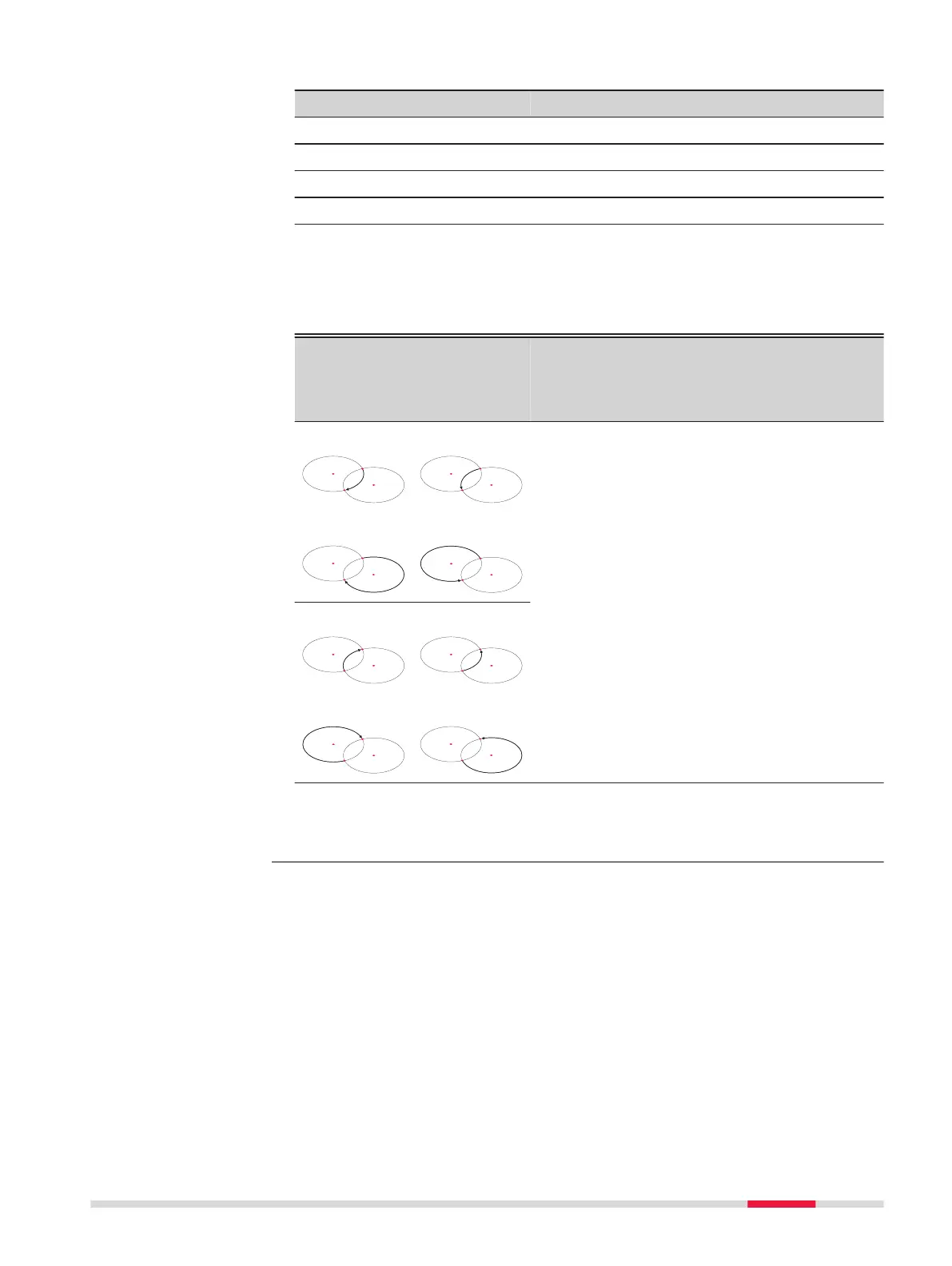
A positive value, for example 100 m, is for a
clockwise direction of the reference arc. A
negative value, for example -100 m, is for an
anticlockwise direction of the reference arc.
Radius:
100 m
Clockwise
Radius:
-100 m
Anti-clock-
wise
Legend
Solution 1
P1 Start point
P2 End point
P3 Centre point 1
P4 Centre point 2
d Direction of the arc
Solution 2
Solution 1
P1 End point
P2 Start point
P3 Centre point 1
P4 Centre point 2
d Direction of the arc
Solution 2
Next step
After defining the reference arc the Reference Arc - Info screen will appear.
☞
In certain cases, there are two mathematical solutions, as shown in
the screenshot. In the subapps Measure and Stakeout, the appropri-
ate solution can be selected.
Reference Arc - Meas-
ure to start point
Reference Arc - Info
Apps 95



 To Next Page