WATER AND PLUMBING SYSTEM UNITY MOTORHOME
112
WATER PUMP
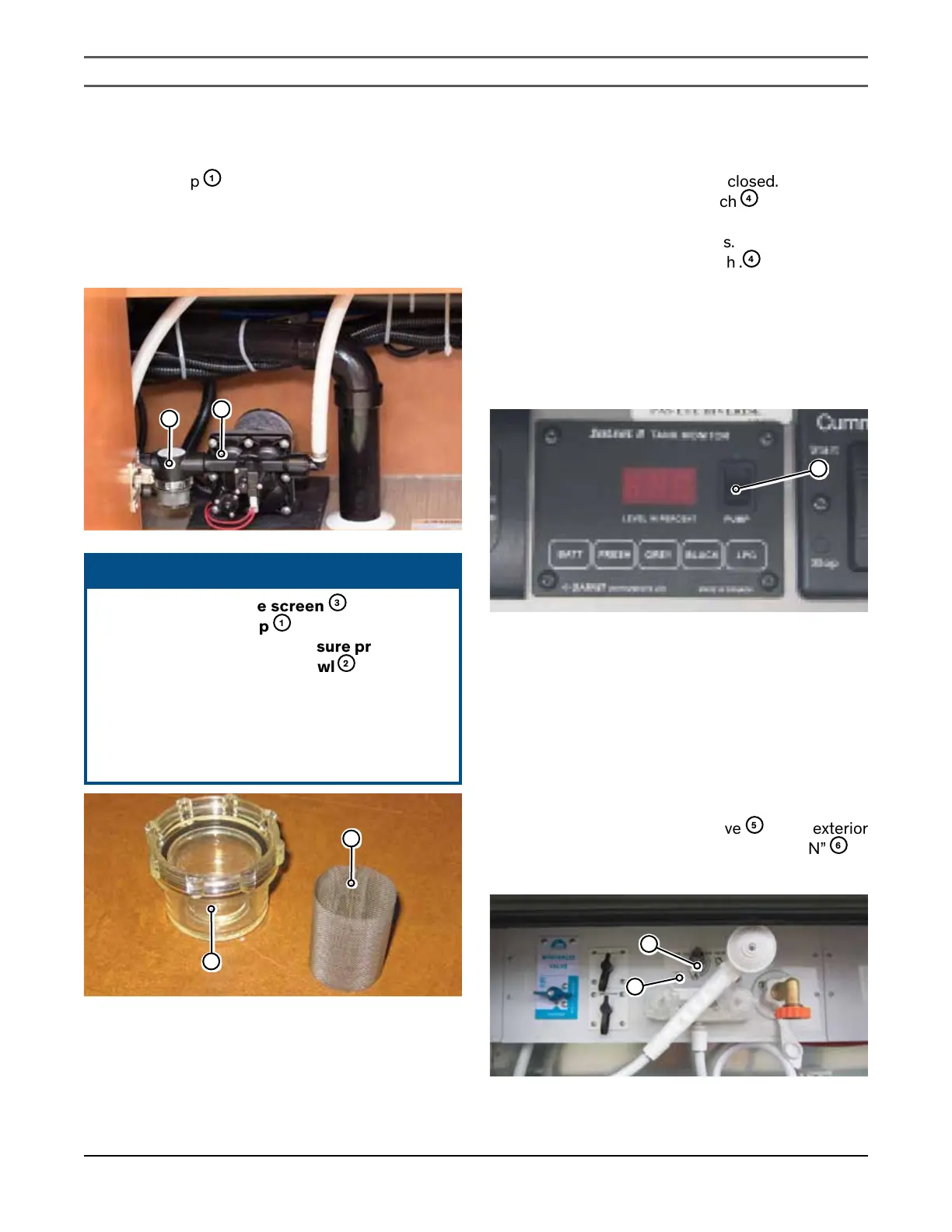
The water pump
1
is designed to supply on-demand
water from the fresh water tank to the various water
and plumbing systems in your motorhome. When a
faucet is opened, the pump comes on automatically
and pressurizes the various water lines.
1
2
ᘐ NOTICE
Periodically check the screen
3
on the intake
side of the water pump
1
. Clean or replace the
screen at least annually to ensure proper water
pressure. Unscrew the filter bowl
2
to access the
screen remove the screen, and clean with fresh
water. Replace in reverse order, ensuring the filter
bowl is securely tightened. Refer to the water
pump owner’s manual located in the Motorhome
Information Kit for further information.
2
3
WATER PUMP INITIAL STARTUP
1. Make sure all drain valves are closed.
2. Turn off the water pump switch
4
.
3. Fill the water tank.
4. Open the hot and cold faucets.
5. Turn on the water pump switch .
4
6. Close each faucet (hot and cold) as soon as water
flows steadily through the faucet.
7.
Verify that the water pump stops after closing all
faucets.
8.
The water pump is now ready for automatic
operation.
4
WATER PUMP TROUBLESHOOTING
IF THE PUMP WILL NOT PRIME
1. Make sure there is water in the tank.
2. Make sure the chassis battery is not discharged.
3.
Make sure there are no kinks or obstructions in the
inlet hose.
4. Make sure all inlet fittings and connections are air
tight.
5.
Make sure water selector valve
5
in the exterior
utility center is set to “NORMAL POSITION”
6
as
shown.
5
6
6. Check for clogged screens.


 To Next Page