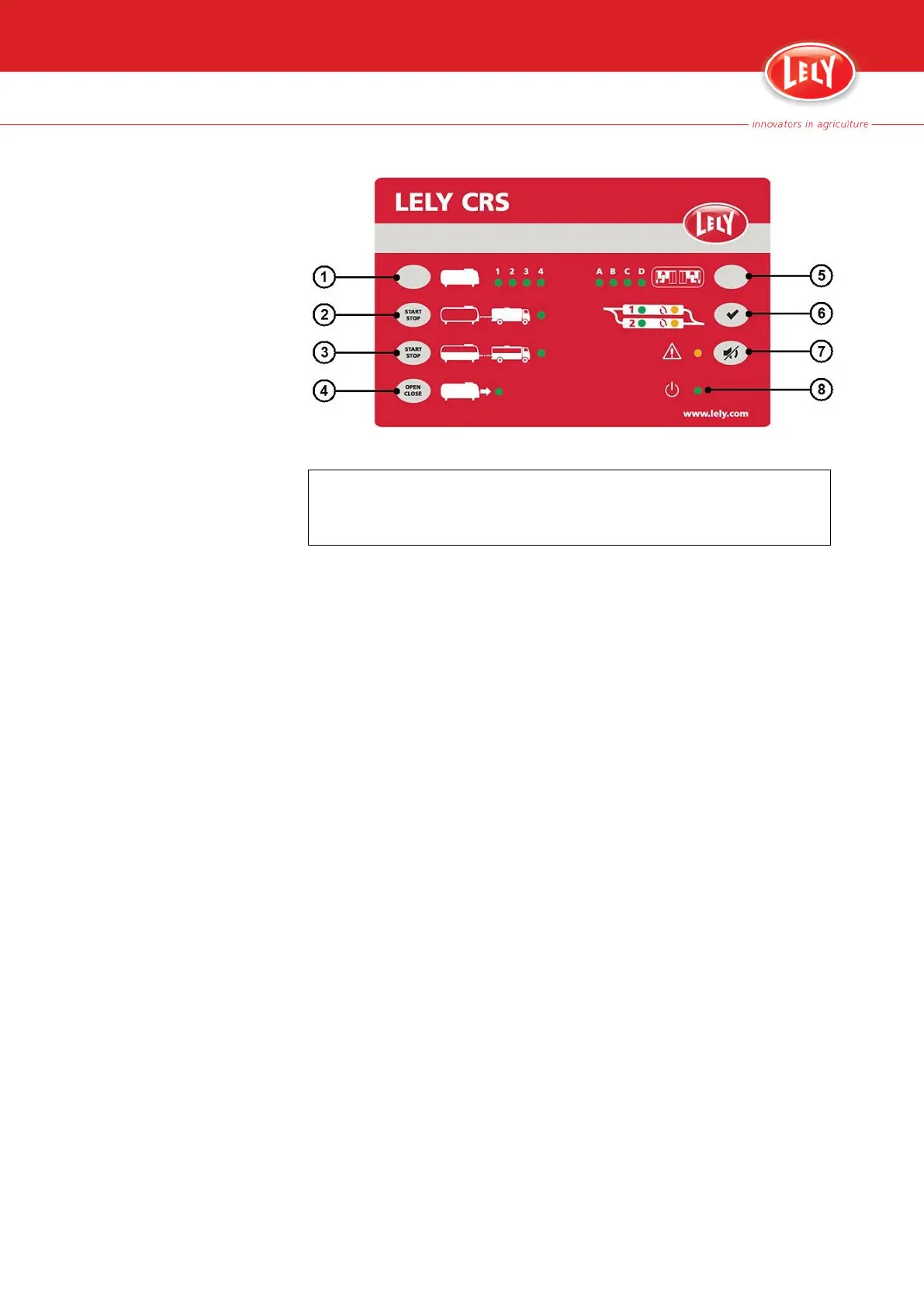
Figure 22. CRS M3 control panel
KEY:
1. Milk tank selection button - 2. Tank driver procedure button - 3. Partial milk collection
button - 4. Main tank valve button - 5. Cluster selection button - 6. Twin filter reset button -
7. Alarm buzzer mute button - 8. CRS M3 status LED
1. Open the CRS M3 web interface (page 5‑9).
2. In the tab 'Farm overview' > field 'Cluster overview' examine the texts
behind 'Cluster operation' and 'Status'.
6-2 Troubleshooting
PDF of the English original HTML, 5.1004.8514.0 -



 To Next Page