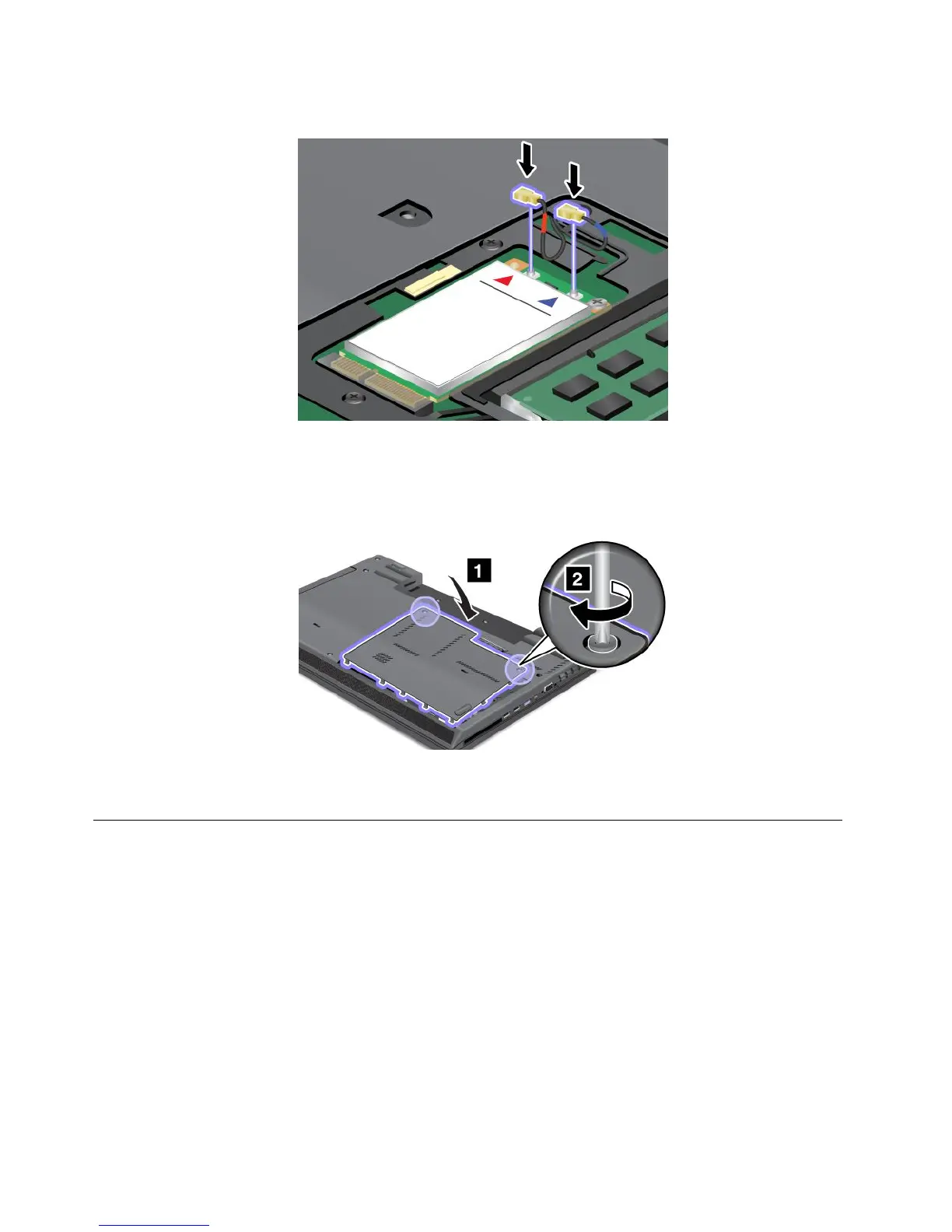
10.ConnecttheantennacablestothenewPCIExpressMiniCardasshowninthedrawing.
Note:Dependingonthemodel,themarkingfortheconnectorsonyourcardmightlookdifferentfrom
theoneshownintheillustrationabove.BesuretoattachtheredcabletotheMAINorMconnector,
andthebluecabletotheAUXorAconnector.
11.Reinstalltheslotcoverandtightenthescrew.
12.Reinstallthebatteryandturnthecomputeroveragain.Thenreconnecttheacpoweradapterand
allcables.
Replacingthebackupbattery
Beforeyoustart,printtheseinstructions.
88UserGuide

















 To Next Page