12 PCIExpressMiniCardslotforwirelessLAN/WiMAXcard
Yourcomputermightincludeawirelesslocalareanetwork(LAN)cardorawirelesscombocardforLAN
andWorldwideInteroperabilityforMicrowaveAccess(WiMAX)inthePCIExpressMiniCardslotforyouto
establishwirelessLAN/WiMAXconnections.
Note:WiMAXisonlysupportedonL530modelsforJapanonly.
13 Volumecontrolbuttons
Thevolumecontrolbuttonsenableyoutoquicklyadjustthesoundvolume,mutethespeakers,ormutethe
microphonesofyourcomputer.Formoreinformation,see“Volumeandmutebuttons”onpage23.
14 Blackbutton
PresstheblackbuttontolaunchtheSimpleTapprogram.Youalsocanusethisbuttontointerruptthestartup
sequenceofyourcomputertostarttheRescueandRecovery
®
workspace.Formoreinformationaboutthe
RescueandRecoveryworkspace,see“UsingtheRescueandRecoveryworkspace”onpage61.
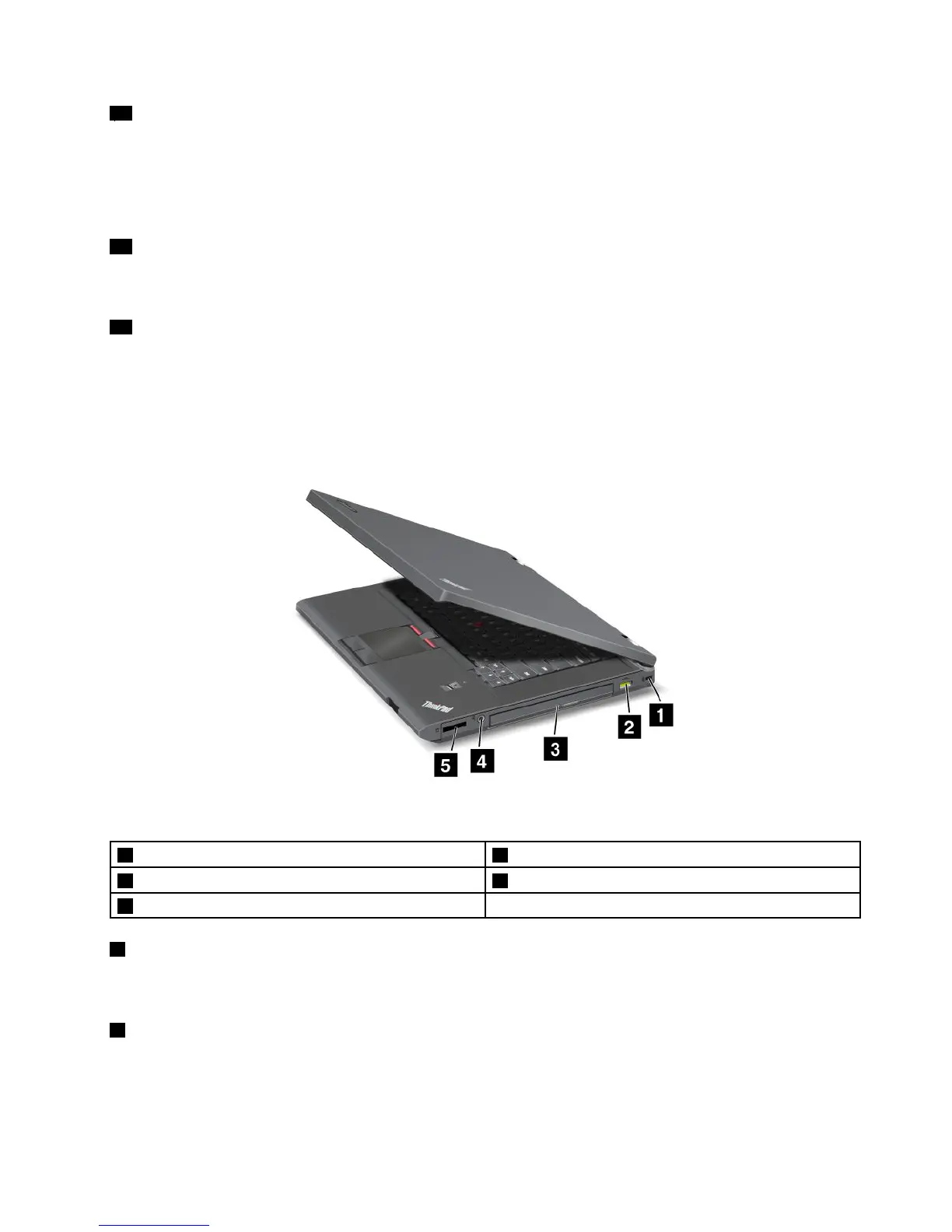
Right-sideview
Figure2.ThinkPadL430andL530right-sideview
1 Securitykeyhole 2 AlwaysOnUSBconnector
3 Opticaldrive 4 Comboaudiojack
5 Mediacardreaderslot
1 Securitykeyhole
Purchaseasecuritycableandlockthattthiskeyholetolockyourcomputertoastationaryobjectto
protectyourcomputerfromtheft.
2 AlwaysOnUSBconnector
Bydefault,theAlwaysOnUSBconnectorenablesyoutochargesomedevices,suchasiPod
®
,iPhone
®
,and
BlackBerry
®
smartphones,evenwhenyourcomputerisinsleeporhibernationmode.
Chapter1.ProductOverview3

















 To Next Page