6.Findthenotchonthecontactedgesideofthenewmemorymoduleyouareinstalling.
Attention:Toavoiddamagingthememorymodule,donottouchitscontactedge.
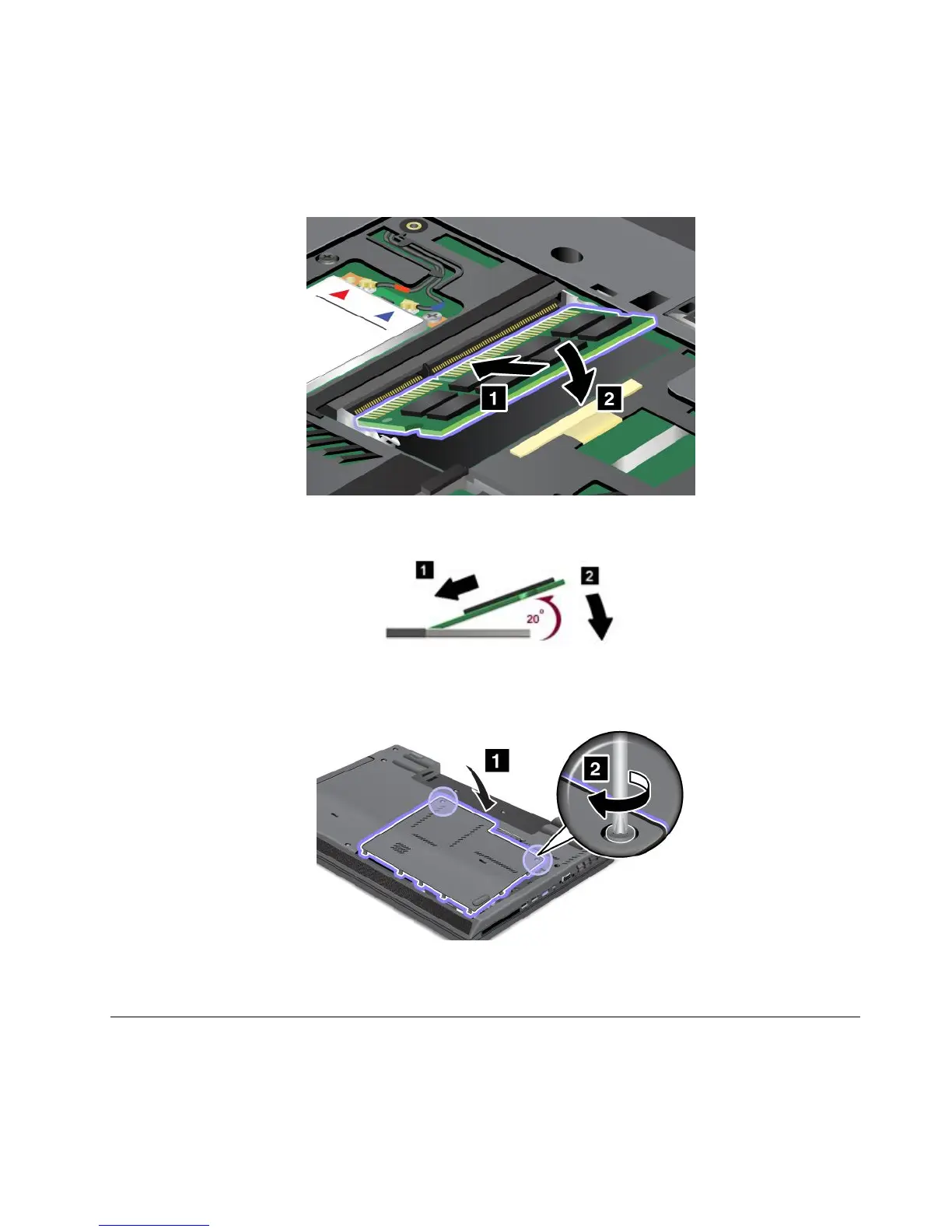
7.Ensurethatthenotchonthememorymodulealignscorrectlywiththekeyinthememoryslot,then
insertthememorymoduleintothesocketatanangleofabout20degrees.Pressitinrmly.
Note:Insertthememorymoduleintothesocketatanangleofabout20degrees.
8.Pivotthememorymoduledownwarduntilitsnapsintoplace.
9.Reinstallthememoryslotcoverbackinplace.
10.Reinstallthebatteryback.
11.Turnthecomputeroveragain.Connecttheacpoweradapterandallcables.
Replacingtheopticaldiskdrive
Beforeyoustart,printtheseinstructions.
Chapter6.Replacingdevices77

















 To Next Page