3 Fanlouvers
Theinternalfanandlouversenableairtocirculateinthecomputerandcoolthecentralprocessor.
Note:Toavoidimpedingairow,donotplaceanyobstacleinfrontofthefan.
Statusindicators
Yourcomputerhassystem-statusindicatorsandpower-statusindicators.Thestatusindicatorsshowthe
currentstatusofyourcomputer.
System-statusindicators
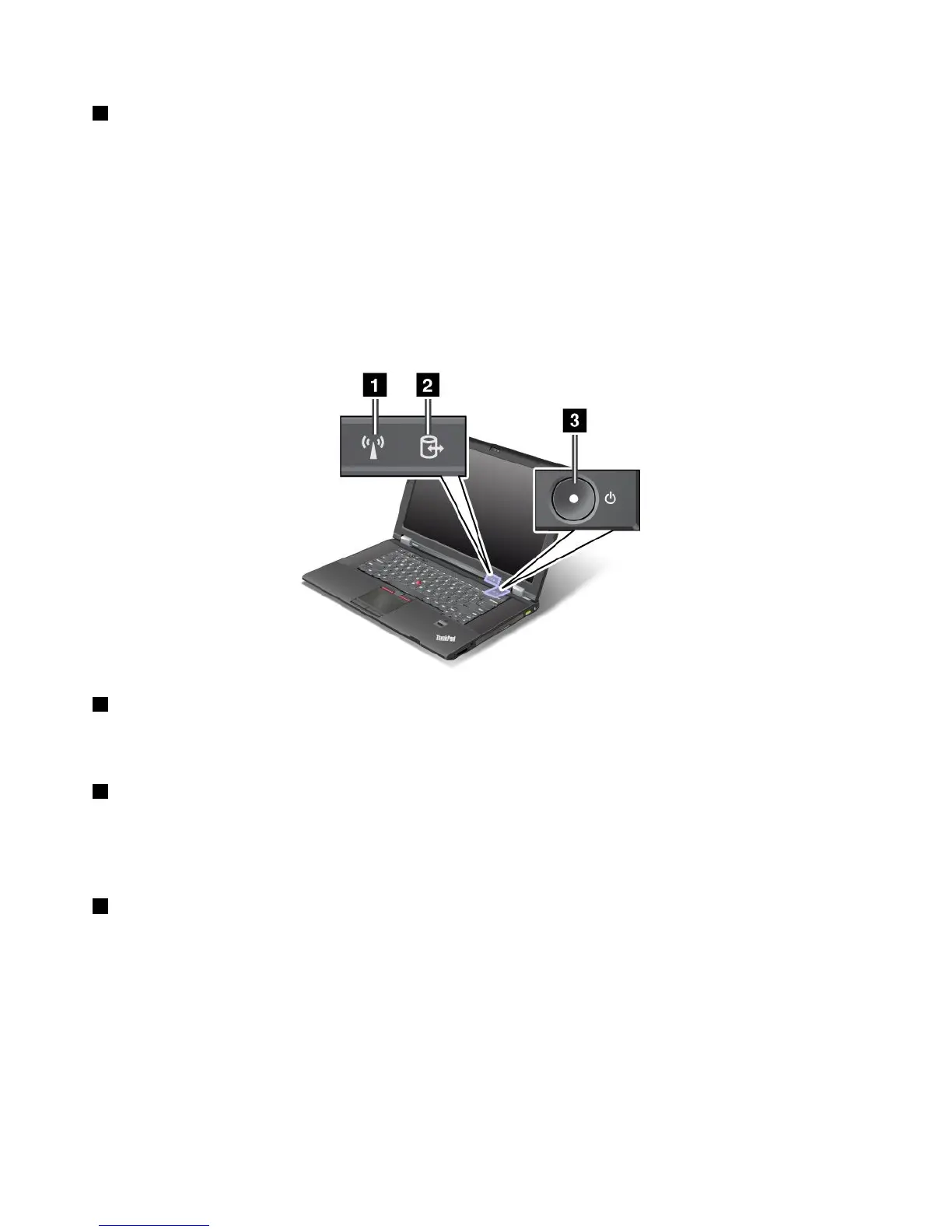
Yourcomputerhassystem-statusindicators.Thefollowingpictureshowsthelocationandthemeaning
ofeachindicator:
1 WirelessLAN/WAN/WiMAX/Bluetoothstatusindicator
•Green:ThewirelessLAN,WAN,WiMAXorBluetoothfeatureison.
•Off:Thewirelessradioisturnedoff.
2 Deviceaccessstatusindicator
Theharddiskdrive,solidstatedrive,opticaldriveormSATAsolidstatedriveisreadingorwritingdata.
Note:Whenthisindicatorisblinkingorlighting,donotputthecomputerintosleepmodeorturnoffthe
computer.
3 Poweronstatusindicator
Thepowerbuttonstayslitwheneverthecomputerison,blinkswhenthecomputerisinsleepmode,and
isoffwhenthecomputeristurnedoff.
Powerstatusindicators
Thecomputerhaspowerstatusindicatorsthatshowthemode(sleep,hibernation,ornormal)andthebattery
status.Thefollowingshowsthelocationandthemeaningoftheindicators.
8UserGuide

















 To Next Page