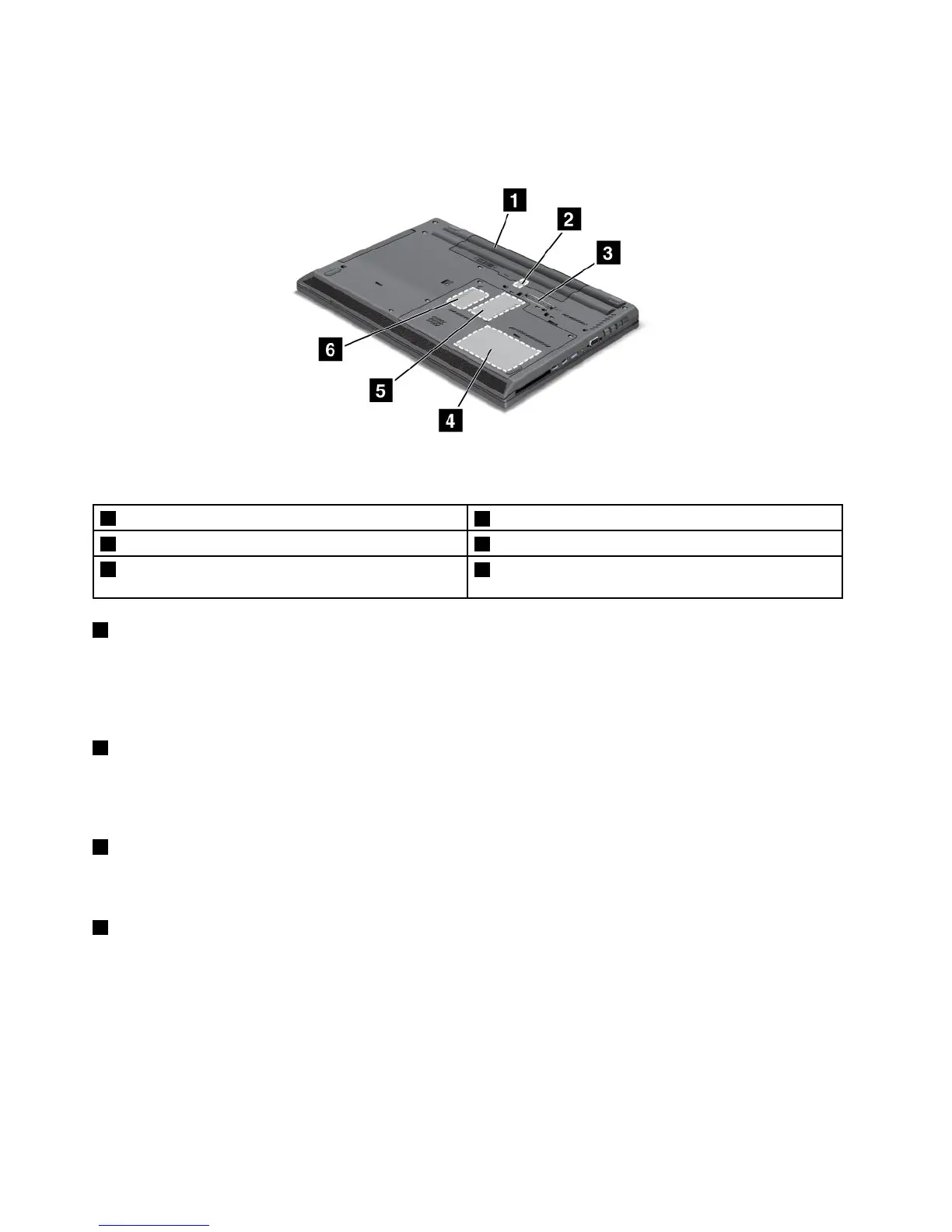
Bottomview
Figure4.ThinkPadL430andL530bottomview
1 Battery
2 SubscriberIdenticationModule(SIM)cardslot
3 Dockingstationconnector 4 Harddiskdriveorsolidstatedrive
5 Memoryupgradeslot
6 PCIExpressMiniCardslotforwirelessWANcardor
mSATAsolidstatedrive(onsomemodels)
1 Battery
Useyourcomputerwithbatterypowerwheneveracpoweradapterisunavailable.
YoucanalsousePowerManagertoadjustyourpowersettingasneeded.Fordetails,seethehelp
informationsystemofthePowerManagerprogram.
2 SubscriberIdenticationModule(SIM)cardslot
IfyourcomputerhasawirelessWANfeature,itmightrequireaSIMcardtoestablishawirelessWAN
connections.Dependingonthecountryofdelivery,theSIMcardmightbealreadyinstalledintheSIM
cardslot.
3 Dockingstationconnector
Connectyourcomputertothesupporteddockingstationtoextendthecomputercapabilitieswhenyou
areinyourofceorathome.
4 Harddiskdriveorsolidstatedrive
Dependingonmodels,yourcomputermighthavealarge-capacity,customer-upgradableharddiskdrive
thatcanmeetavarietyofstoragedemands.
Somemodelsareequippedwithansolidstatedrivefordatastorage.Thecutting-edgetechnologyofsolid
statedriveenablesnotebookcomputerstobelighter,smallerandfaster.
Note:Thehiddenservicepartitionisthereasonwhythereislessfreespacethanexpectedonyourhard
diskdriveorsolidstatedrive.Thisreductionismorenoticeableonthesolidstatedrivebecauseofits
smallercapacity.
6UserGuide

















 To Next Page