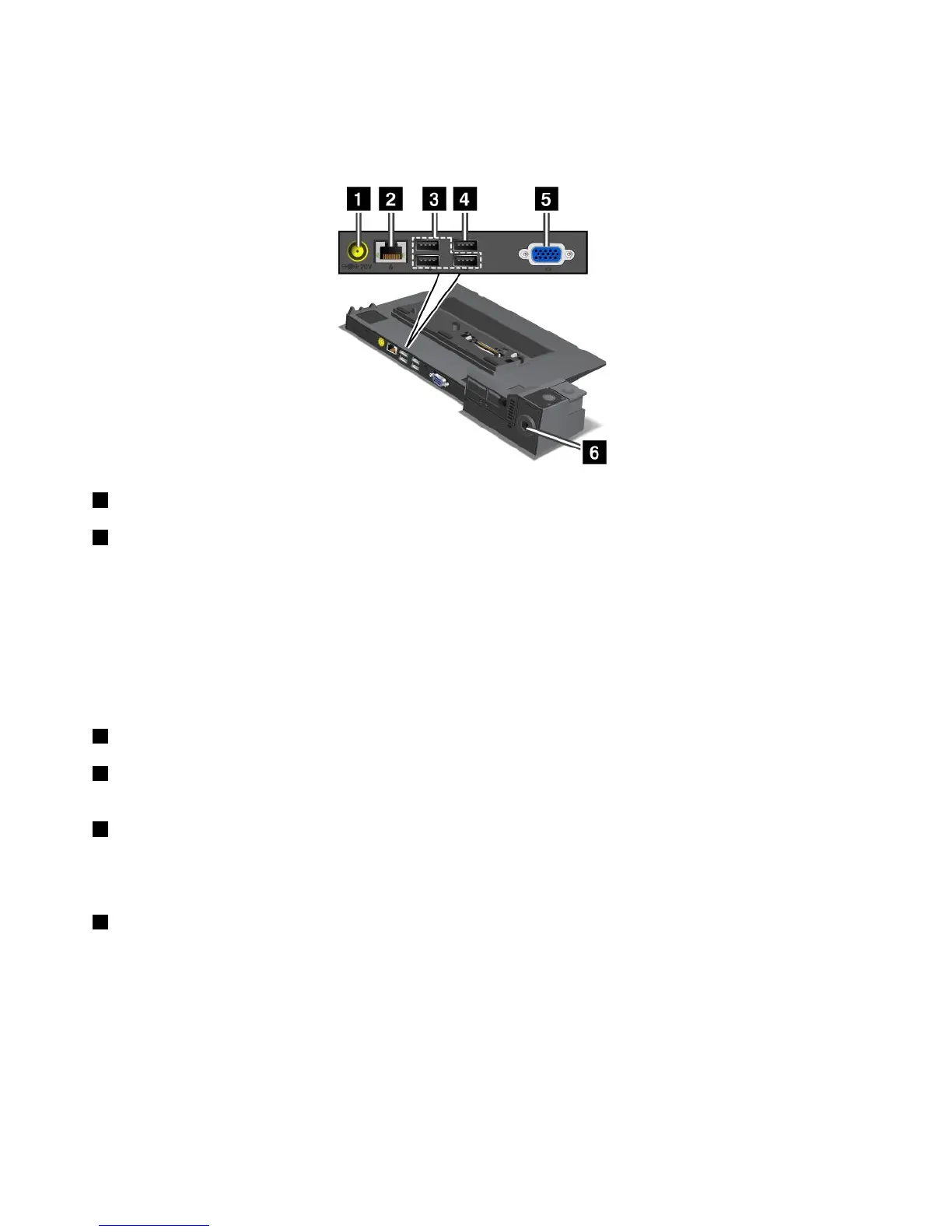
Rearview
ThinkPadPortReplicatorSeries3andPortReplicatorSeries3withUSB3.0
1 Powerjack:Connecttheacpoweradapter.
2 Ethernetconnector:ConnecttheportreplicatortoanEthernetLAN.Theindicatorontheconnector
isthesameasthatonthecomputer.
Notes:
•YoucannotusetheTokenRingcableforthisconnector.
•Youcanusethisconnectorfora10BASE-T/100BASE-TX/1000BASE-TEthernetconnection.
Note:Ifyouattachyourcomputertotheportreplicatoranduseanexternalmonitorconnector,usethe
externalmonitorconnectorontheportreplicator,nottheoneonthecomputer.
3 USBconnectors:ConnectUSB2.0compatibledevices.
4 USB2.0connector(ontheThinkPadPortReplicatorSeries3)orUSB3.0connector(onthePort
ReplicatorSeries3withUSB3.0):ConnectcompatibleUSBdevices.
5 Externalmonitorconnector:Connectanexternalmonitor.
Note:Ifyouattachyourcomputertotheportreplicatoranduseanexternalmonitorconnector,usethe
externalmonitorconnectorontheportreplicator,nottheoneonthecomputer.
6 Securitykeyhole:Useasecuritycablelockthattsthiskeyholetolockyourportreplicatortoa
stationaryobjecttoprotectitfromtheft.
94UserGuide

















 To Next Page