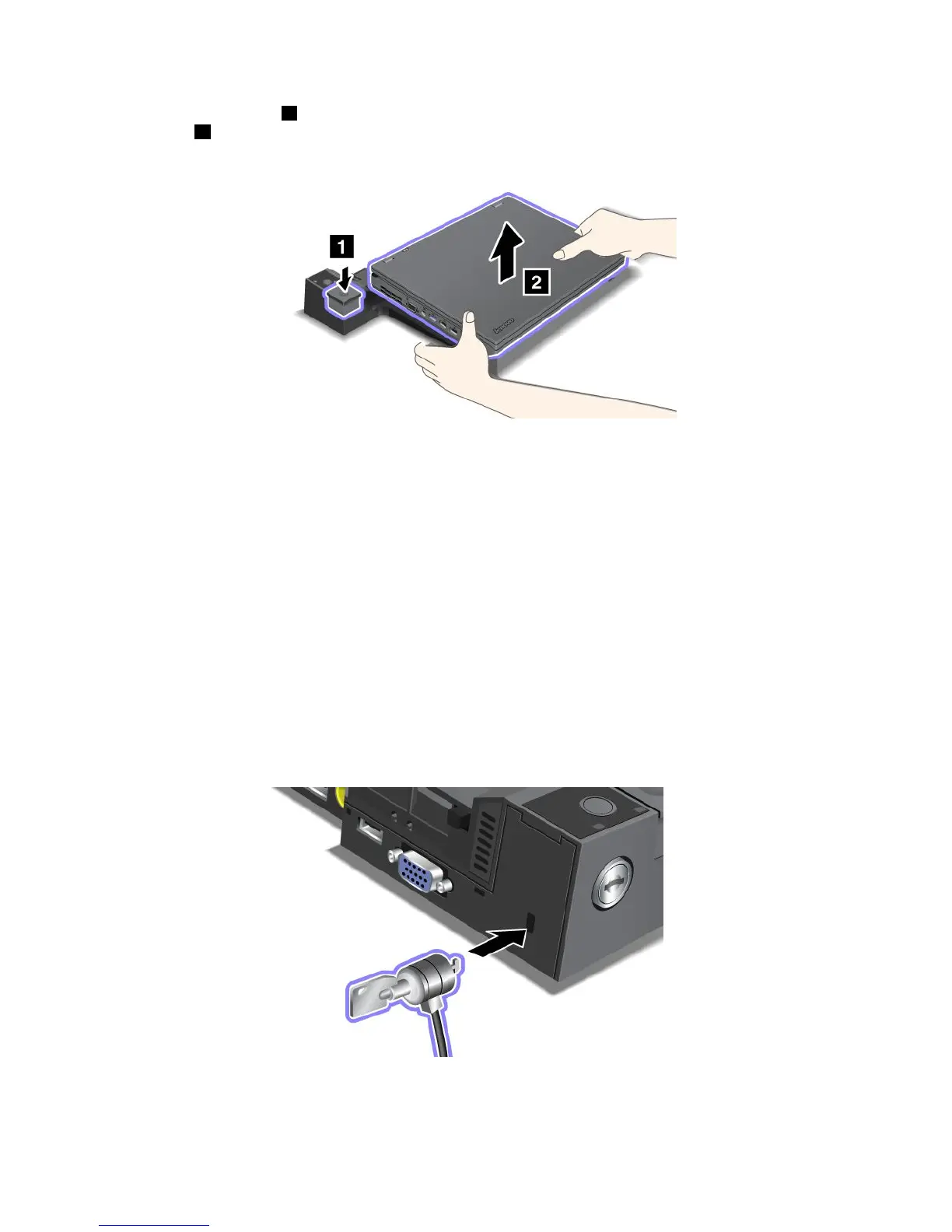
2.Presstheejectbutton 1 untilthecomputermovesup.Then,graspbothsidesandremovethe
computer
2 .
Securityfeature
Usethesecuritykeyholeontheportreplicatorordockingstationtoattachamechanicallock.Byattaching
amechanicallockwithcablethere,youcansecuretheportreplicatorordockingstationtoastationary
object,suchasadesk.
IfyouusetheThinkPadportreplicator,attachamechanicallockandlocktheejectbutton.Thenthe
computercannotbedetachedfromtheportreplicator.
IfyouusetheThinkPaddockingstation,attachamechanicallockandthenlocktheejectbuttonusingthe
systemlockkey.Thenthecomputercannotbedetachedfromthedockingstation.
Note:Youareresponsibleforevaluating,selecting,andimplementingthelockingdeviceandsecurity
feature.Lenovomakesnocomments,judgments,orwarrantiesaboutthefunction,quality,orperformance
ofthelockingdeviceandsecurityfeature.
AttachamechanicallocktotheThinkPadMiniDockPlusSeries3orMiniDockPlusSeries3withUSB3.0
asshown:
100UserGuide

















 To Next Page