5 Memory-upgradeslot
Youcanincreasetheamountofmemoryinyourcomputerbyinstallingamemorymoduleinthe
memory-upgradeslot.MemorymodulesareavailableasoptionsfromLenovo.Formoreinformation,see
“Replacingandinstallingamemorymodule”onpage74.
6 PCIExpressMiniCardslotforwirelessWANormSATAsolidstatedrive(onsomemodels)
Yourcomputermighthaveawirelesswideareanetwork(WAN)cardinstalledinthePCIExpressMini
CardslotforwirelessWANconnections.
Forsomemodels,anmSATAsolidstatedrivemightbeinstalledinsteadofthewirelessWANcardfor
datastorage.
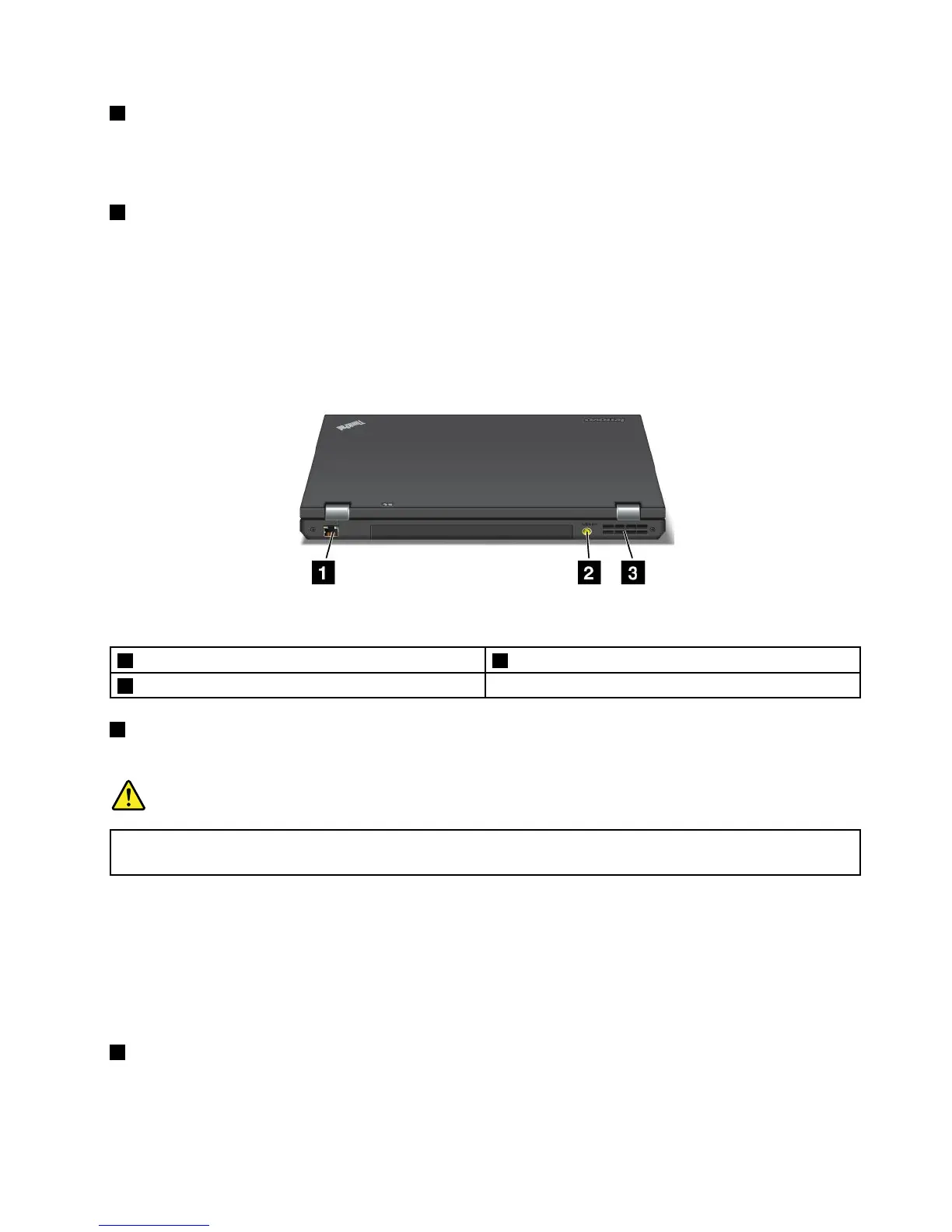
Rearview
Figure5.ThinkPadL430andL530rearview
1 Ethernetconnector 2 Powerjack
3 Fanlouvers
1 Ethernetconnector
ConnectyourcomputertoaLANwiththeEthernetconnector.
DANGER
Toavoidtheriskofelectricalshock,donotconnectthetelephonecabletotheEthernetconnector.
YoucanonlyconnectanEthernetcabletothisconnector.
Therearetwoindicatorstoshowthestatusofthenetworkconnection.Oneislocatedtotheupperright
oftheconnector,andtheothertotheupperleft.WhenyourcomputerconnectstoaLANandanetwork
sessionisavailable,theupperleftindicatorissteadygreen.Whiledataisbeingtransmitted,theupper
rightindicatorblinksyellow.
Note:Ifyouattachyourcomputertoadockingstationorportreplicator,usetheEthernetconnectoronthe
dockingstationorportreplicatortoconnecttoaLAN,nottheoneonthecomputer.
2 Powerjack
Connecttheacpoweradaptertothepowerjacktoprovideacpowertothecomputerandchargethebattery.
Chapter1.ProductOverview7

















 To Next Page