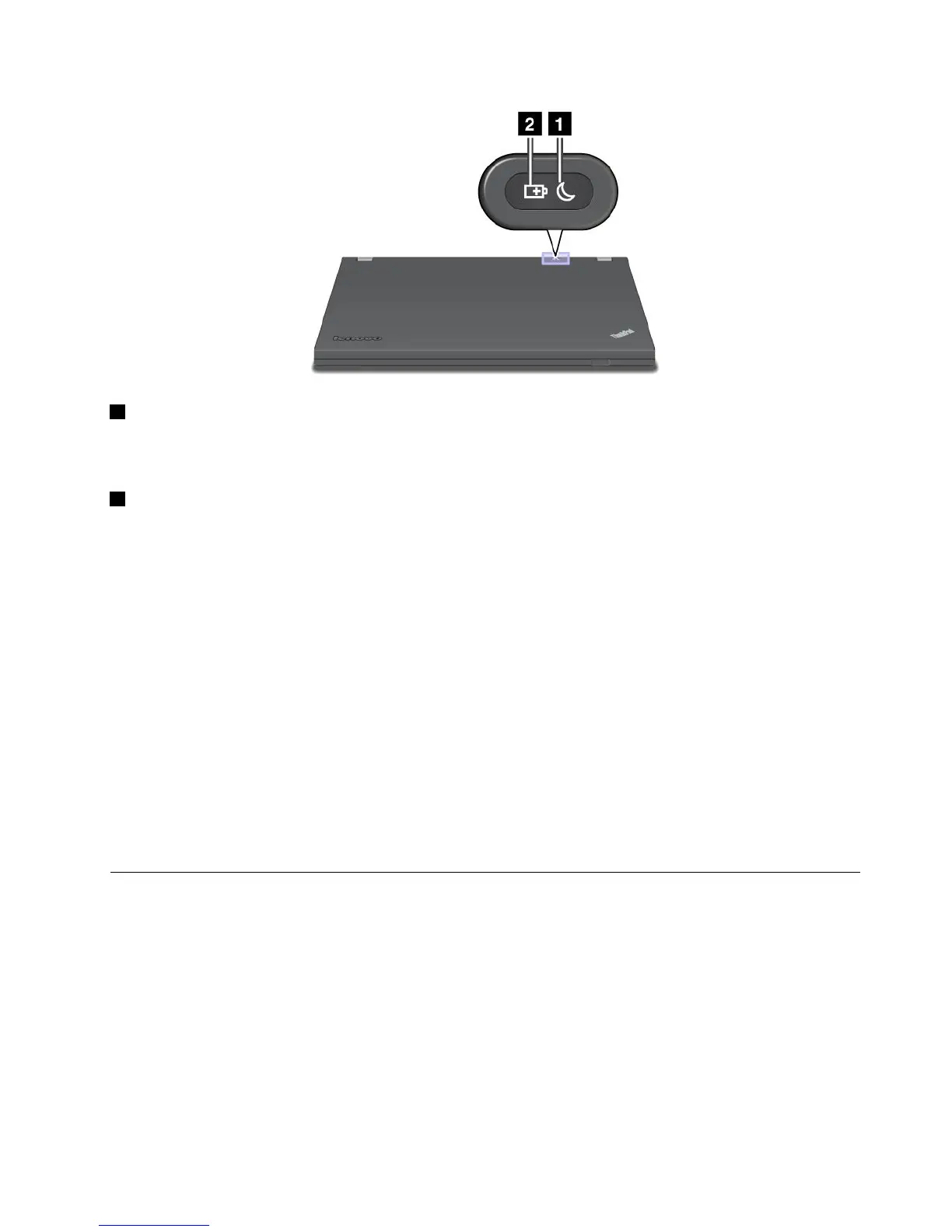
1 Sleepstatusindicator
•Green:Thecomputerisinsleepmode.
•Blinkinggreen:Thecomputerisenteringsleeporhibernationmode,orisresumingnormaloperation.
2 Batterystatusindicator
•Green:Thebatterychargelevelis20%ormore.
•Orange:Thebatterychargelevelisbetween5%and20%.
•Fastblinkingorange:Thebatterychargelevelis5%orless,orthebatteryischarging.
•Slowblinkingorange:Thebatteryisbeingcharged.Whenthechargelevelreaches20%,theblinking
colorchangestogreen.
•Slowblinkinggreen:Thebatterychargelevelisbetween20%and80%,andchargingiscontinuing.
Whenthebatterychargelevelreaches80%,thebatterystatusindicatorstopsblinking,butthecharging
mightcontinueuntilthebatteryis100%charged.
•Quickblinkingorange:Anerrorhasoccurredwiththebattery.
•Off:Thebatteryisdetachedorthecomputerispoweredoff.
Note:Ifthecomputerisoperatingonbatterypower,thebatterystatusindicatordoesnotworkwhilethe
computeristurnedofforisinsleepmodeorhibernationmode.
Note:Ifthecomputerisoperatingonbatterypower,thebatterystatusindicatordoesnotworkwhilethe
computeristurnedofforisinsleeporhibernationmode.
Locatingimportantproductinformation
Thissectionprovidesinformationtohelpyoulocateyourmachinetypeandmodellabel,FCCIDandIC
Certicationlabel,andtheWindowsCerticateofAuthenticity(COA)label.
Machinetypeandmodellabel
Themachinetypeandmodellabelidentiesyourcomputer.IfyoucontactLenovoforhelp,themachine
typeandmodelnumberwillhelpsupporttechnicianstoidentifyyourcomputerandprovidethehighest
levelofservice.
Chapter1.ProductOverview9

















 To Next Page