Ifyouwanttochargethesedeviceswhenyourcomputeristurnedoff,youneedtoconnectthecomputer
toacpowersupplyandchangetheAlwaysOnUSBsettingsinThinkPadSetupandthePowerManager
program.Formoreinformation,see“Congmenu”onpage107.
3 Opticaldrive
Yourcomputerhasaslotforanopticaldrive.Theopticaldrivereadsorburnsopticaldiscs.
4 Comboaudiojack
Tolistentothesoundfromyourcomputer,connectaheadphoneoraheadsetthathasa3.5mm4-pole
plugtothecomboaudiojack.
Notes:
•Ifyouareusingaheadsetwithafunctionswitch,forexample,aheadsetforaniPhonemobiledigital
device,donotpressthisswitchwhileusingtheheadset.Ifyoupressit,theheadsetmicrophonewillbe
disabled,andtheintegratedmicrophonesonthecomputerwillbeenabledinstead.
•Thecomboaudiojackdoesnotsupportaconventionalmicrophone.Formoreinformation,see“Using
audiofeatures”onpage39.
5 Mediacardreaderslot
Youcomputerhaveamediacardreaderslot.Formoreinformationaboutthesupportedcards,see“Using
anExpressCardoraashmediacard”onpage41.
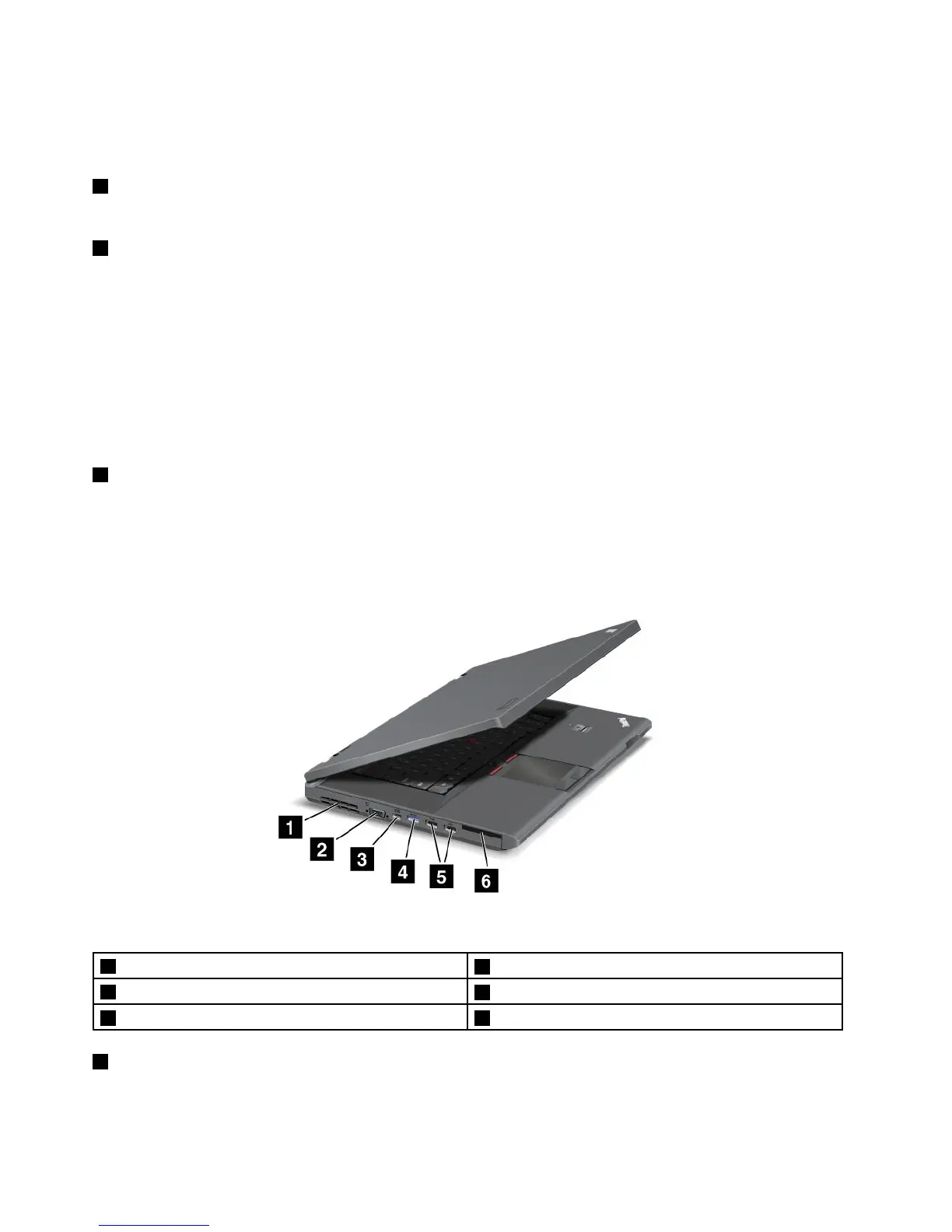
Left-sideview
Figure3.ThinkPadL430andL530left-sideview
1 Fanlouvers
2 Videographicsarray(VGA)connector
3 MiniDisplayPortconnector
4 USB3.0connector
5 USB2.0connector 6 ExpressCardslot(onsomemodels)
1 Fanlouvers
Theinternalfanandlouversenableairtocirculateinthecomputerandcoolthecentralprocessor.
Note:Toavoidimpedingairow,donotplaceanyobstacleinfrontofthefan.
4UserGuide

















 To Next Page