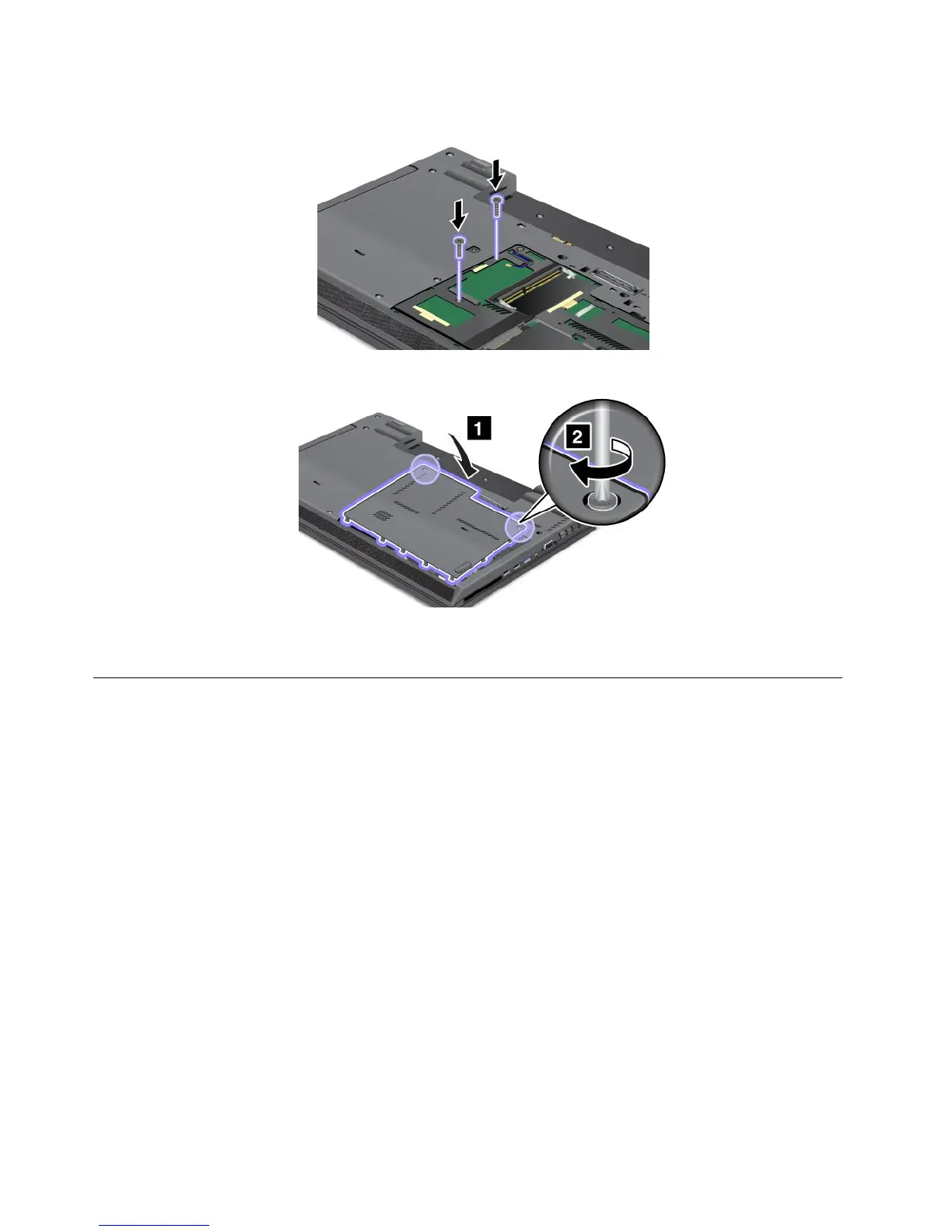
4.Closethecomputerdisplay,andturnthecomputerover.Reinstallthescrews.
5.Reinstallthecoverbackintoplaceandtightenthescrews.
6.Reinstallthebatteryandturnthecomputeroveragain.Thenreconnecttheacpoweradapterand
allcables.
Replacingandinstallingamemorymodule
Increasingmemorycapacityisaneffectivewaytomakeprogramsrunfaster.Youcanincreasetheamountof
memorycapacityinyourcomputerbyinstallingaDDR3SDRAMunbufferedsmalloutlinedualinlinememory
module(SO-DIMM),availableasanoption,inthememoryslotofthecomputer.
Wheninstallingorreplacingamemorymodule,besuretofollowtheprecautions.
Note:Theoperatingspeedofthememorymodulehasdependencyonthesystemconguration.
Attention:Beforeyoustartinstallingamemorymodule,touchametaltableoragroundedmetalobject.This
actionreducesanystaticelectricityfromyourbody.Thestaticelectricitycoulddamagethememorymodule.
•UseeitheraPC3-10600oraPC3-12800DDR3SDRAMmemorymoduleinyourcomputer.Ifyouinstall
amemorymodulethatisnotsupportedbyyourcomputer,thecomputermightbeep,andthesystem
mightnotstartormightnotworkproperly.Youcanpurchasetheappropriatememoryoptionfrom
yourLenovoreselleroramarketingrepresentative.
•ThinkPadL430andL530havetwomemoryslots,oneunderthekeyboardandtheotherunderthe
memoryslotcoveratthebottomsideofthecomputer.
Toreplaceandinstallthememorymoduleunderthekeyboard,dothefollowing:
1.Turnoffthecomputer,thendisconnecttheacpoweradapterandallcablesfromthecomputer.
2.Closethecomputerdisplay,andturnitover.
74UserGuide

















 To Next Page