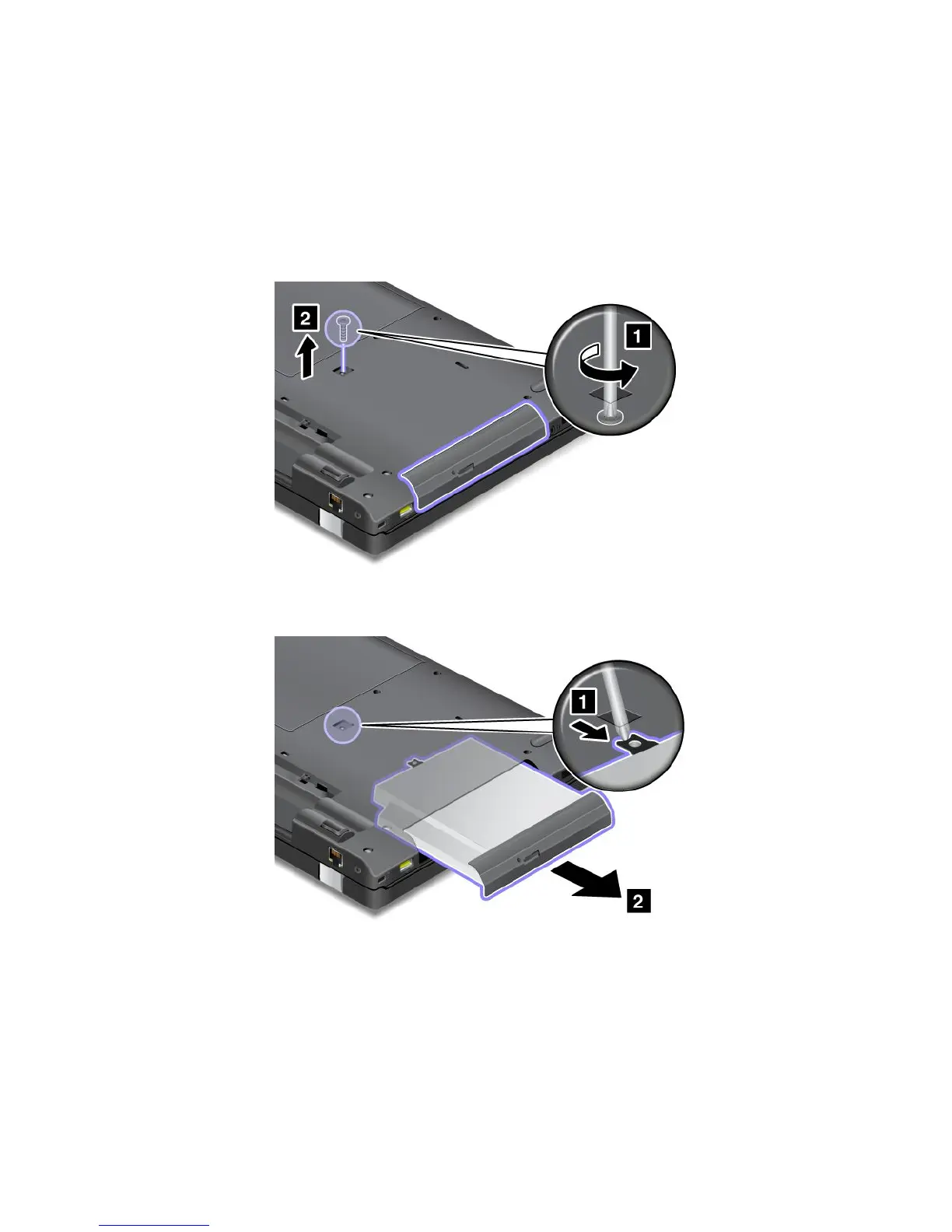
ReplacingtheopticaldiskdriveforThinkPadL530models
Anopticaldiskdriveispreinstalledintheopticaldiskdrivebay.Toreplaceit,dothefollowing:
1.Turnoffthecomputer,thendisconnecttheacpoweradapterandallcablesfromthecomputer.Waitfor
threetoveminutestoletthecomputercoolbeforeyoustartthefollowingprocedures.
2.Removethebattery.See“Replacingthebattery”onpage65.
3.Closethecomputerdisplay,andturnthecomputerover.
4.Loosenthescrewthatsecuresthedriveandremoveit.
5.Presstheedgeofthedriveoutwards,usingthetipofathinscrewdriverasshowninthedrawing
andthenpullouttheopticaldiskdrive.
78UserGuide

















 To Next Page