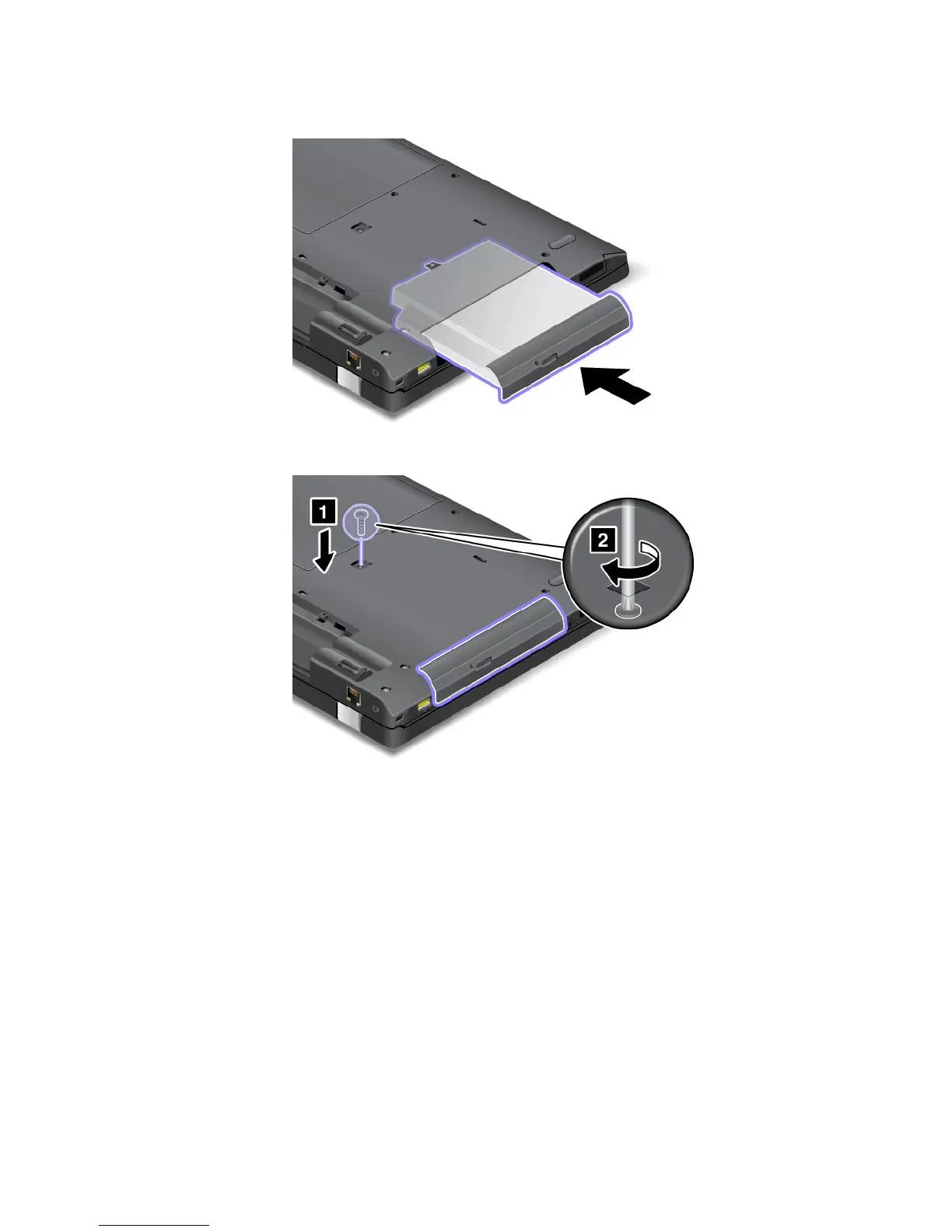
6.Inserttheopticaldiskdriveintotheopticaldiskdrivebay,andthenpressitrmlyintotheconnector.
7.Reinstallthescrewandtightenit.
8.Reinstallthebatteryandturnthecomputeroveragain.Thenreconnecttheacpoweradapterand
allcables.
ReplacingopticaldiskdriveforThinkPadL430models
Anopticaldiskdriveispreinstalledinthebay.Toreplaceit,dothefollowing:
1.Turnoffthecomputer,thendisconnecttheacpoweradapterandallcablesfromthecomputer.Waitfor
threetoveminutestoletthecomputercoolbeforeyoustartthefollowingprocedures.
2.Removethebattery.See“Replacingthebattery”onpage65.
3.Closethecomputerdisplay,andturnthecomputerover.
Chapter6.Replacingdevices79

















 To Next Page