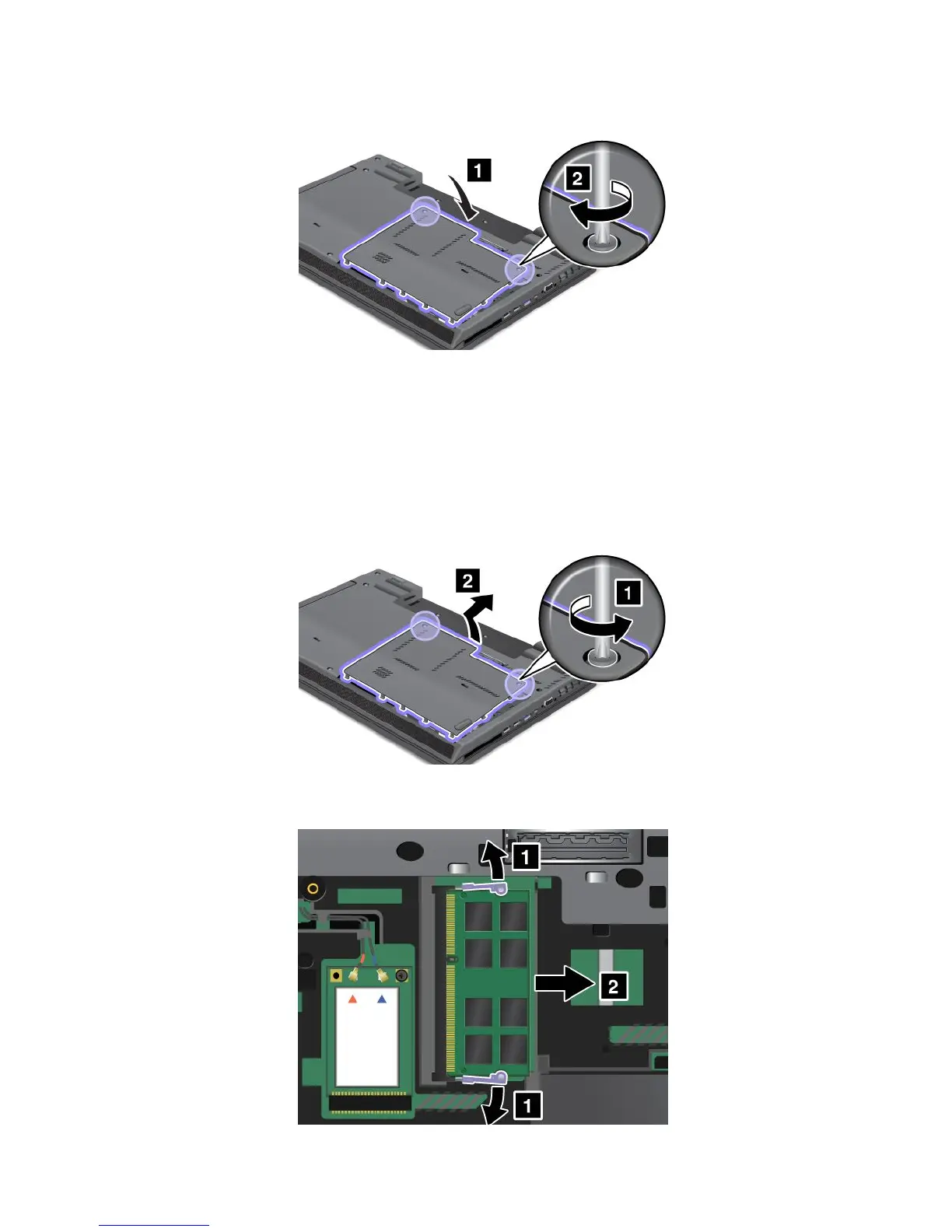
10.Reinstallthecoverbackinplace,andtightenthescrews.
11.Reinstallthebatteryandturnthecomputeroveragain.Thenreconnecttheacpoweradapterand
allcables.
Toreplacethememorymoduleunderthememoryslotcover,dothefollowing:
1.Turnoffthecomputer,thendisconnecttheacpoweradapterandallcablesfromthecomputer.
2.Closethecomputerdisplay,andturnitover.
3.Removethebattery.See“Replacingthebattery”onpage65.
4.Loosenthetwoscrewsonthememoryslotcover,andthenremovethecover.
5.Ifamemorymoduleisalreadyinstalledinthememoryslot,pressoutonthelatchesonbothedgesof
thesocketatthesametime.Thenremovethememorymoduleandsaveitforfutureuse.
76UserGuide

















 To Next Page