Removingakeyboard
Toremovethekeyboard,dothefollowing:
1.Turnoffthecomputer,thendisconnecttheacpoweradapterandallcablesfromthecomputer.Waitfor
threetoveminutestoletthecomputercoolbeforeyoustartthefollowingprocedures.
2.EnsuretoremoveanycardinsertedintheMediacardreader.Closethecomputerdisplay,andturnthe
computerover.
3.Removethebattery.See“Replacingthebattery”onpage65.
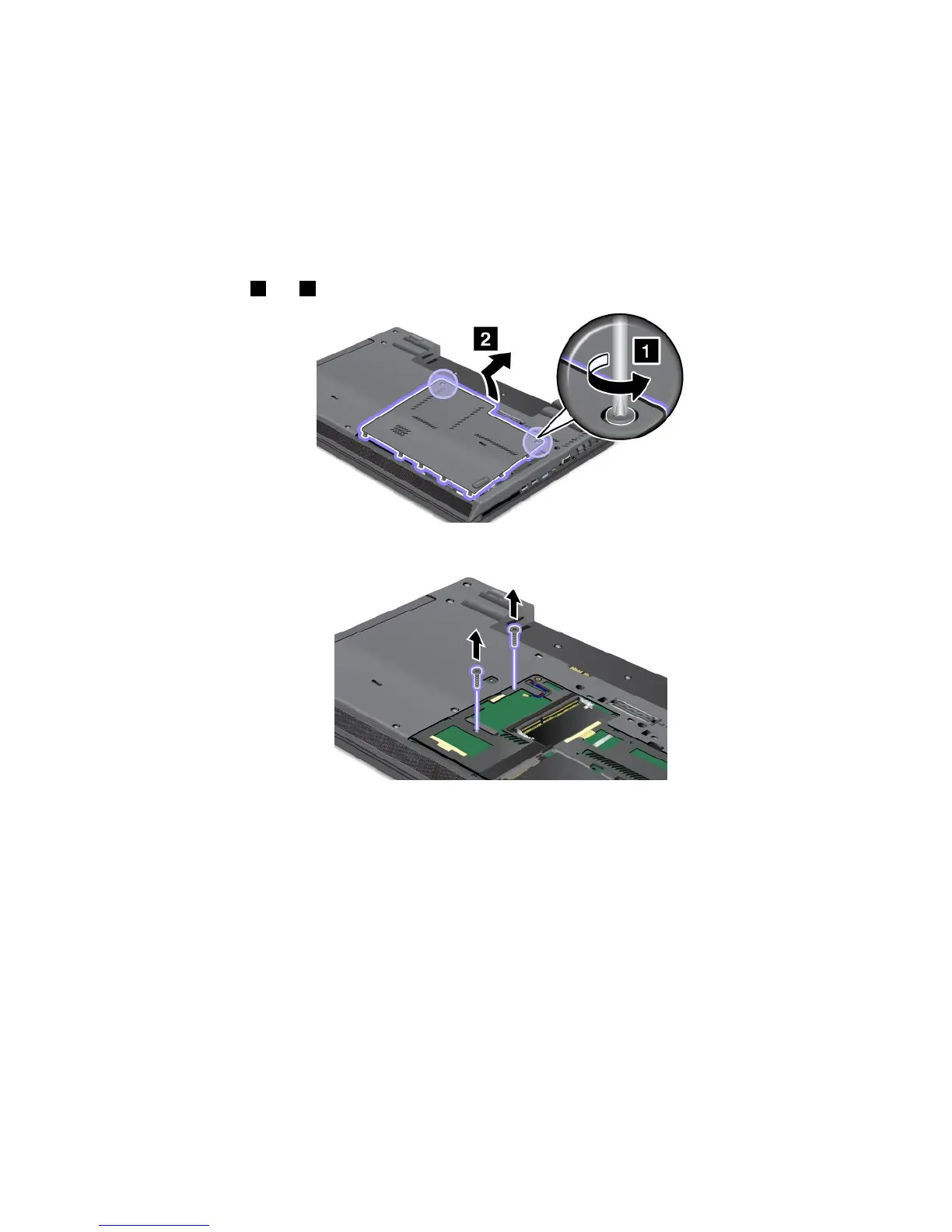
4.Loosenscrews
1 and 2 andremovethecover.
5.Removethescrewsthatsecurethekeyboard.
6.Turnthecomputeroverandopenthedisplay.
Chapter6.Replacingdevices71

















 To Next Page