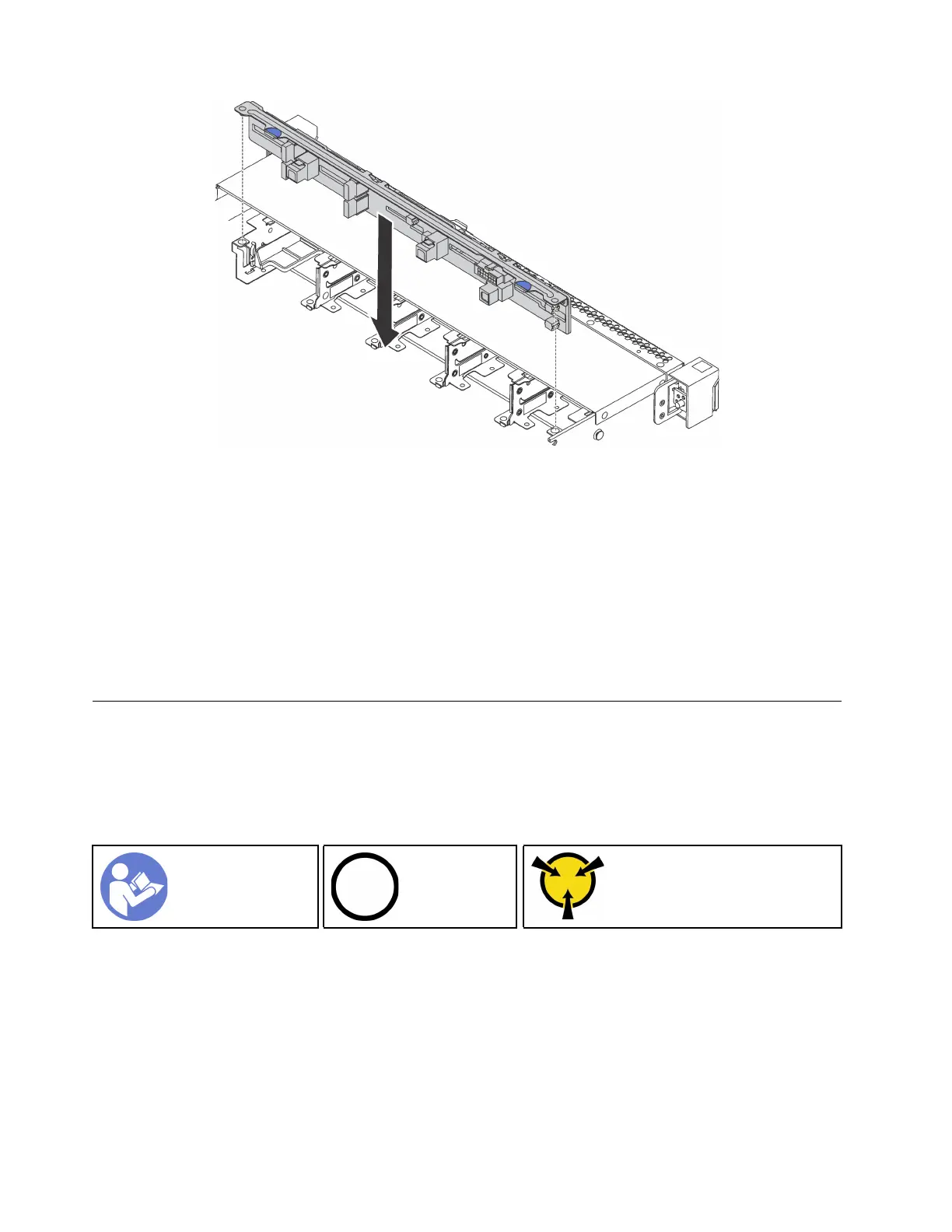
Figure 70. Installation of backplane for ten 2.5-inch hot-swap drives
Step 1. Align the two pins on the backplane with the corresponding holes in the chassis as shown.
Step 2. Lower the backplane into the chassis. Ensure that the pins pass through the holes and the
backplane is fully seated in place.
After installing the backplane:
1. Connect the cables to the backplane. See “Backplane for ten 2.5-inch hot-swap drives” on page 37.
2. Reinstall all the drives and drive fillers into the drive bays. See “Install a hot-swap drive” on page 84.
3. Complete the parts replacement. See “Complete the parts replacement” on page 152.
Simple-swap drive backplate assembly replacement
Use this information to remove and install the simple-swap drive backplate assembly.
Remove the simple-swap drive backplate assembly
Use this information to remove the simple-swap drive backplate assembly.
“Read the
installation
Guidelines” on
page 49
“Power off
the server for
this task” on
page 14
“ATTENTION:
Static Sensitive Device
Ground package before opening”
on page 52
Before removing the simple-swap drive backplate assembly:
1. Remove the top cover. See “Remove the top cover” on page 52.
2. Remove all the installed drives and drive fillers from the drive bays. See “Remove a simple-swap drive”
on page 86.
3. Disconnect the cables of the simple-swap drive backplate assembly from the system board.
To remove the simple-swap drive backplate assembly, complete the following steps:
Watch the procedure. A video of the removal process is available:
102
ThinkSystem SR570 Maintenance Manual






 To Next Page