Security bezel replacement
Use this information to remove and install the security bezel.
Remove the security bezel
Use this information to remove the security bezel.
“Read the
installation
Guidelines” on
page 49
To remove the security bezel, complete the following steps:
Watch the procedure. A video of the removal process is available:
• Youtube:
https://www.youtube.com/playlist?list=PLYV5R7hVcs-CjaaAyvBOOZ749SC-2SK2C
• Youku: http://list.youku.com/albumlist/show/id_51276391
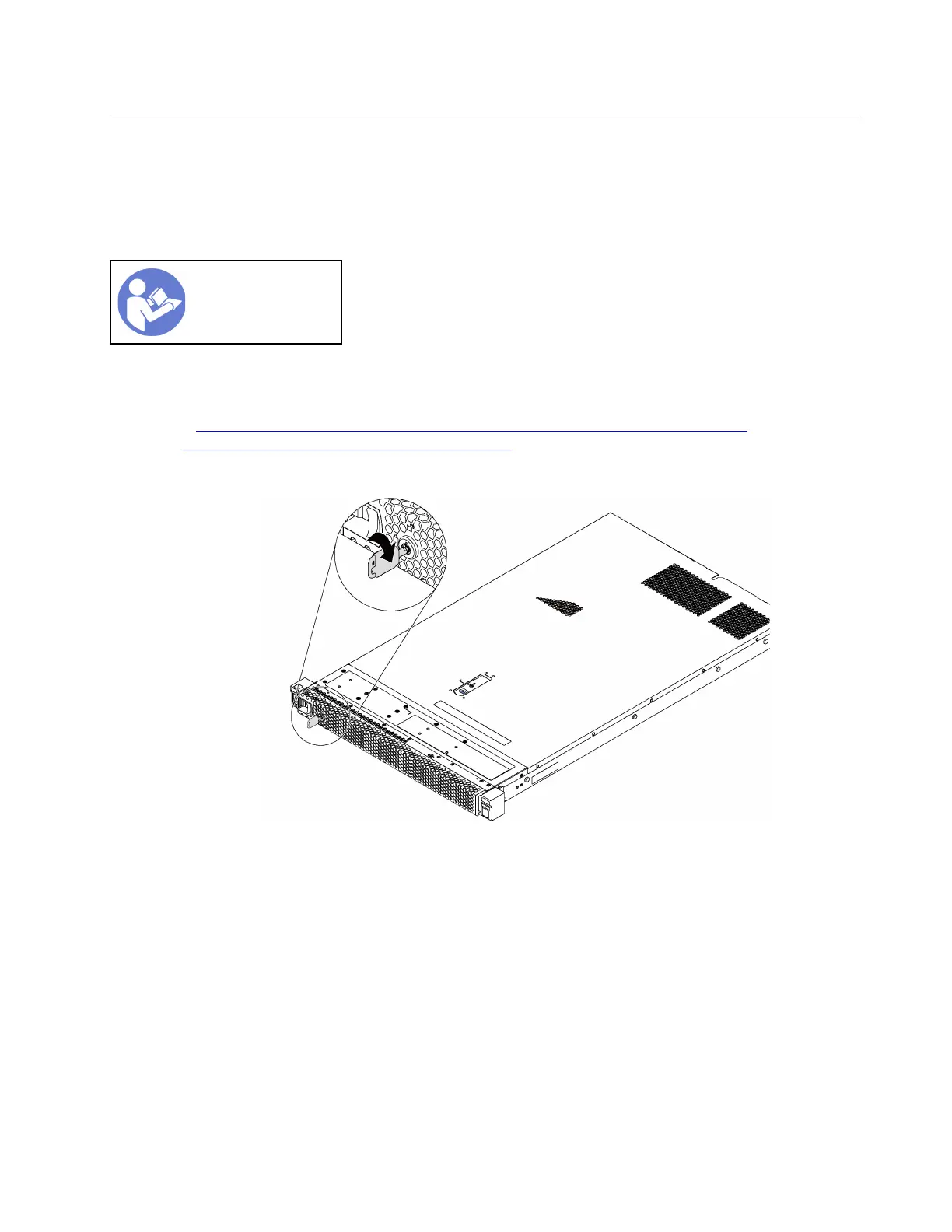
Step 1. Use the key to unlock the security bezel.
Figure 36. Security bezel unlock
Chapter 3. Hardware replacement procedures 63










 To Next Page