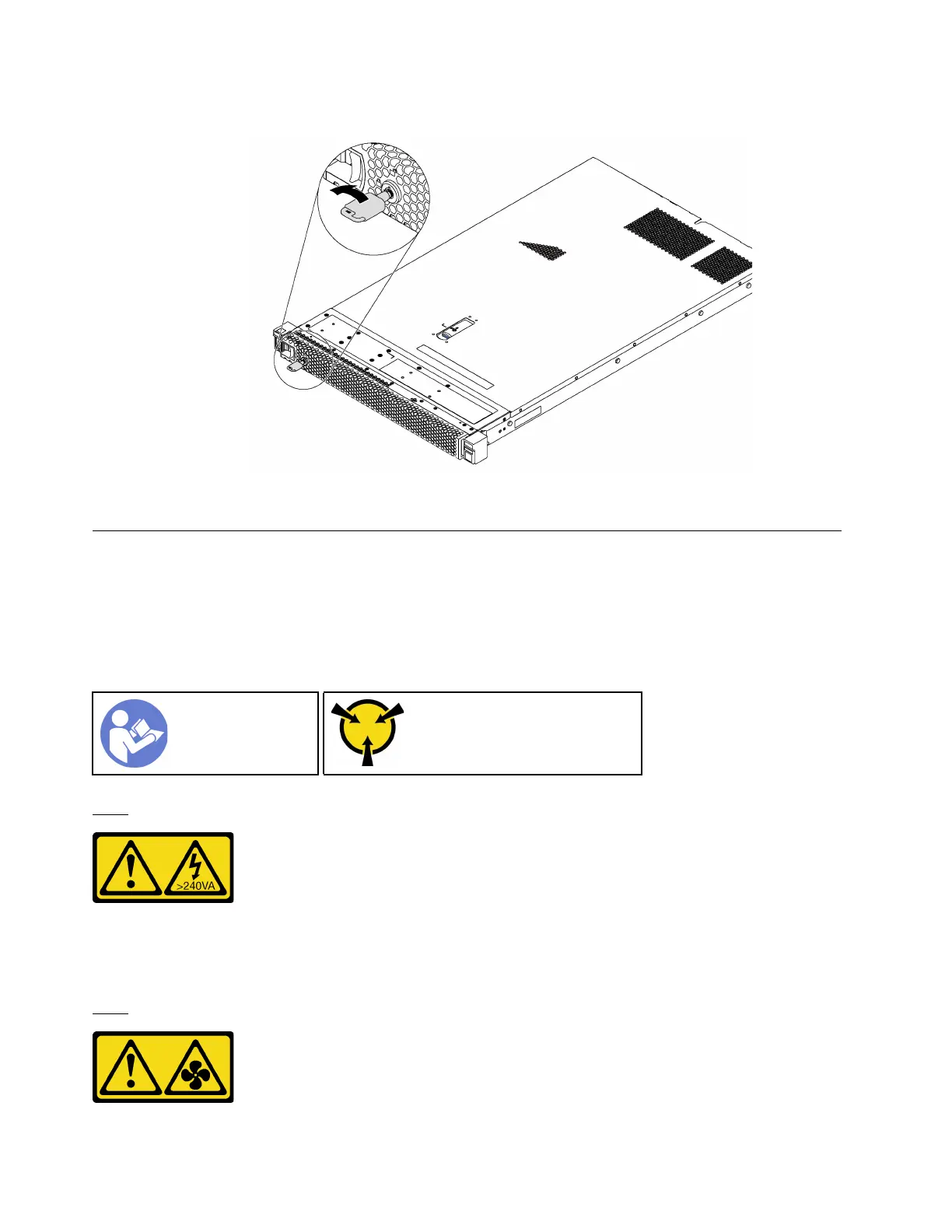
Step 3. Use the key to lock the security bezel.
Figure 40. Security bezel lockup
System fan replacement
Use this information to remove and install a system fan.
Remove a system fan
Use this information to remove a system fan. You can remove a hot-swap fan without powering off the
server, which helps you avoid significant interruption to the operation of the system.
“Read the
installation
Guidelines” on
page 49
“ATTENTION:
Static Sensitive Device
Ground package before opening”
on page 52
S033
CAUTION:
Hazardous energy present. Voltages with hazardous energy might cause heating when shorted with
metal, which might result in spattered metal, burns, or both.
S017
66 ThinkSystem SR570 Maintenance Manual






 To Next Page