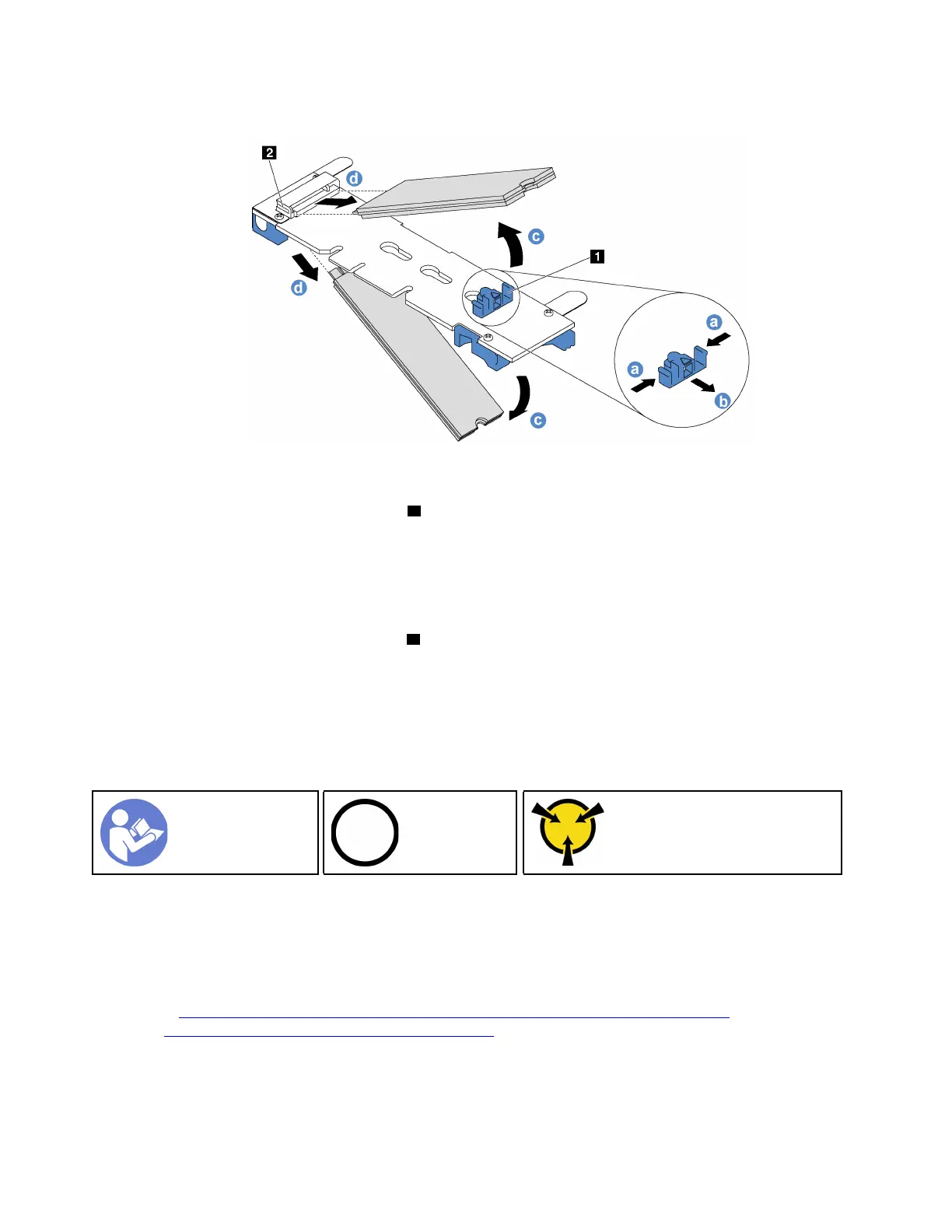
Step 2. Remove the M.2 drive from the M.2 backplane.
Figure 83. M.2 drive removal
a. Press both sides of the retainer 1 .
b. Slide the retainer backward to loosen the M.2 drive from the M.2 backplane.
Note: If the M.2 backplane has two M.2 drives, they will both release outward when you slide
the retainer backward.
c. Rotate the M.2 drive away from the M.2 backplane.
d. Pull it away from the connector
2 at an angle of approximately 30 degrees.
If you are instructed to return the old M.2 backplane or M.2 drive, follow all packaging instructions and use
any packaging materials that are provided.
Adjust the retainer on the M.2 backplane
Use this information to adjust the retainer on the M.2 backplane.
“Read the
installation
Guidelines” on
page 49
“Power off
the server for
this task” on
page 14
“ATTENTION:
Static Sensitive Device
Ground package before opening”
on page 52
Before adjusting the retainer on the M.2 backplane, locate the correct keyhole that the retainer should be
installed into to accommodate the particular size of the M.2 drive you wish to install.
To adjust the retainer on the M.2 backplane, complete the following steps:
Watch the procedure. A video of the adjustment process is available:
• Youtube:
https://www.youtube.com/playlist?list=PLYV5R7hVcs-CjaaAyvBOOZ749SC-2SK2C
• Youku: http://list.youku.com/albumlist/show/id_51276391
116 ThinkSystem SR570 Maintenance Manual






 To Next Page