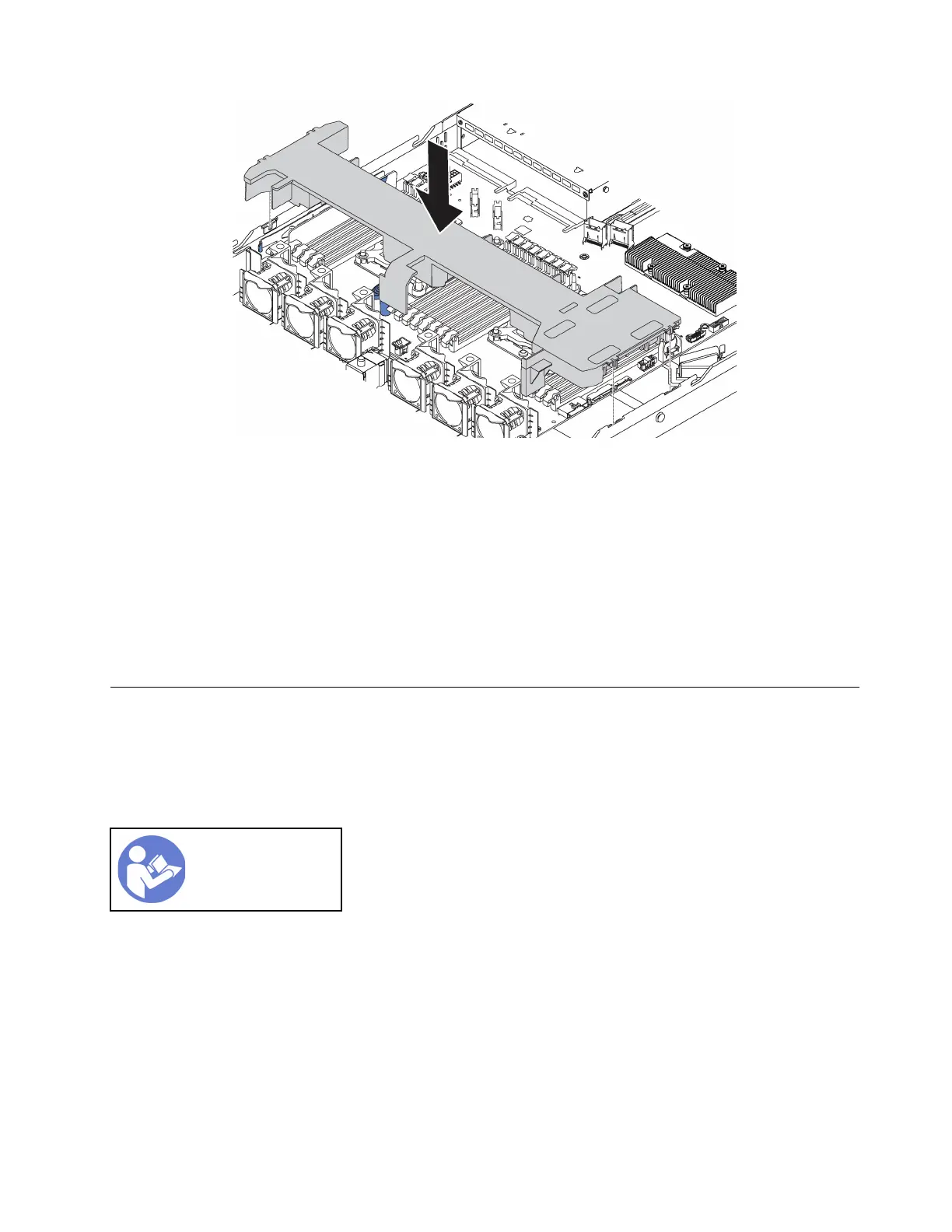
Figure 29. Air baffle installation
Step 1. Align the tabs on both sides of the air baffle with the corresponding slots on both sides of the
chassis.
Step 2. Lower the air baffle into the chassis and press the air baffle down until it is securely seated.
After installing the air baffle:
1. If there is a RAID super capacitor module installed on the bottom of the air baffle, connect it to the RAID
adapter with the extension cable that comes with the RAID super capacitor module.
2. Complete the parts replacement. See “Complete the parts replacement” on page 152.
Rack latches replacement
Use this information to remove and install the rack latches.
Remove the rack latches
Use this information to remove the rack latches.
“Read the
installation
Guidelines” on
page 49
Before removing the rack latches:
1. If the server is installed with the security bezel, remove it first. See “Remove the security bezel” on page
63.
Chapter 3. Hardware replacement procedures 57










 To Next Page