CAUTION:
Hazardous energy present. Voltages with hazardous energy might cause heating when shorted with
metal, which might result in spattered metal, burns, or both.
S017
CAUTION:
Hazardous moving fan blades nearby. Keep fingers and other body parts away.
Before installing a system fan, touch the static-protective package that contains the new system fan to any
unpainted surface on the outside of the server. Then, take the new system fan out of the package and place
it on a static-protective surface.
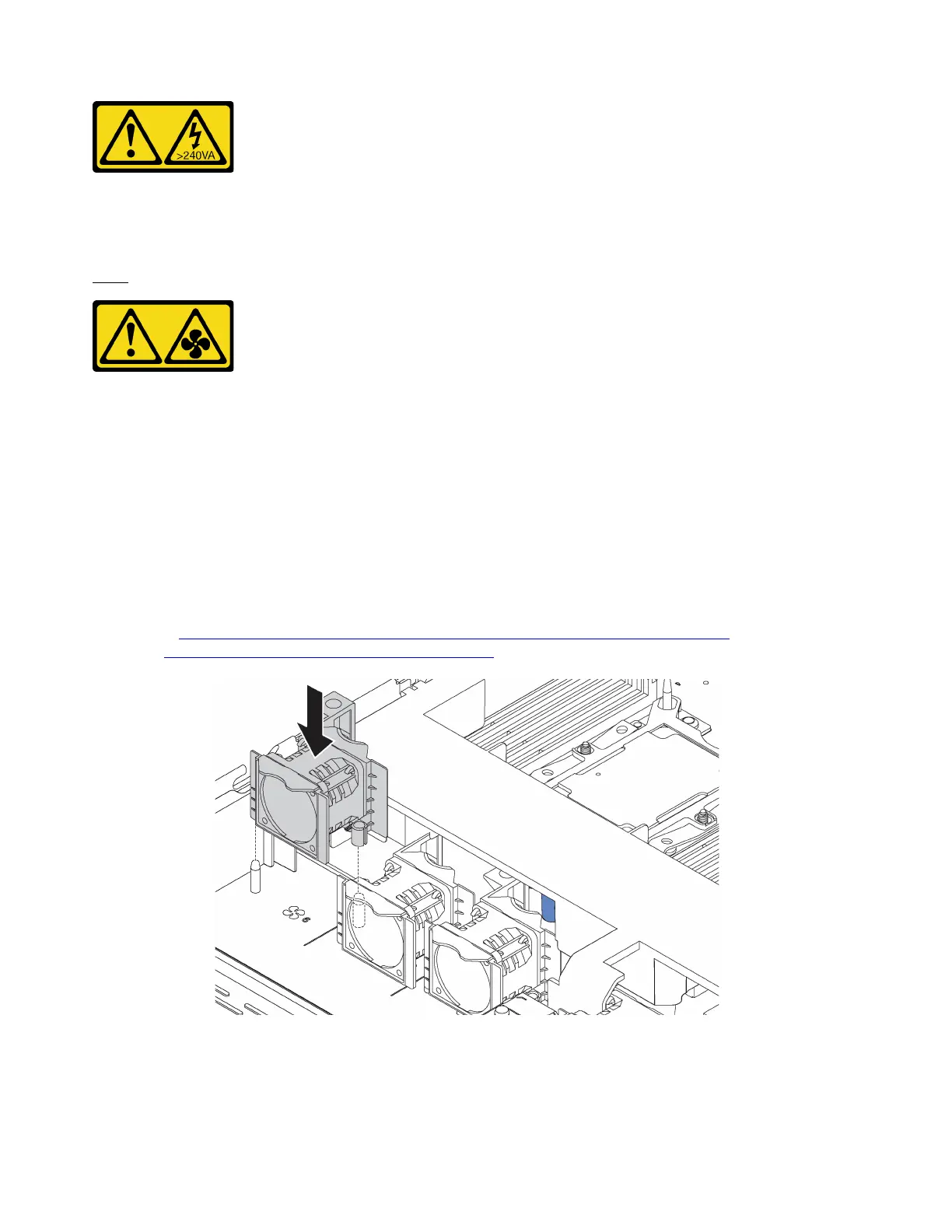
To install a system fan, complete the following steps:
Note: The fan you want to install might be different from the following illustration, but the installation method
is the same.
Watch the procedure. A video of the installation process is available:
• Youtube:
https://www.youtube.com/playlist?list=PLYV5R7hVcs-CjaaAyvBOOZ749SC-2SK2C
• Youku: http://list.youku.com/albumlist/show/id_51276391
Figure 42. System fan installation
Step 1. Align the two holes in the system fan with the two pins on the chassis.
68
ThinkSystem SR570 Maintenance Manual






 To Next Page