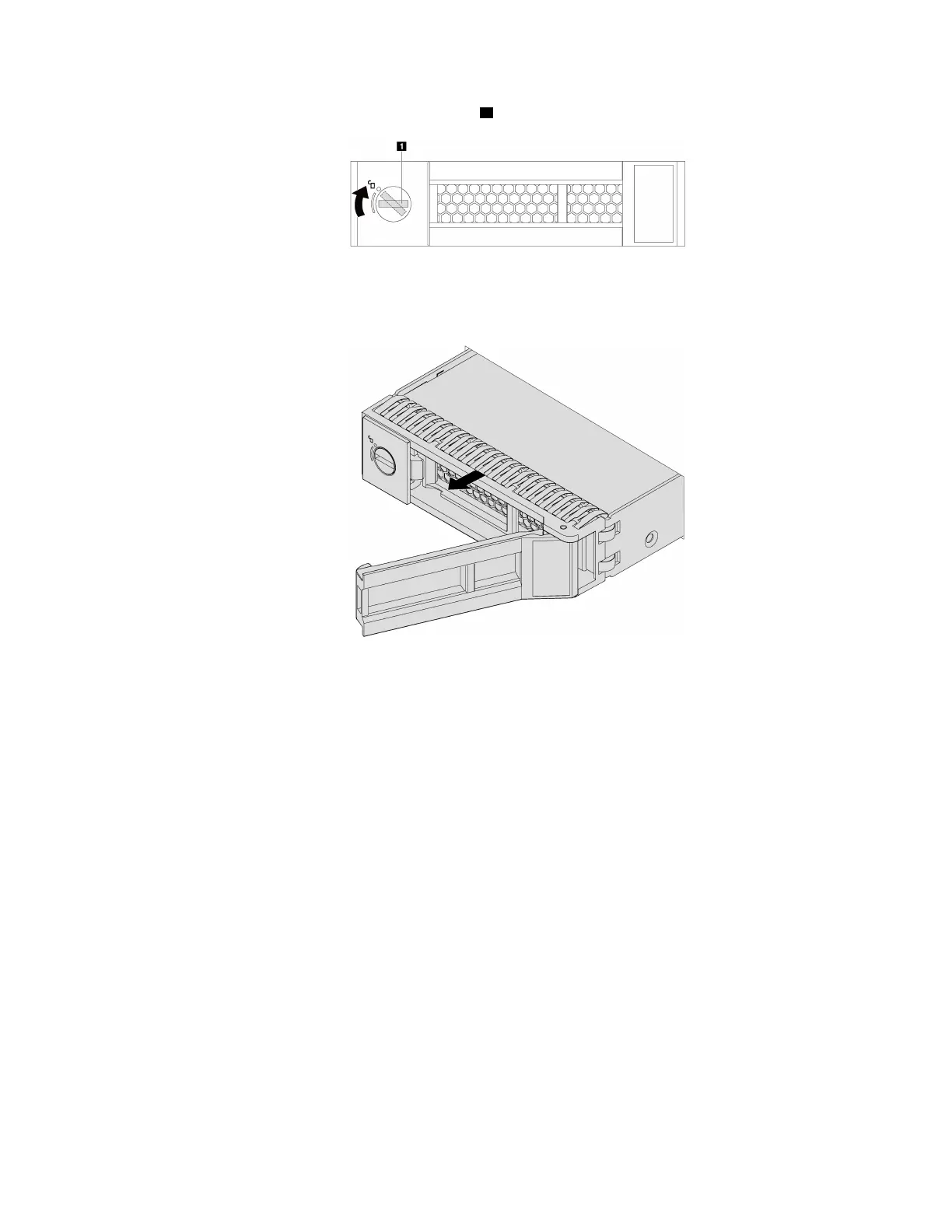
Step 1. Use a screwdriver to unlock the handle lock 1 . The handle opens automatically.
Figure 50. Opening the drive tray handle
Step 2. Grasp the handle and slide the drive out of the drive bay.
Figure 51. Simple-swap drive removal
After removing a simple-swap drive:
• Install the drive filler or a new drive to cover the drive bay. See “Install a simple-swap drive” on page 88.
• If you are instructed to return the old drive, follow all packaging instructions and use any packaging
materials that are provided.
Chapter 3. Hardware replacement procedures 87






 To Next Page