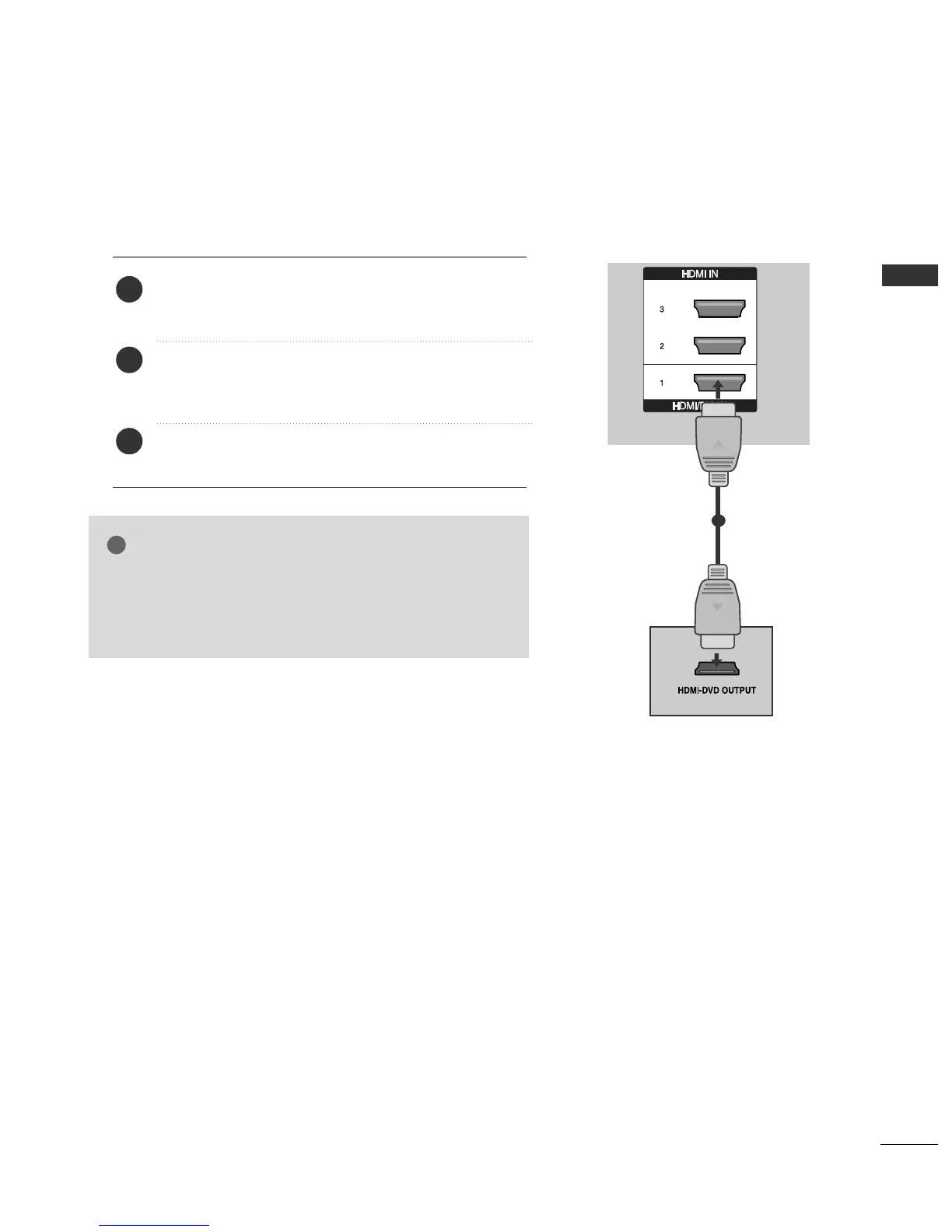
Connecting the HDMI cable
Connect the HDMI output of the DVD to the
HHDDMMII//DDVVII IINN 11
,
HHDDMMII IINN 22
,
HHDDMMII IINN 33
or
HHDDMMII
IINN 44
(except 42/50PG2
***
) jack on the TV.
Select
HHDDMMII11
,
HHDDMMII22
,
HHDDMMII33
or
HHDDMMII44
(except
42/50PG2
***
) input source using the
IINNPPUUTT
button
on the remote control.
Refer to the DVD player's manual for operating
instructions.
2
3
1
1
GG
The TV can receive video and audio signals simultaneously
when using a HDMI cable.
GG
If the DVD does not support Auto HDMI, you must set the
output resolution appropriately.
NOTE



 To Next Page